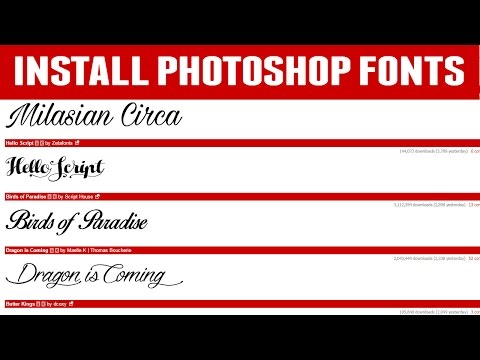
Playback starts YouTube’s embedded player (privacy-enhanced mode).
How To Install Fonts in Photoshop
ChannelRebekah CornellDescription from the creator
Here is a quick tutorial on how to import fonts into Photoshop. For more in depth tutorials visit PhotoshopGuardian.com
DaFont Link:
dafont.com Go to this website for free Photoshop fonts.
Today we will learn how to import fonts to Photoshop. Open the dafont website and choose a font you would like to download. Once you have found the perfect font click the download button to the right. This will open a download drop box. Once it has finished downloading click on the box and select open in folder; this will bring up a new box. In a new box click on the options at the top and choose the download folder. In the download folder find the font that was just downloaded right click and choose extract. Once the font had been extracted right click on the font and select install. Now your font is in the Photoshop fonts folder.
Other tutorials in my channel
youtube.com/watch?v=rUAxrmtHDio
youtube.com/watch?v=TB806rmqe90
youtube.com/watch?v=Vkmq-HoYewg
Youtube Channel:
youtube.com/channel/UC9Y6KzgVCpqcOOQknnkSwCw
Google Plus :
plus.google.com/u/0/108029182318610649646/posts
Twitter:
twitter.com/PhotoshopGuard?lang=en
Facebook Page:
facebook.com/Photoshop-Guardian-456023411252379/
DaFont Link:
dafont.com Go to this website for free Photoshop fonts.
Today we will learn how to import fonts to Photoshop. Open the dafont website and choose a font you would like to download. Once you have found the perfect font click the download button to the right. This will open a download drop box. Once it has finished downloading click on the box and select open in folder; this will bring up a new box. In a new box click on the options at the top and choose the download folder. In the download folder find the font that was just downloaded right click and choose extract. Once the font had been extracted right click on the font and select install. Now your font is in the Photoshop fonts folder.
Other tutorials in my channel
youtube.com/watch?v=rUAxrmtHDio
youtube.com/watch?v=TB806rmqe90
youtube.com/watch?v=Vkmq-HoYewg
Youtube Channel:
youtube.com/channel/UC9Y6KzgVCpqcOOQknnkSwCw
Google Plus :
plus.google.com/u/0/108029182318610649646/posts
Twitter:
twitter.com/PhotoshopGuard?lang=en
Facebook Page:
facebook.com/Photoshop-Guardian-456023411252379/
About this tutorial
Rebekah Cornell published this 3:10 video tutorial on October 26, 2016. It has been watched 44,785 times on YouTube.
- Channel
- Rebekah Cornell
- Category
- People & Blogs
- Duration
- 3:10
- Published
- October 26, 2016
- Views
- 44,785
- Likes
- 340
Tags
Share
This tutorial in other languages
- FRComment faire pour installer les polices de caractères dans Photoshop
- ESCómo instalar fuentes en Photoshop
- PTComo instalar fontes no Photoshop
- ITCome installare font in Photoshop
- DEWie Installieren von Schriftarten in Photoshop
- NLHow To Fonts installeren in Photoshop
- RUКак установить шрифты в Photoshop
- PLJak zainstalować czcionki w Photoshopie
- JAPhotoshopでフォントをインストールする方法
- ARكيفية تثبيت الخطوط في الفوتوشوب
- HIमें फ़ोटोशॉप फ़ॉन्ट को स्थापित करने के लिए कैसे
- IDCara Install Font di Photoshop