Playback starts YouTube’s embedded player (privacy-enhanced mode).
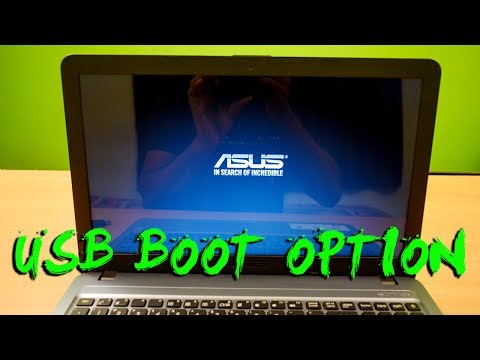
How to install Windows 10 on Asus X540 Laptop - Enable USB Boot in Bios Settings
ChannelTricK i KnowDescription from the creator
Let's see how to install windows 10, 8.1, or 7 on an ASUS X540 laptop using a Bootable USB drive. It's an ASUS X540L Series Laptop if you having trouble to install windows or any other operating systems watch my full video, you will get all your answers.
This video is also helpful for those want to install windows directly from their genuine windows installation DVD, all process are same just insert your windows DVD into your Laptops DVD ROM and in the boot Menu select you DVD ROM option.
If you having a problem yet watch my last video, this will may help you because that is similar to this one:
▶▶ youtube.com/watch?v=dlT3csBFB0c&t
Thank you !! for watching my video hop you liked and enjoyed my video, I will try to provide this type of High-Quality Video Tutorials on my YouTube Channel. Thank you again, See you in my next Video :)
▶▶ If you Like my video plz SUBSCRIBE : bit.ly/SubscribeTrickiKnow ❤
+ More Helpful & Useful Videos form "Trick i Know" (This Channel)
________________________________________________________________
►► How to Make a Bootable USB Drive with Rufus:
youtu.be/mXbIrX-leOg
►► HP Notebook 15 Boot from USB (Windows Installation):
youtube.com/watch?v=rGZtR15okRk
►► How to Boot Asus F550 Laptop From USB Drive:
youtube.com/watch?v=dlT3csBFB0c&t
►► How to replace CMOS Battery in Dell Inspiron Laptops:
youtube.com/watch?v=dpaTNx0E5dM
►► How to Enable boot option in HP 2000 Laptops:
youtube.com/watch?v=AB7-n9H93Cg&t
►► Lenovo Laptop Keyboard Replacement guide video:
youtube.com/watch?v=yOE2-XesL5M&t
▶▶ How to Upgrade 8GB RAM in HP Notebook:
youtube.com/watch?v=AYSCixzCGyg&t
________________________________________________________________
►► Follow Me on Social Media and Website ❤
________________________________________________________________
◉ Facebook : facebook.com/TrickIKnow
◉ Google+ : plus.google.com/+TrickiKnow
◉ Twitter : twitter.com/TrickiKnow
◉ Website: trickiknow.com
________________________________________________________________
►► The Gadgets I Used to Make this Video ❤
________________________________________________________________
◉ Camera - Nikon DSLR D3300 : bit.ly/2uUPUYP
◉ Lens - AF-P NIKKOR 18-55mm Lens : bit.ly/2uyW6mD
◉ Tripod - Photron Steady Pro 560: bit.ly/2tHLHHW
◉ Lights - Umbrella Video Light : bit.ly/2uUPlOP
◉ Mic - Electret Condenser Omnidirectional Mic : bit.ly/2uVexog
◉ Memory Card - SanDisk 32GB Ultra SDHC : bit.ly/2vGUNSW
________________________________________________________________
#AsusX540 #Windows10 #Boot
This video is also helpful for those want to install windows directly from their genuine windows installation DVD, all process are same just insert your windows DVD into your Laptops DVD ROM and in the boot Menu select you DVD ROM option.
If you having a problem yet watch my last video, this will may help you because that is similar to this one:
▶▶ youtube.com/watch?v=dlT3csBFB0c&t
Thank you !! for watching my video hop you liked and enjoyed my video, I will try to provide this type of High-Quality Video Tutorials on my YouTube Channel. Thank you again, See you in my next Video :)
▶▶ If you Like my video plz SUBSCRIBE : bit.ly/SubscribeTrickiKnow ❤
+ More Helpful & Useful Videos form "Trick i Know" (This Channel)
________________________________________________________________
►► How to Make a Bootable USB Drive with Rufus:
youtu.be/mXbIrX-leOg
►► HP Notebook 15 Boot from USB (Windows Installation):
youtube.com/watch?v=rGZtR15okRk
►► How to Boot Asus F550 Laptop From USB Drive:
youtube.com/watch?v=dlT3csBFB0c&t
►► How to replace CMOS Battery in Dell Inspiron Laptops:
youtube.com/watch?v=dpaTNx0E5dM
►► How to Enable boot option in HP 2000 Laptops:
youtube.com/watch?v=AB7-n9H93Cg&t
►► Lenovo Laptop Keyboard Replacement guide video:
youtube.com/watch?v=yOE2-XesL5M&t
▶▶ How to Upgrade 8GB RAM in HP Notebook:
youtube.com/watch?v=AYSCixzCGyg&t
________________________________________________________________
►► Follow Me on Social Media and Website ❤
________________________________________________________________
◉ Facebook : facebook.com/TrickIKnow
◉ Google+ : plus.google.com/+TrickiKnow
◉ Twitter : twitter.com/TrickiKnow
◉ Website: trickiknow.com
________________________________________________________________
►► The Gadgets I Used to Make this Video ❤
________________________________________________________________
◉ Camera - Nikon DSLR D3300 : bit.ly/2uUPUYP
◉ Lens - AF-P NIKKOR 18-55mm Lens : bit.ly/2uyW6mD
◉ Tripod - Photron Steady Pro 560: bit.ly/2tHLHHW
◉ Lights - Umbrella Video Light : bit.ly/2uUPlOP
◉ Mic - Electret Condenser Omnidirectional Mic : bit.ly/2uVexog
◉ Memory Card - SanDisk 32GB Ultra SDHC : bit.ly/2vGUNSW
________________________________________________________________
#AsusX540 #Windows10 #Boot
About this tutorial
TricK i Know published this 2:58 video tutorial on November 13, 2017. It has been watched 1,672,226 times on YouTube.
- Channel
- TricK i Know
- Category
- People & Blogs
- Duration
- 2:58
- Published
- November 13, 2017
- Views
- 1,672,226
- Likes
- 10,659
Tags
Share
This tutorial in other languages
- FRComment installer Windows 10 sur Asus X540 ordinateur portable - Activer le démarrage USB dans les paramètres du BIOS
- ESCómo instalar Windows 10 en un Asus X540 portátil - Activar el inicio del USB en la configuración del BIOS
- PTComo instalar o Windows 10 sobre Asus X540 Laptop - Ativar inicialização USB nas configurações de BIOS
- ITCome installare Windows 10 su Asus X540 Laptop - Abilitare USB Boot in impostazioni del BIOS
- DEWie Sie Windows 10 auf Asus X540 Laptop installieren - Aktivieren USB Boote in Bios-Einstellungen
- NLHoe kan ik Windows 10 installeren op Asus X540 Laptop - Schakel USB Boot in de BIOS-instellingen
- RUКак установить Windows 10 на Asus X540 Ноутбук - Включить USB загрузки в настройках Bios
- PLJak zainstalować Windows 10 na Asus X540 Laptop - Enable Boot USB w ustawieniach BIOS
- JABIOS設定でUSBブートを有効にする - AsusのX540ノートパソコンにWindows 10をインストールする方法
- ARكيفية تثبيت ويندوز 10 على آسوس أجهزة الكمبيوتر المحمول X540 - تمكين التمهيد USB في إعدادات BIOS
- HIAsus X540 लैपटॉप पर विंडोज 10 स्थापित करने के लिए - BIOS सेटिंग्स में यूएसबी बूट सक्षम करें
- IDBagaimana menginstal Windows 10 pada Asus X540 Laptop - Enable Boot USB di Bios Settings