Playback starts YouTube’s embedded player (privacy-enhanced mode).
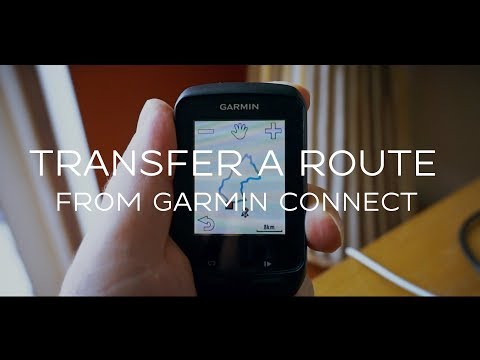
How To Transfer A Course To A Garmin Cycling Computer Using The Garmin Connect App
ChannelleonardmleeDescription from the creator
How To Transfer A Course To A Garmin Cycling Computer Using The Garmin Connect App.
Did you know that the Garmin Connect Smartphone app has some cool hidden features?
For many of us, Garmin Connect is a little app that sits on our smartphones and is simply the way we wirelessly transfer our ride data from our Garmin cycling computers to Strava.
Garmin Connect is actually a pretty useful app in its own right and has loads of cool features. One of the best is the ability to create and transfer routes to your Garmin cycling computer wirelessly.
This is particularly useful if you are away from home and need to work out a cycling or running route on roads that you don't know.
Not only is the Garmin connect smartphone app able to create running and cycling routes and transfer them to your cycling computer, it can also display running and cycling routes created by other people. Once you have selected a route you are interested in, you can transfer that you your cycling computer as well.
All in all, I think that The Garmin Connect smartphone app is pretty underrated.
---------------------------------------------------------------------------------------------------------------
Need anything cycling related? Buy it here from my Amazon store: amazon.co.uk/shop/leonardmlee
Join my Patreon for an exclusive invite to a live Q&A session with me every month. patreon.com/jollygoodvelo
Email for business enquires: [email protected]
Social Media
Jolly Good Velo Strava Club: strava.com/clubs/jollygoodvelo
Jolly Good Velo Facebook Group: facebook.com/groups/239075813411056/
Strava: strava.com/athletes/515946
Did you know that the Garmin Connect Smartphone app has some cool hidden features?
For many of us, Garmin Connect is a little app that sits on our smartphones and is simply the way we wirelessly transfer our ride data from our Garmin cycling computers to Strava.
Garmin Connect is actually a pretty useful app in its own right and has loads of cool features. One of the best is the ability to create and transfer routes to your Garmin cycling computer wirelessly.
This is particularly useful if you are away from home and need to work out a cycling or running route on roads that you don't know.
Not only is the Garmin connect smartphone app able to create running and cycling routes and transfer them to your cycling computer, it can also display running and cycling routes created by other people. Once you have selected a route you are interested in, you can transfer that you your cycling computer as well.
All in all, I think that The Garmin Connect smartphone app is pretty underrated.
---------------------------------------------------------------------------------------------------------------
Need anything cycling related? Buy it here from my Amazon store: amazon.co.uk/shop/leonardmlee
Join my Patreon for an exclusive invite to a live Q&A session with me every month. patreon.com/jollygoodvelo
Email for business enquires: [email protected]
Social Media
Jolly Good Velo Strava Club: strava.com/clubs/jollygoodvelo
Jolly Good Velo Facebook Group: facebook.com/groups/239075813411056/
Strava: strava.com/athletes/515946
About this tutorial
leonardmlee published this 7:36 video tutorial on November 5, 2019. It has been watched 80,562 times on YouTube.
- Channel
- leonardmlee
- Category
- People & Blogs
- Duration
- 7:36
- Published
- November 5, 2019
- Views
- 80,562
- Likes
- 646
Tags
Share
This tutorial in other languages
- FRComment faire pour transférer un cours à un Garmin à vélo ordinateur en utilisant le Garmin Connect App
- ESCómo transferir un curso a un Garmin Ciclismo ordenador utilizando el Garmin Connect App
- PTComo transferir um curso para A Garmin Ciclismo computador utilizando o Garmin Connect App
- ITCome trasferire un corso ad un Garmin Ciclismo computer utilizzando il Garmin Connect App
- DEWie man einen Kurs A Garmin Fahrradcomputer Verwenden der Garmin Connect App übertragen
- NLHoe om een cursus om een Garmin Fietsen computer via de Garmin Connect App
- RUКак перевести курс на Garmin, велосипедный компьютер с помощью Garmin Connect App
- PLJak przekazać oczywiście Garmin rowerze komputera za pomocą aplikacji Garmin Connect
- JAガーミンコネクトアプリを使ってAコースにAガーミンサイクリングコンピュータを転送する方法
- ARكيفية نقل دورة لغارمين ركوب الدراجات الكمبيوتر باستخدام موقع Garmin Connect التطبيقات
- HIएक कोर्स करने के लिए एक गार्मिन सायक्लिंग कंप्यूटर स्थानांतरित करने का तरीका गार्मिन कनेक्ट अनुप्रयोग का उपयोग करना
- IDCara Mentransfer A Course Untuk Sebuah Garmin Bersepeda Komputer Menggunakan Garmin Connect App