Playback starts YouTube’s embedded player (privacy-enhanced mode).
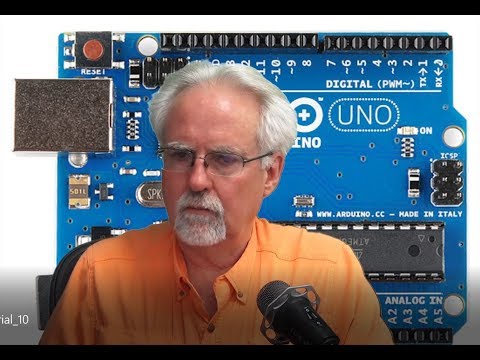
Arduino Tutorial 1: Setting Up and Programming the Arduino for Absolute Beginners
ChannelPaul McWhorterIn brief
You’ll set up an Arduino board and write your first three simple programs, covering basic wiring and coding. This is perfect for complete beginners with no prior electronics or programming experience.
Description from the creator
You guys can help me out over at Patreon, and that will keep this high quality content coming:
patreon.com/PaulMcWhorter
This is a tutorial series for absolute beginners. We show complete newbies how to get an arduino up and running, and in this lesson you will write your first three programs.
If you want just the arduino, you can get an official arduino uno R3 here:
amzn.to/3TDu0mz
You can pick up the kit I am using in these lessons here:
amzn.to/3c9SJrO
The kit includes all the components I use in this class, and an arduino clone.
You can see details of this lesson on our WEB site HERE:
toptechboy.com/arduino-tutorial-1-getting-start…
[Disclosure of Material Connection: I am a participant in the Amazon Services LLC Associates Program, an affiliate advertising program designed to provide a means for sites to earn advertising fees by advertising and linking to amazon.com. This means if you visit the link and purchase the item, I will receive an affiliate commission. Regardless, I only recommend products or services I use personally and believe will add value to my readers.
#Arduino -
-
*LEGAL DISCLAIMER:*
The code, hardware setups, circuit diagrams, mathematical calculations, and technical methods provided in this video are strictly for educational and demonstration purposes.
All math, code, and instructional content are provided "AS IS", without warranty of any kind, express or implied, including but not limited to guarantees of accuracy, completeness, or fitness for a specific purpose.
All hardware assembly, circuit wiring, and software execution are performed entirely at your own risk. The creator assumes no liability for equipment damage, component failure, data loss, or personal injury resulting from the use or implementation of any information or files presented in this content.
patreon.com/PaulMcWhorter
This is a tutorial series for absolute beginners. We show complete newbies how to get an arduino up and running, and in this lesson you will write your first three programs.
If you want just the arduino, you can get an official arduino uno R3 here:
amzn.to/3TDu0mz
You can pick up the kit I am using in these lessons here:
amzn.to/3c9SJrO
The kit includes all the components I use in this class, and an arduino clone.
You can see details of this lesson on our WEB site HERE:
toptechboy.com/arduino-tutorial-1-getting-start…
[Disclosure of Material Connection: I am a participant in the Amazon Services LLC Associates Program, an affiliate advertising program designed to provide a means for sites to earn advertising fees by advertising and linking to amazon.com. This means if you visit the link and purchase the item, I will receive an affiliate commission. Regardless, I only recommend products or services I use personally and believe will add value to my readers.
#Arduino -
-
*LEGAL DISCLAIMER:*
The code, hardware setups, circuit diagrams, mathematical calculations, and technical methods provided in this video are strictly for educational and demonstration purposes.
All math, code, and instructional content are provided "AS IS", without warranty of any kind, express or implied, including but not limited to guarantees of accuracy, completeness, or fitness for a specific purpose.
All hardware assembly, circuit wiring, and software execution are performed entirely at your own risk. The creator assumes no liability for equipment damage, component failure, data loss, or personal injury resulting from the use or implementation of any information or files presented in this content.
About this tutorial
Paul McWhorter published this 23:50 video tutorial on October 26, 2019. It has been watched 3,368,913 times on YouTube.
- Channel
- Paul McWhorter
- Category
- Science & Technology
- Duration
- 23:50
- Published
- October 26, 2019
- Views
- 3,368,913
- Likes
- 84,969
Tags
Share
This tutorial in other languages
- FRArduino Tutoriel 1: Configuration et programmation du Arduino pour Absolute Beginners
- ESTutorial Arduino 1: Configuración y programación de Arduino para principiantes absolutos
- PTArduino Tutorial 1: Configuração e Programação do Arduino para Absolute Beginners
- ITArduino Tutorial 1: Impostazione e programmazione del Arduino per Absolute Beginners
- DEArduino Tutorial 1: Einrichten und Programmieren des Arduino für Absolute Beginners
- NLArduino Tutorial 1: instellen en programmeren van de Arduino voor Absolute Beginners
- RUArduino Учебник 1: Настройка и программирование Arduino для абсолютных новичков
- PLArduino Tutorial 1: Konfiguracja i Programowanie Arduino dla początkujących
- JAArduinoのチュートリアル1:セットアップと絶対初心者のためのArduinoのプログラミング
- ARاردوينو دروس 1: إعداد وبرمجة اردوينو للمبتدئين المطلقة
- HIArduino ट्यूटोरियल 1: स्थापना और निरपेक्ष शुरुआती के लिए Arduino प्रोग्रामिंग
- IDArduino Tutorial 1: Menyiapkan dan Pemrograman Arduino untuk Absolute Beginners