Playback starts YouTube’s embedded player (privacy-enhanced mode).
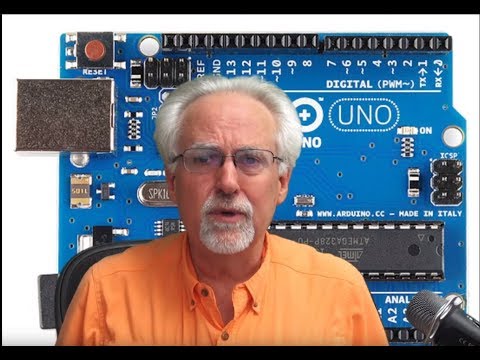
Arduino Tutorial 48: Connecting and Using an LCD Display
ChannelPaul McWhorterDescription from the creator
You guys can help me out over at Patreon, and that will keep this high quality content coming:
patreon.com/PaulMcWhorter
If you want just the arduino, you can get an official arduino uno R3 here:
amzn.to/3TDu0mz
You can pick up the kit I am using in these lessons here:
amzn.to/3c9SJrO
The kit includes all the components I use in this class, and an arduino clone.
In this video we show you step by step how to connect and program an LCD Display with an Arduino.
As projects get more complicated in these lessons, you guys really need to get a set of breadboard jumper wires which allow you to make neater connections on the board in your projects. You can pick a pack of these wires up here:
amzn.to/422wWPg
In addition as projects get more complicated, you are going to need a bigger breadboard. This is a reasonable one here:
amzn.to/2IY4d3M
Follow these lessons on our FREE WEB Site;
toptechboy.com/arduino-tutorial-48-connecting-a…
[Disclosure of Material Connection: I am a participant in the Amazon Services LLC Associates Program, an affiliate advertising program designed to provide a means for sites to earn advertising fees by advertising and linking to amazon.com. This means if you visit the link and purchase the item, I will receive an affiliate commission. Regardless, I only recommend products or services I use personally and believe will add value to my readers.]
#Arduino -
-
*LEGAL DISCLAIMER:*
The code, hardware setups, circuit diagrams, mathematical calculations, and technical methods provided in this video are strictly for educational and demonstration purposes.
All math, code, and instructional content are provided "AS IS", without warranty of any kind, express or implied, including but not limited to guarantees of accuracy, completeness, or fitness for a specific purpose.
All hardware assembly, circuit wiring, and software execution are performed entirely at your own risk. The creator assumes no liability for equipment damage, component failure, data loss, or personal injury resulting from the use or implementation of any information or files presented in this content.
patreon.com/PaulMcWhorter
If you want just the arduino, you can get an official arduino uno R3 here:
amzn.to/3TDu0mz
You can pick up the kit I am using in these lessons here:
amzn.to/3c9SJrO
The kit includes all the components I use in this class, and an arduino clone.
In this video we show you step by step how to connect and program an LCD Display with an Arduino.
As projects get more complicated in these lessons, you guys really need to get a set of breadboard jumper wires which allow you to make neater connections on the board in your projects. You can pick a pack of these wires up here:
amzn.to/422wWPg
In addition as projects get more complicated, you are going to need a bigger breadboard. This is a reasonable one here:
amzn.to/2IY4d3M
Follow these lessons on our FREE WEB Site;
toptechboy.com/arduino-tutorial-48-connecting-a…
[Disclosure of Material Connection: I am a participant in the Amazon Services LLC Associates Program, an affiliate advertising program designed to provide a means for sites to earn advertising fees by advertising and linking to amazon.com. This means if you visit the link and purchase the item, I will receive an affiliate commission. Regardless, I only recommend products or services I use personally and believe will add value to my readers.]
#Arduino -
-
*LEGAL DISCLAIMER:*
The code, hardware setups, circuit diagrams, mathematical calculations, and technical methods provided in this video are strictly for educational and demonstration purposes.
All math, code, and instructional content are provided "AS IS", without warranty of any kind, express or implied, including but not limited to guarantees of accuracy, completeness, or fitness for a specific purpose.
All hardware assembly, circuit wiring, and software execution are performed entirely at your own risk. The creator assumes no liability for equipment damage, component failure, data loss, or personal injury resulting from the use or implementation of any information or files presented in this content.
About this tutorial
Paul McWhorter published this 50:43 video tutorial on March 2, 2020. It has been watched 213,344 times on YouTube.
- Channel
- Paul McWhorter
- Category
- Science & Technology
- Duration
- 50:43
- Published
- March 2, 2020
- Views
- 213,344
- Likes
- 4,021
Tags
Share
This tutorial in other languages
- FRArduino Tutoriel 48: Connexion et utilisation d'un écran LCD
- ESArduino Tutorial 48: Conexión y uso de una pantalla LCD
- PTArduino Tutorial 48: conectar e utilizar um monitor LCD
- ITArduino Tutorial 48: Collegamento e utilizzo di un monitor LCD
- DEArduino Tutorial 48: Anschließen und Verwenden eines LCD-Display
- NLArduino Tutorial 48: aansluiten en gebruiken van een LCD-scherm
- RUArduino Учебник 48: Подключение и использование ЖК-дисплея
- PLArduino Tutorial 48: Podłączanie i korzystanie z wyświetlaczem LCD
- JAArduinoのチュートリアル48:LCDディスプレイの接続と使用
- ARاردوينو دروس 48: الاتصال وباستخدام شاشة LCD
- HIट्यूटोरियल 48 Arduino: कनेक्ट और एक एलसीडी डिस्प्ले का उपयोग करना
- IDArduino Tutorial 48: Menghubungkan dan Menggunakan LCD Display