Playback starts YouTube’s embedded player (privacy-enhanced mode).
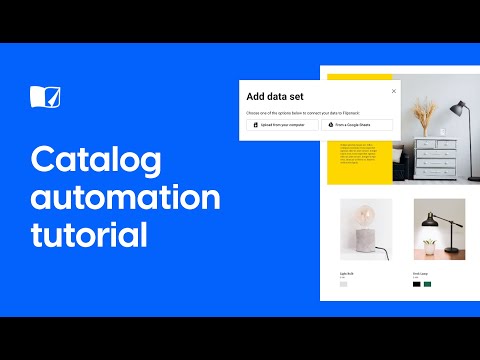
Catalog Automation Tutorial
ChannelFlipsnackChapters
Description from the creator
Follow our step-by-step guide and learn how to create professional #automated #catalogs in just a few minutes with #Flipsnack.
Save time & money with our data automator program. Be the first one in your industry that changes the way catalog automation is done! Enjoy our innovative solution: catalog automation made simple.
Apply here for the automator beta release:
flipsnack.com/catalog-automation.html
Find out more about catalog automation:
help.flipsnack.com/en/articles/4304602-data-aut…
Timestamp
00:00 | Intro
00:14 | Step 1: Connect to a data source
00:46 | Step 2: Make a design template for automation
01:47 | Step 3: Create dynamic fields
02:15 | Step 4: Duplicate info boxes and pages
02:59 | Step 5: Add products with drag and drop
About Flipsnack
flipsnack.com
Flipsnack is the perfect tool for converting PDFs into online flipbooks such as online magazines, catalogs, brochures, photo albums and many more. It can also be used to design your own printable materials such as brochures, flyers & restaurant menus.
Flipsnack on Facebook: facebook.com/FlipsnackOfficial
Flipsnack on Twitter: twitter.com/flipsnack
Flipsnack on Instagram: instagram.com/flipsnack
Flipsnack on Linkedin: linkedin.com/company/flipsnack
Flipsnack on Pinterest: pinterest.com/flipsnack
Save time & money with our data automator program. Be the first one in your industry that changes the way catalog automation is done! Enjoy our innovative solution: catalog automation made simple.
Apply here for the automator beta release:
flipsnack.com/catalog-automation.html
Find out more about catalog automation:
help.flipsnack.com/en/articles/4304602-data-aut…
Timestamp
00:00 | Intro
00:14 | Step 1: Connect to a data source
00:46 | Step 2: Make a design template for automation
01:47 | Step 3: Create dynamic fields
02:15 | Step 4: Duplicate info boxes and pages
02:59 | Step 5: Add products with drag and drop
About Flipsnack
flipsnack.com
Flipsnack is the perfect tool for converting PDFs into online flipbooks such as online magazines, catalogs, brochures, photo albums and many more. It can also be used to design your own printable materials such as brochures, flyers & restaurant menus.
Flipsnack on Facebook: facebook.com/FlipsnackOfficial
Flipsnack on Twitter: twitter.com/flipsnack
Flipsnack on Instagram: instagram.com/flipsnack
Flipsnack on Linkedin: linkedin.com/company/flipsnack
Flipsnack on Pinterest: pinterest.com/flipsnack
About this tutorial
Flipsnack published this 3:34 video tutorial on August 27, 2020. It has been watched 5,985 times on YouTube.
- Channel
- Flipsnack
- Category
- Science & Technology
- Duration
- 3:34
- Published
- August 27, 2020
- Views
- 5,985
- Likes
- 27
Tags
Share
This tutorial in other languages
- FRCatalogue Automatisation Tutorial
- ESCatálogo de automatización Tutorial
- PTCatálogo Automation Tutorial
- ITCatalogo Automation Tutorial
- DEKatalog Automation Tutorial
- NLWinkel Automation Tutorial
- RUКаталог Автоматизация Учебник
- PLKatalog Automatyki Tutorial
- JAオートメーションチュートリアルカタログ
- ARالكتالوج أتمتة دروس
- HIसूची स्वचालन ट्यूटोरियल
- IDKatalog Automation Tutorial