Playback starts YouTube’s embedded player (privacy-enhanced mode).
How to create a product catalog with the Automatic Catalog Maker in 5 minutes
ChannelNow In StoreDescription from the creator
Automatic Catalog Maker is now Foldsquare. Install it free on Shopify: apps.shopify.com/foldsquare-catalog-maker
This video shows the 2019 version of the app. The ten steps still apply. The editor looks different now and is considerably faster.
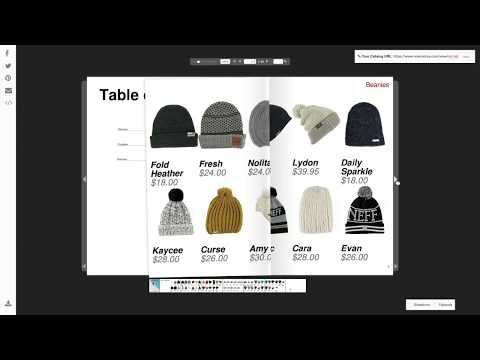
Make a product catalog, wholesale line sheet or lookbook from the products already in your store. Publish it online as a 3D flipbook, export a print-ready PDF, share the link, or embed it on your site.
Chapters
1. Create a new catalog
2. Add your products
3. Reorganize your products
4. Customize headers
5. Configure product captions
6. Customize your front cover
7. Customize your back cover
8. Generate a table of contents
9. Download the PDF
10. Enjoy!!!
Works with Shopify, WooCommerce, BigCommerce, Ecwid and available soon on Wix.
Foldsquare: nowinstore.com/foldsquare
Help centre: help.nowinstore.com/portal/en/kb/foldsquare
Questions about any step? Leave a comment and I will answer.
Kwaku, co-founder
This video shows the 2019 version of the app. The ten steps still apply. The editor looks different now and is considerably faster.
Make a product catalog, wholesale line sheet or lookbook from the products already in your store. Publish it online as a 3D flipbook, export a print-ready PDF, share the link, or embed it on your site.
Chapters
1. Create a new catalog
2. Add your products
3. Reorganize your products
4. Customize headers
5. Configure product captions
6. Customize your front cover
7. Customize your back cover
8. Generate a table of contents
9. Download the PDF
10. Enjoy!!!
Works with Shopify, WooCommerce, BigCommerce, Ecwid and available soon on Wix.
Foldsquare: nowinstore.com/foldsquare
Help centre: help.nowinstore.com/portal/en/kb/foldsquare
Questions about any step? Leave a comment and I will answer.
Kwaku, co-founder
About this tutorial
Now In Store published this 5:32 video tutorial on October 25, 2019. It has been watched 60,277 times on YouTube.
- Channel
- Now In Store
- Category
- Science & Technology
- Duration
- 5:32
- Published
- October 25, 2019
- Views
- 60,277
- Likes
- 355
Tags
Share
This tutorial in other languages
- FRComment créer un catalogue de produits avec le fabricant de catalogue automatique en 5 minutes
- ESCómo crear un catálogo de productos con el Catálogo de productor automático en 5 minutos
- PTComo criar um catálogo de produtos com o Catálogo Criador automático em 5 minutos
- ITCome creare un catalogo prodotti con l'automatico catalogo Maker in 5 minuti
- DEWie ein Produktkatalog mit dem automatischen Katalog Maker in 5 Minuten erstellen
- NLHoe maak je een product catalogus met de automatische Catalog Maker in 5 minuten te creëren
- RUКак создать каталог продукции с автоматической Catalog Maker за 5 минут
- PLJak utworzyć katalog produktów z automatycznym Maker katalog w 5 minut
- JA5分で自動カタログメーカーで製品カタログを作成する方法
- ARكيفية إنشاء كتالوج المنتج مع صانع كتالوج التلقائي في 5 دقائق
- HI5 मिनट में स्वत: सूचि निर्माता के साथ एक उत्पाद सूची बनाने के लिए कैसे
- IDCara membuat katalog produk dengan Katalog otomatis pembuat dalam 5 menit