Playback starts YouTube’s embedded player (privacy-enhanced mode).
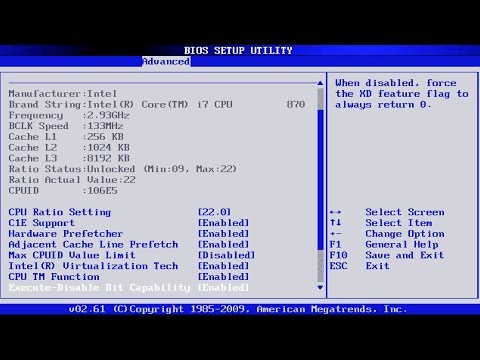
How to - access the BIOS and UEFI settings on Windows 10 HP Laptop ( select Boot Device Priority )
ChannelTECHNICAL MAITYDescription from the creator
Solved: How to Fix cannot Enter BIOS in Windows 10/11?: bit.ly/3FYZb48
So, welcome friends today I show you that how you can Access the BIOS settings of any HP Laptop..
no matter it's running windows 7, windows 8 or windows 10..
The process is same for all operating system (OS)..
::::::::::::::::::::::::::::::::INSTRUCTION :::::::::::::::::::::::::::
1) just power on your HP laptop..
2) press the F9 button repeatedly until a blue screen flash and then you see the BIOS settings...
IMPORTANT :-- if you want to format your HP Laptop and reinstall windows OS .. And want to format from USB Bootable Device (PEN DRIVE )..
then you must go to the BIOS settings and correct the boot priority ...and also make sure that you turn on the UEFI BIOS settings on ....
otherwise your HP Laptop can not detect the bootable usb Drive ( Pen Drive )....
So , just follow the above mentioned settings properly to Access the BIOS and Correct the Boot Priority..
if you face any problem regarding this matter then feel free to comment down below I try my best to resolve your problem...
if you like this video please subscribe to my channel and also like and share this video among with your friends...
So, welcome friends today I show you that how you can Access the BIOS settings of any HP Laptop..
no matter it's running windows 7, windows 8 or windows 10..
The process is same for all operating system (OS)..
::::::::::::::::::::::::::::::::INSTRUCTION :::::::::::::::::::::::::::
1) just power on your HP laptop..
2) press the F9 button repeatedly until a blue screen flash and then you see the BIOS settings...
IMPORTANT :-- if you want to format your HP Laptop and reinstall windows OS .. And want to format from USB Bootable Device (PEN DRIVE )..
then you must go to the BIOS settings and correct the boot priority ...and also make sure that you turn on the UEFI BIOS settings on ....
otherwise your HP Laptop can not detect the bootable usb Drive ( Pen Drive )....
So , just follow the above mentioned settings properly to Access the BIOS and Correct the Boot Priority..
if you face any problem regarding this matter then feel free to comment down below I try my best to resolve your problem...
if you like this video please subscribe to my channel and also like and share this video among with your friends...
About this tutorial
TECHNICAL MAITY published this 6:10 video tutorial on November 9, 2019. It has been watched 800,575 times on YouTube.
- Channel
- TECHNICAL MAITY
- Category
- Science & Technology
- Duration
- 6:10
- Published
- November 9, 2019
- Views
- 800,575
- Likes
- 3,550
Tags
Share
This tutorial in other languages
- FRComment - l'accès aux paramètres du BIOS et UEFI sous Windows 10 HP portable (sélectionnez Priorité Boot Device)
- ESCómo - el acceso y la configuración del BIOS UEFI en Windows 10 Laptop HP (seleccione Boot Device Priority)
- PTComo - acesso as configurações da BIOS e UEFI no Windows 10 HP Laptop (selecionar Boot Device Priority)
- ITCome - l'accesso alle impostazioni del BIOS e UEFI per Windows 10 del computer portatile HP (selezionare Boot Device Priority)
- DENützliche Hinweise - Zugriff auf die BIOS und UEFI-Einstellungen unter Windows 10 HP Laptop (wählen Sie Boot Device Priority)
- NLHoe kan - toegang tot het BIOS en UEFI-instellingen op Windows 10 HP Laptop (selecteer Boot Device Priority)
- RUКак - получить доступ к BIOS и UEFI настройки на Windows, 10 HP ноутбуков (выберите Boot Priority Device)
- PLJak - dostęp do ustawień BIOS i UEFI w systemie Windows 10 laptop HP (wybierz Boot Device Priority)
- JAどのように - アクセスのWindows 10 HPラップトップ上のBIOSとUEFIの設定(起動デバイスの優先順位を選択します)
- ARكيف يمكنني أن - الوصول إعدادات BIOS وUEFI على نظام التشغيل Windows 10 HP أجهزة الكمبيوتر المحمول (اختيار الحذاء الأولوية الجهاز)
- HIकैसे करें - पहुँच Windows 10 अश्वशक्ति लैपटॉप पर BIOS और UEFI सेटिंग्स (बूट डिवाइस प्राथमिकता का चयन करें)
- IDCara - akses BIOS dan UEFI pengaturan pada Windows 10 HP Laptop (pilih Boot Device Priority)