Playback starts YouTube’s embedded player (privacy-enhanced mode).
How To Fix Toshiba Laptop No Boot Device / No Bootable Device / Boot Device Not Found
ChannelPC MonkeyDescription from the creator
This video has been updated here: youtu.be/0fG9x8WitXE
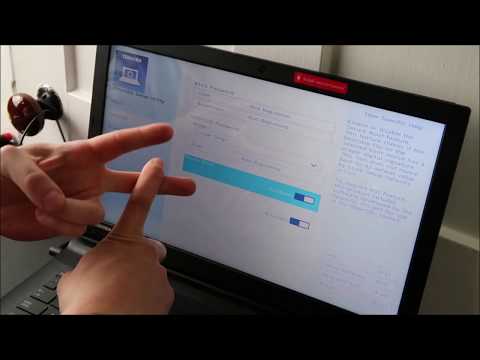
This video will help you troubleshoot why your Toshiba laptop computer is giving you HDD Not Installed, HDD Not Found, HDD Not Detected, Etc errors.
Check out the FAQ's and the Related Links below for more helpful info !!
Please remember to Like, Share and Subscribe if this was helpful !!
Please subscribe to youtube.com/@JamTechs where I give you 5 minute or less videos about cool tech!
Related Links:
How To Replace HDD for Toshiba: youtu.be/BXubdu43ttA
How to Install Windows 10 for Toshiba Laptop: youtu.be/e7hzoRI-cSY
Laptop Tools, Components & Accessories: amzn.to/3XpHdlw
HDD & SSD Replacement / Upgrades: amzn.to/430vkEz
Hard Drives vs Different Kinds of Solid State Drives Explained: youtu.be/KgDucEw7drA
FAQ's:
Q: What if I still have the 'No Boot Device' error after all these steps?
A: If you are not able to change the settings in BIOS or if changing them didn't resolve your issue, then you should move on and try the additional steps seen here in this updated video: youtu.be/0fG9x8WitXE. What was the result of the diagnostic scan?
(updated 7/25)
This video will help you troubleshoot why your Toshiba laptop computer is giving you HDD Not Installed, HDD Not Found, HDD Not Detected, Etc errors.
Check out the FAQ's and the Related Links below for more helpful info !!
Please remember to Like, Share and Subscribe if this was helpful !!
Please subscribe to youtube.com/@JamTechs where I give you 5 minute or less videos about cool tech!
Related Links:
How To Replace HDD for Toshiba: youtu.be/BXubdu43ttA
How to Install Windows 10 for Toshiba Laptop: youtu.be/e7hzoRI-cSY
Laptop Tools, Components & Accessories: amzn.to/3XpHdlw
HDD & SSD Replacement / Upgrades: amzn.to/430vkEz
Hard Drives vs Different Kinds of Solid State Drives Explained: youtu.be/KgDucEw7drA
FAQ's:
Q: What if I still have the 'No Boot Device' error after all these steps?
A: If you are not able to change the settings in BIOS or if changing them didn't resolve your issue, then you should move on and try the additional steps seen here in this updated video: youtu.be/0fG9x8WitXE. What was the result of the diagnostic scan?
(updated 7/25)
About this tutorial
PC Monkey published this 7:27 video tutorial on April 5, 2020. It has been watched 568,596 times on YouTube.
- Channel
- PC Monkey
- Category
- Science & Technology
- Duration
- 7:27
- Published
- April 5, 2020
- Views
- 568,596
- Likes
- 4,138
Share
This tutorial in other languages
- FRComment réparer ordinateur portable Toshiba Aucun périphérique de démarrage / Non bootable périphérique / périphérique de démarrage Introuvable
- ESCómo corregir Laptop Toshiba n del dispositivo de arranque / n Dispositivo de arranque / Dispositivo de inicio no encontrado
- PTComo corrigir Toshiba Laptop No Boot Device / No arranque de dispositivos de dispositivos / boot não encontrado
- ITCome risolvere Toshiba Laptop No periferica di avvio / No avviabile dispositivo / dispositivo di avvio non trovata
- DEHow To Fix Toshiba Laptop Kein Boot Device / No Bootable Device / Startgerät nicht gefunden
- NLHow To Laptop Toshiba No Boot Device / geen opstartbron / Boot Device Fix niet gevonden
- RUКак исправить Toshiba Laptop Нет загрузочное устройство / Нет загрузочное устройство / загрузочное устройство не найдено
- PLJak naprawić Laptop Toshiba No Boot Device / Device No Bootable / Boot Device Not Found
- JA東芝のノートパソコンなしブートデバイスを修正する方法/起動可能なデバイス/ブートデバイスが見つかりません
- ARكيفية إصلاح أجهزة الكمبيوتر المحمول توشيبا لا التمهيد الجهاز / لا للتشغيل الجهاز / جهاز التمهيد لم يتم العثور على
- HIकैसे तोशिबा लैपटॉप नहीं बूट डिवाइस / नहीं बूटेबल डिवाइस / बूट डिवाइस ठीक करने के लिए नहीं मिला
- IDBagaimana Untuk Perbaiki Toshiba Laptop Tidak Boot Device / No Bootable Perangkat / Boot Device Tidak Ditemukan