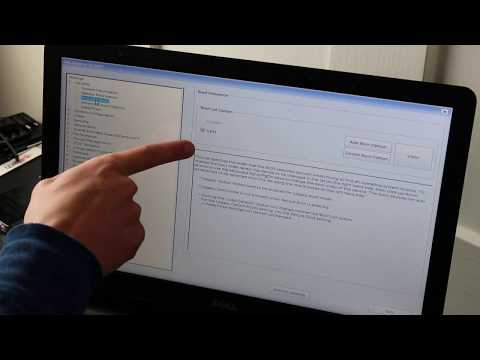
Playback starts YouTube’s embedded player (privacy-enhanced mode).
How To Fix Dell Computer Hard Drive Not Detected / Hard Drive Not Found / Hard Drive Not Installed
ChannelPC MonkeyIn brief
Fix common Dell 'No HDD' errors by checking BIOS settings, running diagnostics, and reseating the drive. If the hard drive fails, you’ll learn how to replace it and reinstall Windows. Best for users troubleshooting boot issues on their Dell laptop.
Questions & answers
What keys do I press to access BIOS and diagnostics?
Press F2 for BIOS and F12 for diagnostic options.
What if my HDD still shows as 'Not Installed' after reseating?
The drive is likely faulty and needs replacement.
Can I skip switching Legacy/UEFI if it doesn’t work?
Yes, proceed with diagnostics and reseating the drive instead.
Description from the creator
Is your computer still stuck on the boot error screen? Recover your data with iBoysoft Data Recovery even when Windows won't boot: tinyurl.com/yz2w6ytd
THIS VIDEO HAS BEEN UPDATED HERE: youtu.be/4Q9ZdPna948
In this video, Ill show you how to start troubleshooting your Dell computer showing a variety of 'No HDD' errors. If your HDD turns out to be bad, you can replace it yourself. You can see replacement and upgrade HDD and SSD here: amzn.to/430vkEz
Check out the FAQ's and the Related Links below for more helpful info !!
Please remember to Like, Share and Subscribe if this was helpful !!
Please subscribe to youtube.com/@JamTechs where I give you 5 minute or less videos about cool tech!
Related Links:
Laptop Tools, Components & Accessories: amzn.to/3XpHdlw
HDD & SSD Replacement / Upgrades: amzn.to/430vkEz
Hard Drives vs Different Kinds of Solid State Drives Explained: youtu.be/KgDucEw7drA
FAQ's:
Q: What are the buttons you press?
A: F2 - BIOS, F12 - Diagnostic Options
Q: What if I cannot seem to switch between Legacy and UEFI or switching does not work?
A: If you cannot locate the options to switch between or if switching does not work, then skip that step and continue with the rest of the steps in this updated video: youtu.be/yMcwOaocs-k. What was the result of the Diagnostic Scan as seen there?
Q: It has an error saying 'legacy option cannot be enabled with PTT enable'
A: Disable PTT Security by going to the Security Tab, and selecting PTT Security. Uncheck the box. If you cannot locate the options to switch between or if switching does not work, then skip that step and continue with the rest of the video :) What was the result of the Diagnostic Scan?
Q: What if my diagnostic test shows the HDD as 'Not Installed"?
A: If the diagnostic test wont detect the HDD, it bay be either loose or bad. I would 'Reseat' the HDD as seen here in this updated video: youtu.be/yMcwOaocs-k. Try the scan again. If it still says that its not installed, then its most likely bad and needs to be replaced. You can see replacement and upgrade examples here: amzn.to/430vkEz
To learn the difference between HDD's and various types of SSD's, view this video: youtu.be/KgDucEw7drA
After installing a new drive, you would need to install an Operating System to it as seen here;
How to install Windows 10: youtu.be/zYY-Gq68Dvo
How to install Windows 11: youtu.be/Yiy-53Wc-Wo
Q: My hard drive didn't pass the test. What do I do now?
A: If your HDD fails the test, I would 'Reseat' the HDD as seen here in this updated video: youtu.be/yMcwOaocs-k. Try the scan again. If it still says that its not installed, then its most likely bad and needs to be replaced. You can see replacement and upgrade examples here: amzn.to/430vkEz
To learn the difference between HDD's and various types of SSD's, view this video: youtu.be/KgDucEw7drA
After installing a new drive, you would need to install an Operating System to it as seen here;
How to install Windows 10: youtu.be/zYY-Gq68Dvo
How to install Windows 11: youtu.be/Yiy-53Wc-Wo
Q: Changing the settings in BIOS didn't help and my HDD passed the test.
A: If changing the setting sin BIOS didn't identify the issue and your Hard Drive passed the test, then the issue is most likely Operating System related. You would need to reinstall it.
How to install Windows 10: youtu.be/zYY-Gq68Dvo
How to install Windows 11: youtu.be/Yiy-53Wc-Wo
Q: I cant run the diagnostic scan. It wont complete or I cant access it.
A: If you cannot run the scan, we don't know for sure if the HDD is healthy or not. We will have to continue troubleshooting assuming it is for now. If its healthy, and if the issue is operating system related, I would then reinstall it.
How to install Windows 10: youtu.be/zYY-Gq68Dvo
How to install Windows 11: youtu.be/Yiy-53Wc-Wo
(updated 7/25)
THIS VIDEO HAS BEEN UPDATED HERE: youtu.be/4Q9ZdPna948
In this video, Ill show you how to start troubleshooting your Dell computer showing a variety of 'No HDD' errors. If your HDD turns out to be bad, you can replace it yourself. You can see replacement and upgrade HDD and SSD here: amzn.to/430vkEz
Check out the FAQ's and the Related Links below for more helpful info !!
Please remember to Like, Share and Subscribe if this was helpful !!
Please subscribe to youtube.com/@JamTechs where I give you 5 minute or less videos about cool tech!
Related Links:
Laptop Tools, Components & Accessories: amzn.to/3XpHdlw
HDD & SSD Replacement / Upgrades: amzn.to/430vkEz
Hard Drives vs Different Kinds of Solid State Drives Explained: youtu.be/KgDucEw7drA
FAQ's:
Q: What are the buttons you press?
A: F2 - BIOS, F12 - Diagnostic Options
Q: What if I cannot seem to switch between Legacy and UEFI or switching does not work?
A: If you cannot locate the options to switch between or if switching does not work, then skip that step and continue with the rest of the steps in this updated video: youtu.be/yMcwOaocs-k. What was the result of the Diagnostic Scan as seen there?
Q: It has an error saying 'legacy option cannot be enabled with PTT enable'
A: Disable PTT Security by going to the Security Tab, and selecting PTT Security. Uncheck the box. If you cannot locate the options to switch between or if switching does not work, then skip that step and continue with the rest of the video :) What was the result of the Diagnostic Scan?
Q: What if my diagnostic test shows the HDD as 'Not Installed"?
A: If the diagnostic test wont detect the HDD, it bay be either loose or bad. I would 'Reseat' the HDD as seen here in this updated video: youtu.be/yMcwOaocs-k. Try the scan again. If it still says that its not installed, then its most likely bad and needs to be replaced. You can see replacement and upgrade examples here: amzn.to/430vkEz
To learn the difference between HDD's and various types of SSD's, view this video: youtu.be/KgDucEw7drA
After installing a new drive, you would need to install an Operating System to it as seen here;
How to install Windows 10: youtu.be/zYY-Gq68Dvo
How to install Windows 11: youtu.be/Yiy-53Wc-Wo
Q: My hard drive didn't pass the test. What do I do now?
A: If your HDD fails the test, I would 'Reseat' the HDD as seen here in this updated video: youtu.be/yMcwOaocs-k. Try the scan again. If it still says that its not installed, then its most likely bad and needs to be replaced. You can see replacement and upgrade examples here: amzn.to/430vkEz
To learn the difference between HDD's and various types of SSD's, view this video: youtu.be/KgDucEw7drA
After installing a new drive, you would need to install an Operating System to it as seen here;
How to install Windows 10: youtu.be/zYY-Gq68Dvo
How to install Windows 11: youtu.be/Yiy-53Wc-Wo
Q: Changing the settings in BIOS didn't help and my HDD passed the test.
A: If changing the setting sin BIOS didn't identify the issue and your Hard Drive passed the test, then the issue is most likely Operating System related. You would need to reinstall it.
How to install Windows 10: youtu.be/zYY-Gq68Dvo
How to install Windows 11: youtu.be/Yiy-53Wc-Wo
Q: I cant run the diagnostic scan. It wont complete or I cant access it.
A: If you cannot run the scan, we don't know for sure if the HDD is healthy or not. We will have to continue troubleshooting assuming it is for now. If its healthy, and if the issue is operating system related, I would then reinstall it.
How to install Windows 10: youtu.be/zYY-Gq68Dvo
How to install Windows 11: youtu.be/Yiy-53Wc-Wo
(updated 7/25)
About this tutorial
PC Monkey published this 10:10 video tutorial on March 15, 2020. It has been watched 3,049,466 times on YouTube.
- Channel
- PC Monkey
- Category
- Science & Technology
- Duration
- 10:10
- Published
- March 15, 2020
- Views
- 3,049,466
- Likes
- 22,594
Share
This tutorial in other languages
- FRComment réparer Dell Computer disque dur non détecté / Disque dur non trouvé / Disque dur non installé
- ESCómo arreglar Dell Computer disco duro no detectado / unidad de disco duro no encontrado / unidad de disco duro no está instalado
- PTComo corrigir Dell Computer Hard Drive não detectado / Hard Drive não encontrado / Hard Drive Não instalado
- ITCome risolvere la Dell Computer Hard Drive non rilevato / Hard Drive Not Found / disco rigido Non installato
- DEWie Dell Computer-Festplatte beheben nicht erkannt / Festplatte nicht gefunden / Festplatte nicht installiert
- NLHow To Fix Dell Computer Hard Drive niet gedetecteerd / Hard Drive Not Found / Hard Drive niet geïnstalleerd
- RUКак исправить Dell Computer жесткого диска не обнаружено / Жесткий диск не найден / жесткий диск не установлен
- PLJak naprawić dysk twardy komputera Dell Nie wykryto / Hard Drive Not Found / dysk twardy nie jest zainstalowany
- JA検出されないデルコンピュータのハードドライブを修正するにはどのように/ハードドライブが見つかりません/ハードドライブがインストールされません
- ARكيفية إصلاح ديل الحاسوب القرص الصلب لم يتم اكتشاف / القرص الصلب لم يتم العثور على / القرص الصلب غير مثبتة
- HIठीक करने के लिए कैसे Dell कंप्यूटर हार्ड ड्राइव का पता चला नहीं / हार्ड ड्राइव नहीं मिला / हार्ड ड्राइव स्थापित नहीं
- IDBagaimana Untuk Perbaiki Dell Computer Hard Drive Tidak Terdeteksi / Hard Drive Tidak Ditemukan / Hard Drive Tidak Terinstal