Playback starts YouTube’s embedded player (privacy-enhanced mode).
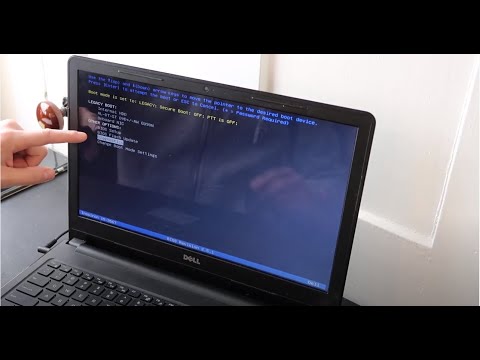
How To Fix Dell Boot Loop, Stuck on Diagnosing PC, Stuck on Loading Screen
ChannelPC MonkeyDescription from the creator
Try the Best Data Recovery Tool to Recover All Your Lost Files : cutt.ly/XtbybssV
PassFab FixUWin (bit.ly/45SlPK4) Fix Dell Boot Loop, Restarting, Stuck Loading Screen, Diagnosing PC. Fix 200+ Windows related issues with just a few clicks.
THIS VIDEO HAS BEEN UPDATED HERE: youtu.be/NnXmTF0KAYM
In this video, I'll show you how to troubleshoot why your Dell computer is showing a variety of 'Boot Loop' errors such as if its stuck on a loading screen or getting stuck diagnosing PC.
Check out the FAQ's and the Related Links below for more helpful info !!
Please remember to Like, Share and Subscribe if this was helpful !!
Please subscribe to youtube.com/@JamTechs where I give you 5 minute or less videos about cool tech!
Related Links:
Laptop Tools, Components & Accessories: amzn.to/3XpHdlw
HDD & SSD Replacement / Upgrades: amzn.to/430vkEz
Hard Drives vs Different Kinds of Solid State Drives Explained: youtu.be/KgDucEw7drA
How to install Windows 10 here: youtu.be/zYY-Gq68Dvo
How to install Windows 11 here: youtu.be/Yiy-53Wc-Wo
How To Factory Reset Dell: youtu.be/nAP0mlKj_hg
FAQ's:
Q: What are the buttons you press?
A: F2 - BIOS, F12 - Diagnostic Options
Q: What if I cannot seem to switch between Legacy and UEFI or switching does not work?
A: If you cannot locate the options to switch between or if switching does not work, then skip that step and continue with the rest of the video. What was the result of the diagnostic scan?
Q: It has an error saying 'legacy option cannot be enabled with PTT enable'
A: Disable PTT Security by going to the Security Tab, and selecting PTT Security. Uncheck the box. If you cannot locate the options to switch between or if switching does not work, then skip that step and continue with the rest of the steps in this updated version of this video: youtu.be/B2Umoh81QeI :) What was the result of the Diagnostic Scan?
Q: What if my diagnostic test shows the HDD as 'Not Installed"?
A: If the HDD is showing as 'Not Seen' or 'Not Installed' that means the hard drive is either loose or bad. I would 'Reseat' it (unplug it and plug it back in) as seen here in this updated video: youtu.be/B2Umoh81QeI. Try the scan again. If it still says that its not installed, then its most likely bad and needs to be replaced. You can see replacement and upgrade HDD's and SSD's here: amzn.to/430vkEz. To learn the difference between HDD's and various types of SSD's, view this video: youtu.be/KgDucEw7drA. Let me know if you would like any help with that :)
Q: My hard drive didn't pass the test. What do I do now?
A: If your HDD failed the test, then it needs to be replaced. You should then replace the hard drive as seen here; youtu.be/tNp5Kbo9uHg. You can see replacement and upgrade ideas here: amzn.to/430vkEz
Refer to this video for help selecting the correct HDD or SSD: youtu.be/KgDucEw7drA
You would also then need to install an operating system onto the new one.
How to install Windows 10 here: youtu.be/zYY-Gq68Dvo
How to install Windows 11 here: youtu.be/Yiy-53Wc-Wo
Q: Changing the settings in BIOS didn't help and my HDD passed the test.
A: If changing the setting sin BIOS didn't identify the issue and your Hard Drive passed the test, then the issue is most likely Operating System related. Can you find any Repair or Recovery options in BIOS? If that did not help, I would next try to reinstall the operating system.
How to install Windows 10 here: youtu.be/zYY-Gq68Dvo
How to install Windows 11 here: youtu.be/Yiy-53Wc-Wo
Q: I cant run the diagnostic scan. It wont complete or I cant access it.
A: If you cannot run the scan, we don't know for sure if the HDD is healthy or not. We will have to continue troubleshooting assuming it is for now. If its healthy, and if the issue is operating system related, I would then reinstall it.
How to install Windows 10 here: youtu.be/zYY-Gq68Dvo
How to install Windows 11 here: youtu.be/Yiy-53Wc-Wo
If the install fails, your HDD is most likely bad and should be replaced. You can see replacement and upgrade HDD's and SSD's here: amzn.to/430vkEz. To learn the difference between HDD's and various types of SSD's, view this video: youtu.be/KgDucEw7drA. Let me know if you would like any help with that :)
(updated 7/25)
PassFab FixUWin (bit.ly/45SlPK4) Fix Dell Boot Loop, Restarting, Stuck Loading Screen, Diagnosing PC. Fix 200+ Windows related issues with just a few clicks.
THIS VIDEO HAS BEEN UPDATED HERE: youtu.be/NnXmTF0KAYM
In this video, I'll show you how to troubleshoot why your Dell computer is showing a variety of 'Boot Loop' errors such as if its stuck on a loading screen or getting stuck diagnosing PC.
Check out the FAQ's and the Related Links below for more helpful info !!
Please remember to Like, Share and Subscribe if this was helpful !!
Please subscribe to youtube.com/@JamTechs where I give you 5 minute or less videos about cool tech!
Related Links:
Laptop Tools, Components & Accessories: amzn.to/3XpHdlw
HDD & SSD Replacement / Upgrades: amzn.to/430vkEz
Hard Drives vs Different Kinds of Solid State Drives Explained: youtu.be/KgDucEw7drA
How to install Windows 10 here: youtu.be/zYY-Gq68Dvo
How to install Windows 11 here: youtu.be/Yiy-53Wc-Wo
How To Factory Reset Dell: youtu.be/nAP0mlKj_hg
FAQ's:
Q: What are the buttons you press?
A: F2 - BIOS, F12 - Diagnostic Options
Q: What if I cannot seem to switch between Legacy and UEFI or switching does not work?
A: If you cannot locate the options to switch between or if switching does not work, then skip that step and continue with the rest of the video. What was the result of the diagnostic scan?
Q: It has an error saying 'legacy option cannot be enabled with PTT enable'
A: Disable PTT Security by going to the Security Tab, and selecting PTT Security. Uncheck the box. If you cannot locate the options to switch between or if switching does not work, then skip that step and continue with the rest of the steps in this updated version of this video: youtu.be/B2Umoh81QeI :) What was the result of the Diagnostic Scan?
Q: What if my diagnostic test shows the HDD as 'Not Installed"?
A: If the HDD is showing as 'Not Seen' or 'Not Installed' that means the hard drive is either loose or bad. I would 'Reseat' it (unplug it and plug it back in) as seen here in this updated video: youtu.be/B2Umoh81QeI. Try the scan again. If it still says that its not installed, then its most likely bad and needs to be replaced. You can see replacement and upgrade HDD's and SSD's here: amzn.to/430vkEz. To learn the difference between HDD's and various types of SSD's, view this video: youtu.be/KgDucEw7drA. Let me know if you would like any help with that :)
Q: My hard drive didn't pass the test. What do I do now?
A: If your HDD failed the test, then it needs to be replaced. You should then replace the hard drive as seen here; youtu.be/tNp5Kbo9uHg. You can see replacement and upgrade ideas here: amzn.to/430vkEz
Refer to this video for help selecting the correct HDD or SSD: youtu.be/KgDucEw7drA
You would also then need to install an operating system onto the new one.
How to install Windows 10 here: youtu.be/zYY-Gq68Dvo
How to install Windows 11 here: youtu.be/Yiy-53Wc-Wo
Q: Changing the settings in BIOS didn't help and my HDD passed the test.
A: If changing the setting sin BIOS didn't identify the issue and your Hard Drive passed the test, then the issue is most likely Operating System related. Can you find any Repair or Recovery options in BIOS? If that did not help, I would next try to reinstall the operating system.
How to install Windows 10 here: youtu.be/zYY-Gq68Dvo
How to install Windows 11 here: youtu.be/Yiy-53Wc-Wo
Q: I cant run the diagnostic scan. It wont complete or I cant access it.
A: If you cannot run the scan, we don't know for sure if the HDD is healthy or not. We will have to continue troubleshooting assuming it is for now. If its healthy, and if the issue is operating system related, I would then reinstall it.
How to install Windows 10 here: youtu.be/zYY-Gq68Dvo
How to install Windows 11 here: youtu.be/Yiy-53Wc-Wo
If the install fails, your HDD is most likely bad and should be replaced. You can see replacement and upgrade HDD's and SSD's here: amzn.to/430vkEz. To learn the difference between HDD's and various types of SSD's, view this video: youtu.be/KgDucEw7drA. Let me know if you would like any help with that :)
(updated 7/25)
About this tutorial
PC Monkey published this 9:25 video tutorial on April 6, 2020. It has been watched 1,966,346 times on YouTube.
- Channel
- PC Monkey
- Category
- Science & Technology
- Duration
- 9:25
- Published
- April 6, 2020
- Views
- 1,966,346
- Likes
- 17,087
Share
This tutorial in other languages
- FRComment réparer Dell Boot boucle, Coincé sur PC Diagnostiquer, Coincé sur l'écran de chargement
- ESCómo arreglar Dell Boot Loop, Atrapado en el diagnóstico de PC, detenidos en la subida de la pantalla
- PTComo corrigir Dell Bota Loop, Stuck on Diagnóstico PC, Stuck on Carregando Tela
- ITCome risolvere Dell avvio Loop, Bloccato sulla diagnosi dei PC, bloccato sul caricamento schermo
- DEHow To Fix Dell-Boot-Loop, Unzertrennlich Diagnostizieren PC, Stuck on Ladebildschirm
- NLHow To Fix Dell Boot Loop, Stuck on Diagnose PC, Stuck on Loading Screen
- RUКак исправить Dell загрузочной Loop, Прикрепленную на диагностирование ПК, Застрял на экране загрузки
- PLJak ustalić Dell Boot Loop, zatrzymany na diagnozowanie komputera, zatrzymany na Loading Screen
- JAロード画面に貼り付け、診断PCに貼り付け、Dellのブートのループを修正する方法
- ARكيفية إصلاح ديل التمهيد حلقة، تمسك على تشخيص PC، عالقون على تحميل الشاشة
- HIठीक करने के लिए कैसे डेल बूट लूप, निदान पीसी पर Stuck, स्क्रीन लोड हो रहा है पर अटक
- IDBagaimana Untuk Perbaiki Dell Boot Loop Terjebak di Mendiagnosis PC, Terjebak di Memuat Layar