Playback starts YouTube’s embedded player (privacy-enhanced mode).
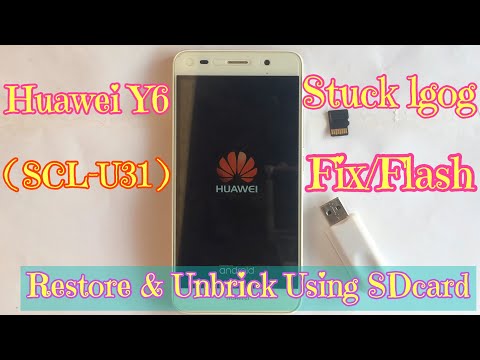
How to Fix Huawei Y6 (SCL-U31) Stuck On Boot Logo | Flash Stock ROM Using Micro SD card
ChanneliHelperProDescription from the creator
Alternative Method to install stock ROM on Huawei devices
You can also flash the Stock ROM on Huawei smartphone without going to recovery mode.
Step 1: Make a new folder in microSD card and rename it to dload
Step 2: Copy the Huawei stock ROM (file name: UPDATE.APP) and past it to the dload
Step 3: Now Power Off then press Volume Up, Volume Down and Power Button together until the update process starts automatically.
Step 4: The update process may take up to 10 minutes to complete.
Huawei Y6 SCL-U31 Stock Firmware ROM easy-firmware.com/index.php?a=browse&b=cate…
▬ STAY UP-TO-DATE! ▬
Make sure to subscribe to the channel & opt-in for push notifications (click the BELL icon next to the subscribe button) to be notified immediately when I release new videos!
▬▬
If you watched this video and made it this deep into the description, I greatly appreciate you & would love to connect!
If you have any questions, give me a shout on social media & I'll answer any question(s) you may have.
Have a fantastic day & I'll see you in the next video!
●▬▬▬▬▬▬♥Fellow Me♥▬▬▬▬▬▬●
✔ YOUTUBE : youtube.com/MengEang
✔ FACEBOOK : facebook.com/eang7777
✔ INSTAGRAM : instagram.com/meng_eang_alone
»»»»»»»»»»»»»»»»»»»✘•✘«««««««««««««««««««
=============================
♥♥Thank you for watching..!!♥♥
=============================
-~-~~-~~~-~~-~-
Please watch: "Verify Huawei Google Account | Bypass frp lock (without PC, OTG)"
youtube.com/watch?v=zys_mofab_U
-~-~~-~~~-~~-~-
You can also flash the Stock ROM on Huawei smartphone without going to recovery mode.
Step 1: Make a new folder in microSD card and rename it to dload
Step 2: Copy the Huawei stock ROM (file name: UPDATE.APP) and past it to the dload
Step 3: Now Power Off then press Volume Up, Volume Down and Power Button together until the update process starts automatically.
Step 4: The update process may take up to 10 minutes to complete.
Huawei Y6 SCL-U31 Stock Firmware ROM easy-firmware.com/index.php?a=browse&b=cate…
▬ STAY UP-TO-DATE! ▬
Make sure to subscribe to the channel & opt-in for push notifications (click the BELL icon next to the subscribe button) to be notified immediately when I release new videos!
▬▬
If you watched this video and made it this deep into the description, I greatly appreciate you & would love to connect!
If you have any questions, give me a shout on social media & I'll answer any question(s) you may have.
Have a fantastic day & I'll see you in the next video!
●▬▬▬▬▬▬♥Fellow Me♥▬▬▬▬▬▬●
✔ YOUTUBE : youtube.com/MengEang
✔ FACEBOOK : facebook.com/eang7777
✔ INSTAGRAM : instagram.com/meng_eang_alone
»»»»»»»»»»»»»»»»»»»✘•✘«««««««««««««««««««
=============================
♥♥Thank you for watching..!!♥♥
=============================
-~-~~-~~~-~~-~-
Please watch: "Verify Huawei Google Account | Bypass frp lock (without PC, OTG)"
youtube.com/watch?v=zys_mofab_U
-~-~~-~~~-~~-~-
About this tutorial
iHelperPro published this 8:28 video tutorial on November 9, 2018. It has been watched 97,030 times on YouTube.
- Channel
- iHelperPro
- Category
- Science & Technology
- Duration
- 8:28
- Published
- November 9, 2018
- Views
- 97,030
- Likes
- 420
Tags
Share
This tutorial in other languages
- FRComment réparer Huawei Y6 (SCL-U31) Logo Stuck On Boot | Flash ROM Stock Utilisation de la carte Micro SD
- ESCómo arreglar Huawei Y6 (SCL-U31) Stuck logotipo en Boot | Flash de la ROM El uso de la tarjeta micro SD
- PTComo corrigir Huawei Y6 (SCL-U31) Preso Logo no Bota | Flash da ROM Usando o cartão Micro SD
- ITCome risolvere Huawei Y6 (SCL-U31) Stuck On Boot Logo | Flash della ROM Utilizzando Micro SD card
- DEWie Huawei Y6 (SCL-U31) Stuck On-Boot-Logo beheben | Blinken Stock ROM verwenden Micro SD-Karte
- NLHoe kan ik Fix Huawei Y6 (SCL-U31) Stuck On Boot Logo | Flash Stock ROM met behulp van micro SD-kaart
- RUКак исправить Huawei Y6 (SCL-U31) Stuck On загрузки логотипа | Флэш Stock ROM с помощью Micro SD карты
- PLJak naprawić Huawei Y6 (SCL-U31) Stuck On Boot Logo | Zdjęcie Flash ROM Korzystanie z karty Micro SD
- JA修正する方法華為Y6(SCL-U31)スタック上の起動ロゴ|マイクロSDカードを使用してFlash株価ROM
- ARكيفية إصلاح هواوي Y6 (SCL-U31) عالقة على الحذاء شعار | فلاش المالية ROM عن طريق بطاقة مايكرو SD
- HIठीक करने के लिए कैसे Huawei Y6 (SCL-U31) Stuck पर बूट लोगो | फ्लैश स्टॉक ROM का उपयोग करते हुए माइक्रो एसडी कार्ड
- IDCara Perbaiki Huawei Y6 (SCL-U31) Stuck On Boot Logo | Flash Stock ROM Menggunakan Micro SD card