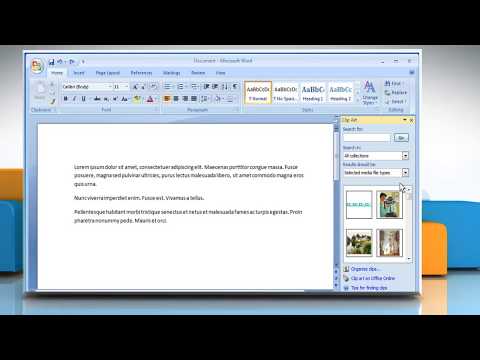
Playback starts YouTube’s embedded player (privacy-enhanced mode).
How to add a clip art image to a Microsoft® Word document
ChannelHow-To GuideDescription from the creator
Do you want to add a clip art image to your Microsoft® Word document? Follow the steps given in this video to add a clip art image to a Microsoft® Word document.
Content in this video is provided on an ""as is"" basis with no express or implied warranties whatsoever. Any reference of any third party logos, brand names, trademarks, services marks, trade names, trade dress, and copyrights shall not imply any affiliation to such third parties unless expressly specified
Content in this video is provided on an ""as is"" basis with no express or implied warranties whatsoever. Any reference of any third party logos, brand names, trademarks, services marks, trade names, trade dress, and copyrights shall not imply any affiliation to such third parties unless expressly specified
About this tutorial
How-To Guide published this 1:01 video tutorial on October 31, 2017. It has been watched 32,002 times on YouTube.
- Channel
- How-To Guide
- Category
- Science & Technology
- Duration
- 1:01
- Published
- October 31, 2017
- Views
- 32,002
- Likes
- 109
Tags
Share
This tutorial in other languages
- FRComment ajouter une image de clip art à un document Microsoft® Word
- ESCómo agregar una imagen prediseñada en un documento de Microsoft® Word
- PTComo adicionar uma imagem de clip art em um documento Microsoft® Word
- ITCome aggiungere un'immagine ClipArt a un documento Microsoft® Word
- DEWie ein Clip Art Bild in ein Microsoft® Word-Dokument hinzufügen
- NLHoe maak je beeld clip art toe te voegen aan een Microsoft Word-document
- RUКак добавить клип изображения в документ Microsoft® Word,
- PLJak dodać obraz clipart do dokumentu Microsoft® Word
- JAマイクロソフトWord文書にクリップアートの画像を追加する方法
- ARكيفية إضافة صورة قصاصة فنية إلى وثيقة مايكروسوفت وورد
- HIकैसे एक माइक्रोसॉफ्ट वर्ड दस्तावेज़ में एक क्लिप आर्ट छवि जोड़ने के लिए
- IDCara menambahkan gambar clip art pada dokumen Microsoft® Firman