Playback starts YouTube’s embedded player (privacy-enhanced mode).
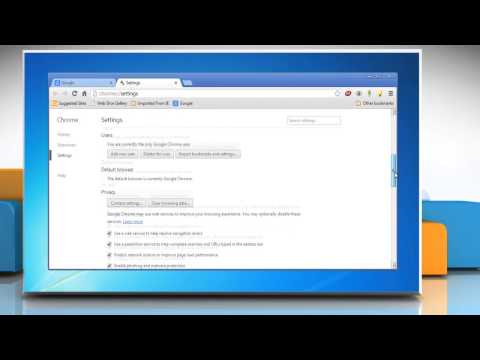
How to allow sites to access your camera and microphone in Google™ Chrome
ChannelHow-To GuideDescription from the creator
Want to allow sites to access your camera and microphone in Google™ Chrome on a Windows® 7 based PC? Follow the easy steps shown in this video.
Content in this video is provided on an "as is" basis with no express or implied warranties whatsoever. Any reference of any third party logos, brand names, trademarks, services marks, trade names, trade dress and copyrights shall not imply any affiliation to such third parties, unless expressly specified.
Content in this video is provided on an "as is" basis with no express or implied warranties whatsoever. Any reference of any third party logos, brand names, trademarks, services marks, trade names, trade dress and copyrights shall not imply any affiliation to such third parties, unless expressly specified.
About this tutorial
How-To Guide published this 1:06 video tutorial on October 27, 2013. It has been watched 666,585 times on YouTube.
- Channel
- How-To Guide
- Category
- Science & Technology
- Duration
- 1:06
- Published
- October 27, 2013
- Views
- 666,585
- Likes
- 720
Tags
Share
This tutorial in other languages
- FRComment permettre aux sites d'accéder à votre caméra et un microphone dans Google Chrome ™
- ESCómo permitir que los sitios accedan a tu cámara y micrófono en Google Chrome ™
- PTComo permitir que sites para acessar sua câmera e microfone no Google ™ Chrome
- ITCome consentire ai siti di accedere alla fotocamera e microfono in Google Chrome ™
- DEWie zu ermöglichen, Websites, Ihre Kamera und das Mikrofon in Google ™ Chrome zugreifen
- NLHoe kan ik zorgen dat websites toegang krijgen tot uw camera en microfoon in Google ™ Chrome
- RUКак разрешить сайтам доступ к камере и микрофону в Google ™ Chrome
- PLJak zezwolić stronom na dostęp do kamery i mikrofonu w Google ™ Chrome
- JAサイトをGoogle™Chromeでカメラとマイクへのアクセスを許可する方法
- ARكيفية السماح للمواقع بالدخول إلى الكاميرا والميكروفون في جوجل كروم ™
- HIकैसे साइटों Google ™ क्रोम में आपके कैमरे और माइक्रोफ़ोन का उपयोग करने की अनुमति देने के लिए
- IDBagaimana untuk memungkinkan situs untuk mengakses kamera dan mikrofon di Google ™ Chrome