Playback starts YouTube’s embedded player (privacy-enhanced mode).
How to find Skype ID
ChannelHow-To GuideDescription from the creator
Watch these steps shown in this video to find out the skype ID .
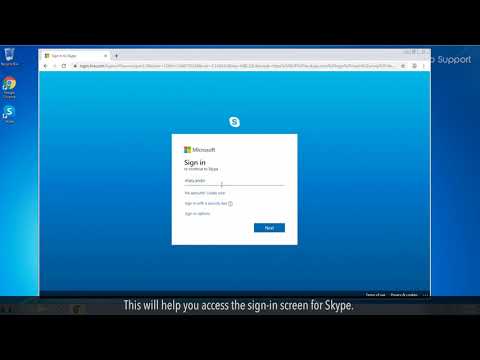
Go to web.skype.com on your web browser. This will help you access
the sign-in screen for Skype.
2. You will then have to sign in to Skype with your phone number/email
address and also your password. In case you are already signed in, you will
see the home page. For signing in, enter the details and then click on Next.
3. Click on your name in the top-left corner of the Skype display which will
show you the profile information.
4. You will then be finding the Skype ID placed under your name. The word
live may or may not be present before this ID based on how and when the
account was created.
Content in this video is provided on an "as is" basis with no express or implied warranties whatsoever. Any reference of any third party logos, brand names, trademarks, services marks, trade names, trade dress and copyrights shall not imply any affiliation to such third parties, unless expressly specified.
Go to web.skype.com on your web browser. This will help you access
the sign-in screen for Skype.
2. You will then have to sign in to Skype with your phone number/email
address and also your password. In case you are already signed in, you will
see the home page. For signing in, enter the details and then click on Next.
3. Click on your name in the top-left corner of the Skype display which will
show you the profile information.
4. You will then be finding the Skype ID placed under your name. The word
live may or may not be present before this ID based on how and when the
account was created.
Content in this video is provided on an "as is" basis with no express or implied warranties whatsoever. Any reference of any third party logos, brand names, trademarks, services marks, trade names, trade dress and copyrights shall not imply any affiliation to such third parties, unless expressly specified.
About this tutorial
How-To Guide published this 0:46 video tutorial on November 11, 2019. It has been watched 392,240 times on YouTube.
- Channel
- How-To Guide
- Category
- Science & Technology
- Duration
- 0:46
- Published
- November 11, 2019
- Views
- 392,240
- Likes
- 1,019
Tags
Share
This tutorial in other languages
- FRComment trouver ID Skype
- ES¿Cómo encontrar Skype ID
- PTComo encontrar a Skype ID
- ITCome trovare Skype ID
- DESo finden Sie Skype ID
- NLHoe vindt u Skype ID
- RUКак найти Skype ID
- PLJak znaleźć identyfikator Skype
- JAスカイプIDを見つける方法
- ARكيفية العثور على سكايب ID
- HIस्काइप ID कैसे जानें
- IDBagaimana menemukan Skype ID