Playback starts YouTube’s embedded player (privacy-enhanced mode).
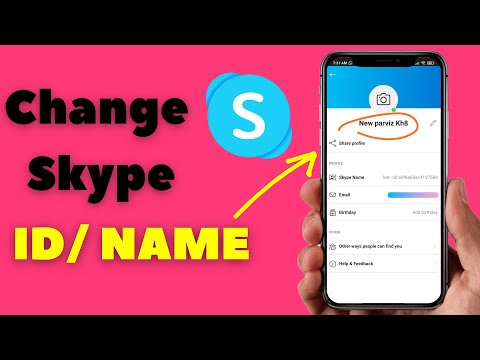
How to Change Skype ID or Skype Name on Mobile & PC
ChannelTechlavasDescription from the creator
If you wonder how to change skype id or name this is the video for you.
I am sure that some of you have been in the situation that you wanted to join a meeting or give your ID to others as a contact but you asked yourself what is my Skype id and where is it.
Is it my email address or phone number or name? Since Skype unlike WhatsApp works with IDs and not phone numbers it is important to distinguish between Skype ID and Skype name. They are quite similar.
After you open the Skype app you will see this icon here. If you can't see that just click on the chat icon to see that on the top. Tap on the icon.
Now If you click on “Skype profile” the section for your profile setting will appear.
Skype name or id is the same. Unfortunately, there is no way to change it but instead, You can change the username. This is the name that others see when they have a call with you.
Please do not forget to subscribe and hit the notification bell. It helps me to continue making helpful videos.
In this short tutorial, I showed you how to change Skype ID on Android, iPad, and iPhone, but you can follow the same steps to change it on pc.
I am sure that some of you have been in the situation that you wanted to join a meeting or give your ID to others as a contact but you asked yourself what is my Skype id and where is it.
Is it my email address or phone number or name? Since Skype unlike WhatsApp works with IDs and not phone numbers it is important to distinguish between Skype ID and Skype name. They are quite similar.
After you open the Skype app you will see this icon here. If you can't see that just click on the chat icon to see that on the top. Tap on the icon.
Now If you click on “Skype profile” the section for your profile setting will appear.
Skype name or id is the same. Unfortunately, there is no way to change it but instead, You can change the username. This is the name that others see when they have a call with you.
Please do not forget to subscribe and hit the notification bell. It helps me to continue making helpful videos.
In this short tutorial, I showed you how to change Skype ID on Android, iPad, and iPhone, but you can follow the same steps to change it on pc.
About this tutorial
Techlavas published this 1:12 video tutorial on October 1, 2020. It has been watched 93,272 times on YouTube.
- Channel
- Techlavas
- Category
- Science & Technology
- Duration
- 1:12
- Published
- October 1, 2020
- Views
- 93,272
- Likes
- 317
Tags
Share
This tutorial in other languages
- FRComment faire pour changer Skype ID ou le nom de Skype sur mobile et PC
- ESCómo cambiar Skype ID o Nombre de Skype en el móvil y PC
- PTComo mudar Skype ID ou Nome Skype no celular e PC
- ITCome cambiare Skype ID o il nome Skype sul cellulare e PC
- DEWie Ändern von Skype-ID oder Skype-Namen auf Handy & PC
- NLHoe te wijzigen Skype ID of Skype-naam voor mobiel & PC
- RUКак изменить Skype ID или Skype Имя на мобильном телефоне и ПК
- PLJak zmienić Skype ID lub nazwę użytkownika Skype na telefon i PC
- JAどのようにモバイル&PC上の変更スカイプIDまたはSkype名へ
- ARكيفية تغيير معرف سكايب أو اسم سكايب على الجوال والكمبيوتر
- HIकैसे बदलें स्काइप आईडी या स्काइप नाम मोबाइल और पीसी पर करने के लिए
- IDCara Mengubah Skype ID atau Nama Skype di Ponsel & PC