Playback starts YouTube’s embedded player (privacy-enhanced mode).
How to Add a Second Email Account | iPhone Tips
ChannelHowcastDescription from the creator
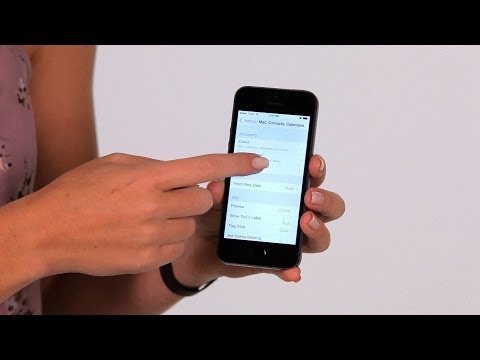
Hi, Lisa here, and I'm gonna show you how to add another email account on to your iPhone. So we gonna go to our Settings, then we scroll down and choose Mail, Contacts and Calendars. Now in here, you already have an account.
You'll see an option underneath your current account that says Add Account. So tap on that, you'll choose what kind of account you have, then you're going to enter in your user name and password. You ca also enter in your name as well as the description of the account. So I'll put mine on.
Once it's verifies, it'll ask you what items you like to sit from that account, then you can say Save, and now show up on your list. Also, when you go back to the actual mail app, you'll now see the second account there. So that's how you add your mail account on to your iPhone.
About this tutorial
Howcast published this 1:08 video tutorial on October 26, 2014. It has been watched 558,814 times on YouTube.
- Channel
- Howcast
- Category
- Science & Technology
- Duration
- 1:08
- Published
- October 26, 2014
- Views
- 558,814
- Likes
- 1,110
Tags
Share
Further reading
-
Configuring second email account to your Windows Live mail - Microsoft Community
answers.microsoft.com
I have an email acct through cox.net and I view the emails using Windows Live. I added a new email account under outlook.com. I added this e-mail acct to windows live. I used the same pop and smpt server addresses that…
-
How do I add a secondary account to my MSN?
answers.msn.com
Below are the steps to add an account as a secondary, you can add any @msn.com, @hotmail.com or @live.com as a secondary account. Ensure that the account you are trying to add is currently not associated with another ac…
-
How to Add a Second Email in Outlook | Techwalla
techwalla.com
Microsoft Outlook is the communication application that comes bundled with the Microsoft Office Suite. In addition to calendar and RSS feed support, Microsoft also supports various email protocols including POP3, IMAP a…
This tutorial in other languages
- FRComment ajouter un deuxième compte e-mail | Conseils iPhone
- ESCómo agregar una segunda cuenta de correo electrónico | Consejos iPhone
- PTComo adicionar uma segunda conta de e-mail | Dicas iPhone
- ITCome aggiungere un secondo account e-mail | iPhone Tips
- DEWie ein zweites E-Mail-Konto hinzufügen | iPhone Tipps
- NLHoe maak je een tweede e-mail account toevoegen | iPhone Tips
- RUКак добавить второй счет по электронной почте | iPhone Советы
- PLJak dodać drugie konto e-mail | iPhone Porady
- JAセカンドメールアカウントを追加する方法| iPhoneのヒント
- ARكيفية إضافة حساب بريد إلكتروني الثاني | نصائح فون
- HIकैसे एक दूसरी ईमेल खाता जोड़ें | iPhone युक्तियाँ
- IDCara Menambahkan Akun Email Kedua | Tips iPhone