Playback starts YouTube’s embedded player (privacy-enhanced mode).
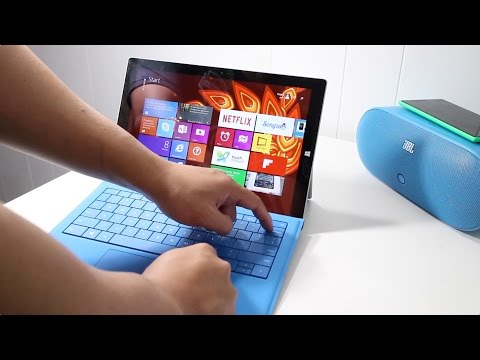
How to adjust the screen brightness with the Surface Pro 3 Type Cover
ChannelWindows CentralDescription from the creator
Do you have the Type Cover for Surface Pro 3? If you said yes, we have a very quick tip for you. There's no dedicated screen brightness button, but you can still adjust the brightness with a couple of keyboard shortcuts. Simply press Fn + Del or the Fn + Backspace buttons. A screen brightness indicator pops up on the top left corner of the screen. You can play with the slider to continue adjusting the screen brightness.
More details: windowscentral.com/how-to-screen-brightness-sur… Subscribe to our Youtube channel: youtube.com/windowscentral?sub_confirmation=1
Follow us on social media:
Facebook: facebook.com/WindowsPhoneCentral/
Instagram: instagram.com/windowscentral/
Twitter: twitter.com/windowscentral
More details: windowscentral.com/how-to-screen-brightness-sur… Subscribe to our Youtube channel: youtube.com/windowscentral?sub_confirmation=1
Follow us on social media:
Facebook: facebook.com/WindowsPhoneCentral/
Instagram: instagram.com/windowscentral/
Twitter: twitter.com/windowscentral
About this tutorial
Windows Central published this 1:22 video tutorial on October 31, 2015. It has been watched 74,151 times on YouTube.
- Channel
- Windows Central
- Category
- Science & Technology
- Duration
- 1:22
- Published
- October 31, 2015
- Views
- 74,151
- Likes
- 331
Tags
Share
This tutorial in other languages
- FRComment régler la luminosité de l'écran avec le type de surface Pro 3 Couverture
- ESCómo ajustar el brillo de la pantalla con la superficie Pro 3 Tipo de cubierta
- PTComo ajustar o brilho da tela com a superfície Pro 3 Tipo tampa
- ITCome regolare la luminosità dello schermo con la superficie Pro 3 Tipo di copertina
- DEWie die Bildschirmhelligkeit mit der Oberfläche Pro 3 Typ Abdeckung einstellen
- NLHoe de helderheid van het scherm met de Surface Pro 3 Type Cover te passen
- RUКак настроить яркость с помощью Surface Pro 3 Тип крышки экрана
- PLJak dostosować jasność ekranu z powierzchnią Pro 3 z pokrywą
- JAサーフェスProの3種類のカバーで画面の明るさを調整する方法
- ARكيفية ضبط سطوع الشاشة مع السطح برو 3 الغلاف
- HIकैसे भूतल प्रो 3 प्रकार कवर के साथ स्क्रीन चमक को समायोजित करने
- IDCara mengatur kecerahan layar dengan Pro 3 Jenis Cover Surface