Playback starts YouTube’s embedded player (privacy-enhanced mode).
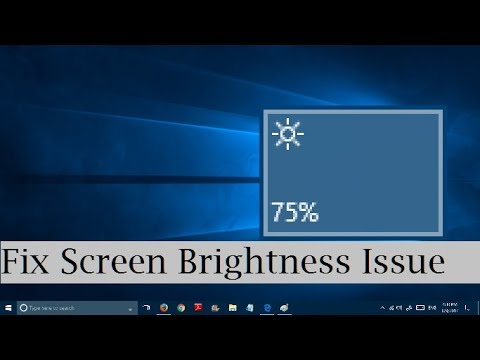
How to fix brightness problem in Windows 10 (2 Methods) Screen Brightness Won't Change
ChannelIviewgleDescription from the creator
Updated video on brightness issues in windows 11 and windows 10
youtu.be/wX08LOX87EY
Unable to adjust screen brightness in windows 10? OR screen brightness automatically getting reduced and increased? You can fix these two problems easily by two simple methods.
Method #1: 0m12s
Right click on windows start button\device manager\Monitors\double click to expand it. Now right click on the item under it and "Enable" it. Right click again on it and "update the driver software".
Method #2: 1m05s
In the device manager window itself: double click Display adapters to expand it. Right click on each item under it and update the driver software to the latest driver AS SHOWN IN THE VIDEO.
Now click on the bottom right notifications icon/all settings icon. Now click on the brightness icon in the popup window to adjust the screen brightness!
You may need to RESTART your computer in some cases to apply the changes you have made!
Please consider a LIKE, if it works for you
youtu.be/wX08LOX87EY
Unable to adjust screen brightness in windows 10? OR screen brightness automatically getting reduced and increased? You can fix these two problems easily by two simple methods.
Method #1: 0m12s
Right click on windows start button\device manager\Monitors\double click to expand it. Now right click on the item under it and "Enable" it. Right click again on it and "update the driver software".
Method #2: 1m05s
In the device manager window itself: double click Display adapters to expand it. Right click on each item under it and update the driver software to the latest driver AS SHOWN IN THE VIDEO.
Now click on the bottom right notifications icon/all settings icon. Now click on the brightness icon in the popup window to adjust the screen brightness!
You may need to RESTART your computer in some cases to apply the changes you have made!
Please consider a LIKE, if it works for you
About this tutorial
Iviewgle published this 2:03 video tutorial on October 26, 2017. It has been watched 1,074,101 times on YouTube.
- Channel
- Iviewgle
- Category
- Science & Technology
- Duration
- 2:03
- Published
- October 26, 2017
- Views
- 1,074,101
- Likes
- 5,754
Tags
Share
This tutorial in other languages
- FRComment résoudre problème de luminosité luminosité de l'écran de Windows 10 (2 méthodes) ne changera pas
- ESCómo arreglar el problema del brillo en Windows 10 (2 métodos) Brillo de la pantalla no cambiará
- PTComo corrigir problema de brilho no Windows 10 (2 Métodos) brilho da tela não vai mudar
- ITCome risolvere problemi di luminosità in Windows 10 (2 Metodi) Luminosità dello schermo non cambierà
- DEWie Helligkeit Problem in Windows 10 (2 Methoden) Bildschirmhelligkeit wird sich nicht ändern beheben
- NLHoe kan ik de helderheid probleem op te lossen in Windows 10 (2 methoden) helderheid van het scherm zal niet veranderen
- RUКак исправить проблему яркости в ОС Windows 10 (2 методы) Яркость экрана не изменится
- PLJak rozwiązać problemy jasności w systemie Windows 10 (2 metody) Jasność ekranu nie zmieni
- JAWindowsでの明るさの問題を解決する方法10(2つの方法)画面の明るウィルない変更
- ARكيفية إصلاح مشكلة سطوع في نظام التشغيل Windows 10 (2 طرق) سطوع الشاشة لن تتغير
- HIकैसे Windows में चमक समस्या को ठीक करने के लिए 10 (2 तरीके) स्क्रीन चमक विल नहीं बदलें
- IDCara untuk memperbaiki masalah kecerahan pada Windows 10 (2 Metode) Kecerahan Layar Will tidak Ganti