Playback starts YouTube’s embedded player (privacy-enhanced mode).
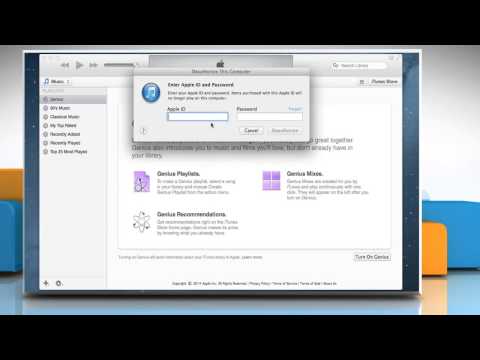
How to authorize/deauthorize your computer using iTunes®
ChannelHow-To GuideDescription from the creator
You need to authorize your computer before you use it to sync or play content that you download from the iTunes® Store. You can authorize or deauthorize your computer only through iTunes® on that particular computer. Get to know about easy steps to authorize/deauthorize your computer using iTunes® by watching this video.
Content in this video is provided on an "as is" basis with no express or implied warranties whatsoever. Any reference of any third party logos, brand names, trademarks, services marks, trade names, trade dress and copyrights shall not imply any affiliation to such third parties, unless expressly specified.
Content in this video is provided on an "as is" basis with no express or implied warranties whatsoever. Any reference of any third party logos, brand names, trademarks, services marks, trade names, trade dress and copyrights shall not imply any affiliation to such third parties, unless expressly specified.
About this tutorial
How-To Guide published this 1:52 video tutorial on October 27, 2015. It has been watched 20,505 times on YouTube.
- Channel
- How-To Guide
- Category
- Science & Technology
- Duration
- 1:52
- Published
- October 27, 2015
- Views
- 20,505
- Likes
- 49
Tags
Share
This tutorial in other languages
- FRComment autoriser / annuler l'autorisation de votre ordinateur à l'aide d'iTunes®
- ESCómo autorizar / desautorizar el ordenador mediante iTunes
- PTComo autorizar / desautorizar seu computador usando iTunes®
- ITCome autorizzare / rimuovere l'autorizzazione del computer utilizzando iTunes®
- DEWie zu autorisieren / deautorisieren Ihren Computer mit iTunes®
- NLHoe te autoriseren / machtiging intrekken van uw computer met behulp van iTunes®
- RUКак разрешить / деавторизовать компьютер с помощью iTunes®
- PLJak zezwolić / wycofać autoryzację komputera przy użyciu iTunes®
- JAiTunesを使ってコンピュータの認証を解除/認可する方法
- ARكيفية تفويض / إلغاء تفويض جهاز الكمبيوتر الخاص بك باستخدام اي تيونز
- HIकैसे अधिकृत करने के लिए आपके कंप्यूटर में / iTunes® का उपयोग कर प्राधिकरण रद्द
- IDCara mengotorisasi / otorisasi komputer Anda menggunakan iTunes