Playback starts YouTube’s embedded player (privacy-enhanced mode).
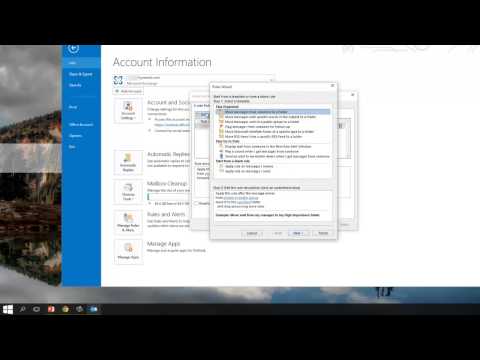
How to Automatically Forward & Redirect Emails in Outlook 2013
ChannelSynesis ITDescription from the creator
In this video we show you how to set Outlook 2013 to forward or redirect certain emails automatically to a secondary email account.
For further information:
Call (212) 608-6112 to speak directly with a Solutions Executive.
Contact Synesis IT at www.synesisit.com to find out how we can help you.
Synesis IT brings you real-world tips, where you will learn how to leverage Microsoft's sophisticated technology to take advantage of collaboration, instant messaging, audio/video conferencing, and online productivity tools that will help you take control of your business communication and create a more efficient workplace.
Whether you already have Office 365 or are still considering implementing Office 365 in your organization, you’ll gain valuable knowledge to increase your productivity.
Synesis IT is a Certified Microsoft Partner specializing in the full range of Microsoft Office 365 Cloud Services; Office 365 consulting, deployment, migration and support. Our highly trained experts have over twenty years of experience meeting our valued clients’ challenges in a variety of Microsoft technologies.
We are Microsoft SMB Cloud Champions; our Office 365 Cloud expertise and deep industry experience serving a variety of small and enterprise clients, enable us to help businesses use technology to become more productive and compete at the highest level.
Our expert team of Microsoft-certified engineers follows best-fit deployment and migration strategies so we can provide our clients complete support through our expert knowledge of Microsoft technologies.
For further information:
Call (212) 608-6112 to speak directly with a Solutions Executive.
Contact Synesis IT at www.synesisit.com to find out how we can help you.
Synesis IT brings you real-world tips, where you will learn how to leverage Microsoft's sophisticated technology to take advantage of collaboration, instant messaging, audio/video conferencing, and online productivity tools that will help you take control of your business communication and create a more efficient workplace.
Whether you already have Office 365 or are still considering implementing Office 365 in your organization, you’ll gain valuable knowledge to increase your productivity.
Synesis IT is a Certified Microsoft Partner specializing in the full range of Microsoft Office 365 Cloud Services; Office 365 consulting, deployment, migration and support. Our highly trained experts have over twenty years of experience meeting our valued clients’ challenges in a variety of Microsoft technologies.
We are Microsoft SMB Cloud Champions; our Office 365 Cloud expertise and deep industry experience serving a variety of small and enterprise clients, enable us to help businesses use technology to become more productive and compete at the highest level.
Our expert team of Microsoft-certified engineers follows best-fit deployment and migration strategies so we can provide our clients complete support through our expert knowledge of Microsoft technologies.
About this tutorial
Synesis IT published this 4:34 video tutorial on October 27, 2015. It has been watched 208,615 times on YouTube.
- Channel
- Synesis IT
- Category
- Science & Technology
- Duration
- 4:34
- Published
- October 27, 2015
- Views
- 208,615
- Likes
- 343
Tags
Share
This tutorial in other languages
- FRComment transférer automatiquement et e-mails dans Outlook Redirect 2013
- ESCómo reenviar automáticamente los mensajes de correo electrónico y de redirección en Outlook 2013
- PTComo encaminhar automaticamente & Redirecionar e-mails no Outlook 2013
- ITCome inoltrare automaticamente & Redirect Messaggi di posta elettronica in Outlook 2013
- DEWie automatisch Forward & Redirect E-Mails in Outlook 2013
- NLHoe kan ik automatisch doorsturen & Redirect e-mails in Outlook 2013
- RUКак автоматически переадресовывать и перенаправление сообщений электронной почты в Outlook 2013
- PLJak automatycznie przekazywać i przekierowywania poczty w Outlook 2013
- JAどのように展望2013年に自動的に転送&リダイレクトメールへ
- ARكيفية تلقائيا إلى الأمام وإعادة توجيه رسائل البريد الإلكتروني في Outlook 2013
- HIकैसे Outlook 2013 में स्वचालित रूप से अग्रेषित करें, पुनर्निर्देशन ईमेल करने के लिए
- IDCara otomatis Maju & Redirect Email di Outlook 2013