Playback starts YouTube’s embedded player (privacy-enhanced mode).
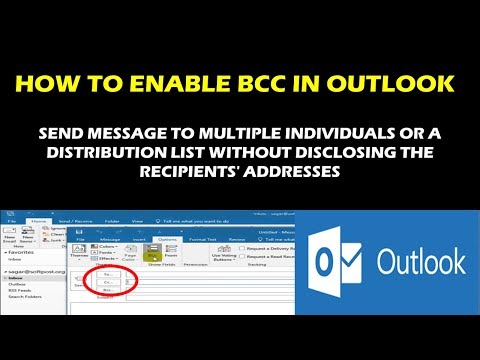
HOW TO ENABLE BCC IN OUTLOOK 2010, 2013, 2016 AND OUTLOOK 2019
ChannelRay Tube FixesDescription from the creator
Show, hide, and view the blind carbon copy (Bcc) field
Applies to:
Outlook for Office 365 Outlook for Office 365 for Mac Outlook 2019 Outlook 2016 Outlook 2013 Outlook 2010 Outlook 2007 Outlook 2016 for Mac Office 2016 for Mac Outlook 2019 for Mac
After you turn on the Bcc box, it appears every time you create a message until it's turned off. The option to turn on the Bcc field can be found in two locations, depending on whether you are composing a new message or replying to or forwarding a message.
Create a new email message or reply to or forward an existing message.
If the message you're composing opens in a new window, select Options -- Bcc.
If the message you're composing opens in the Reading Pane, select Bcc from the ribbon.
In the Bcc box, add recipients, compose the message, and choose Send when done.
Turn off Bcc
You can turn off the Bcc box for future messages at any time.
Create a new email message or reply to or forward an existing message.
If the message you're composing opens in a new window, select Options --Bcc.
If the message you're composing opens in the Reading Pane, select Bcc from the ribbon.
View Bcc recipients
If you're the recipient of a message, you can't see whether the sender added Bcc recipients. Only the sender of a message can see the names of Bcc recipients by opening a message in the Sent Items folder where all sent messages are stored by default.
In the Sent Items folder, open the message that you sent.
In the Reading Pane, view the header section of the message.
Tips:
A + symbol indicates there are more recipients. In the screenshot, for example, +11 signals there are 11 more recipients listed in the Bcc box.
Choose Choose to expand the message header. to expand (open) your the message header section. And choose Choose to collapse the message header. to collapse (close) the header section.
Applies to:
Outlook for Office 365 Outlook for Office 365 for Mac Outlook 2019 Outlook 2016 Outlook 2013 Outlook 2010 Outlook 2007 Outlook 2016 for Mac Office 2016 for Mac Outlook 2019 for Mac
After you turn on the Bcc box, it appears every time you create a message until it's turned off. The option to turn on the Bcc field can be found in two locations, depending on whether you are composing a new message or replying to or forwarding a message.
Create a new email message or reply to or forward an existing message.
If the message you're composing opens in a new window, select Options -- Bcc.
If the message you're composing opens in the Reading Pane, select Bcc from the ribbon.
In the Bcc box, add recipients, compose the message, and choose Send when done.
Turn off Bcc
You can turn off the Bcc box for future messages at any time.
Create a new email message or reply to or forward an existing message.
If the message you're composing opens in a new window, select Options --Bcc.
If the message you're composing opens in the Reading Pane, select Bcc from the ribbon.
View Bcc recipients
If you're the recipient of a message, you can't see whether the sender added Bcc recipients. Only the sender of a message can see the names of Bcc recipients by opening a message in the Sent Items folder where all sent messages are stored by default.
In the Sent Items folder, open the message that you sent.
In the Reading Pane, view the header section of the message.
Tips:
A + symbol indicates there are more recipients. In the screenshot, for example, +11 signals there are 11 more recipients listed in the Bcc box.
Choose Choose to expand the message header. to expand (open) your the message header section. And choose Choose to collapse the message header. to collapse (close) the header section.
About this tutorial
Ray Tube Fixes published this 2:25 video tutorial on October 26, 2019. It has been watched 31,318 times on YouTube.
- Channel
- Ray Tube Fixes
- Category
- Science & Technology
- Duration
- 2:25
- Published
- October 26, 2019
- Views
- 31,318
- Likes
- 194
Tags
Share
This tutorial in other languages
- FRCOMMENT PERMETTRE BCC EN PERSPECTIVES 2010, 2013, 2016 ET PERSPECTIVES 2019
- ESCómo habilitar CCO en Outlook 2010, 2013, 2016 Y PERSPECTIVAS 2019
- PTComo habilitar BCC no Outlook 2010, 2013, 2016 E PERSPECTIVAS 2019
- ITCome abilitare BCC in Outlook 2010, 2013, 2016 e 2019 OUTLOOK
- DEWie Aktivieren BCC in Outlook 2010, 2013, 2016 und Ausblick 2019
- NLHOE KUNNEN BCC in Outlook 2010, 2013, 2016 EN VOORUITZICHTEN 2019
- RUКАК ВКЛЮЧИТЬ BCC В Outlook 2010, 2013, 2016 и 2019 ПРОГНОЗ
- PLJak włączyć BCC w programie Outlook 2010, 2013, 2016 i Outlook 2019
- JABCCでOutlook 2010、2013、2016およびOutlook 2019を有効にする方法
- ARكيفية تمكين BCC في Outlook 2010، 2013، 2016 والتوقعات 2019
- HIबीसीसी में Outlook 2010, 2013, 2016 और Outlook 2019 को सक्षम कैसे करें
- IDCARA ENABLE BCC DI OUTLOOK 2010, 2013, 2016 DAN PROSPEK 2019