Playback starts YouTube’s embedded player (privacy-enhanced mode).
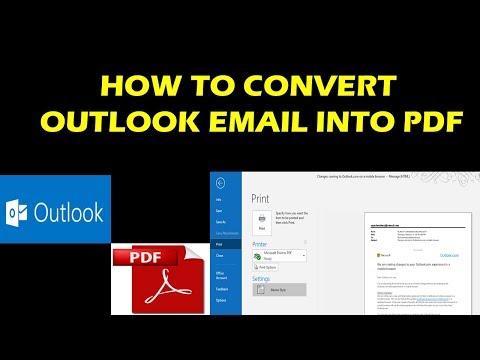
HOW TO CONVERT OUTLOOK EMAIL INTO PDF
ChannelRay Tube FixesDescription from the creator
Outlook doesn't include PDF as one of the default Save as types. The Microsoft Print To PDF utility included in Windows 10 allows you to print any email message directly to a PDF. If you don't have Windows 10, you can save your email message as an HTML file, open that file in Word, and then use the Save As feature in Word to save the email as a PDF file.
Save as (or Print to) a PDF in Windows 10
Open the message you want to save, and on the File tab, click Print.
From the Printer drop-down, choose Microsoft Print to PDF.
Choose Print.
In the Save Print Output As box, choose a folder for your PDF and enter a file name. Then choose Save.
Save as a PDF in other versions of Windows
Open the message you want to save, and on the File tab, click Save As.
In the Save as dialog box, in the Folder pane, choose a folder, and then the location in that selected folder where you want to save the file.
In the File name box, type a name for the file.
In the Save as type list, choose HTML and then choose Save.
Open Word and choose File -- Open.
Select the HTML file you saved in step 4.
Choose File -- Save As, and then choose PDF (*.pdf) from the file type drop-down before choosing Save.
Save as (or Print to) a PDF in Windows 10
Open the message you want to save, and on the File tab, click Print.
From the Printer drop-down, choose Microsoft Print to PDF.
Choose Print.
In the Save Print Output As box, choose a folder for your PDF and enter a file name. Then choose Save.
Save as a PDF in other versions of Windows
Open the message you want to save, and on the File tab, click Save As.
In the Save as dialog box, in the Folder pane, choose a folder, and then the location in that selected folder where you want to save the file.
In the File name box, type a name for the file.
In the Save as type list, choose HTML and then choose Save.
Open Word and choose File -- Open.
Select the HTML file you saved in step 4.
Choose File -- Save As, and then choose PDF (*.pdf) from the file type drop-down before choosing Save.
About this tutorial
Ray Tube Fixes published this 1:54 video tutorial on November 9, 2019. It has been watched 212,418 times on YouTube.
- Channel
- Ray Tube Fixes
- Category
- Science & Technology
- Duration
- 1:54
- Published
- November 9, 2019
- Views
- 212,418
- Likes
- 1,042
Tags
Share
This tutorial in other languages
- FRCOMMENT TRANSFORMER EN PDF PERSPECTIVES EMAIL
- ESCómo convertir correo electrónico de Outlook a PDF
- PTCOMO TRANSFORMAR-mail do Outlook EM PDF
- ITCome convertire posta elettronica di Outlook in PDF
- DEWie konvertiert AUSBLICK E-Mails in PDF
- NLHoe te converteren Outlook e-mail naar PDF
- RUКАК ПЕРЕВЕСТИ OUTLOOK электронной почты в PDF
- PLJAK Konwersja Outlook e-mail w formacie PDF
- JAPDFにOutlookの電子メールを変換する方法
- ARHOW TO تحويل النظرة EMAIL INTO PDF
- HIPDF में आउटलुक ईमेल के रूपांतरित होने की
- IDCARA CONVERT OUTLOOK EMAIL KE PDF