Playback starts YouTube’s embedded player (privacy-enhanced mode).
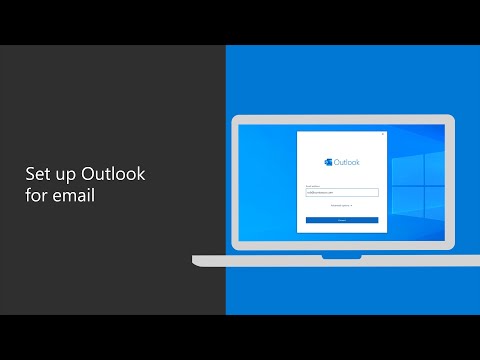
How to set up your work email with Outlook
ChannelMicrosoft 365Description from the creator
Learn how to configure your work email in Outlook with this simple tutorial. Once your Microsoft 365 apps are installed, go to the start menu and search for Outlook. Then, click on the app to get started. Enter your Microsoft 365 email address and select “connect.” Enter your password if prompted and then the process will begin. Keep in mind it may take a few minutes for all of your email data to populate within Outlook. Once you follow these steps, your Outlook email will be set up and you will be able to view your email from the accounts you added, as well as your calendar, contacts and tasks.
Find out more: msft.it/6009Td4W9
*Please note that Microsoft 365 Business is now called Microsoft 365 Business Premium. The new product name went into effect on April 21, 2020.
► Subscribe to Microsoft 365 on YouTube here: aka.ms/SubscribeToM365
► Follow us on social:
LinkedIn: linkedin.com/showcase/microsoft-365/
Twitter: twitter.com/Microsoft365
Instagram: instagram.com/microsoft365/
Facebook: facebook.com/Microsoft365/
► For more about Microsoft 365, visit msft.it/6000TcBle
#Microsoft #Microsoft365
Find out more: msft.it/6009Td4W9
*Please note that Microsoft 365 Business is now called Microsoft 365 Business Premium. The new product name went into effect on April 21, 2020.
► Subscribe to Microsoft 365 on YouTube here: aka.ms/SubscribeToM365
► Follow us on social:
LinkedIn: linkedin.com/showcase/microsoft-365/
Twitter: twitter.com/Microsoft365
Instagram: instagram.com/microsoft365/
Facebook: facebook.com/Microsoft365/
► For more about Microsoft 365, visit msft.it/6000TcBle
#Microsoft #Microsoft365
About this tutorial
Microsoft 365 published this 1:17 video tutorial on May 9, 2020. It has been watched 975,108 times on YouTube.
- Channel
- Microsoft 365
- Category
- Science & Technology
- Duration
- 1:17
- Published
- May 9, 2020
- Views
- 975,108
- Likes
- 1,567
Tags
Share
This tutorial in other languages
- FRComment configurer votre messagerie électronique de travail avec Outlook
- ESCómo configurar el correo electrónico del trabajo con Outlook
- PTComo configurar seu e-mail com o Outlook
- ITCome impostare la posta elettronica aziendale con Outlook
- DEWie Ihre E-Mail mit Outlook einrichten
- NLHoe het opzetten van uw werk e-mail met Outlook
- RUКак настроить работу электронной почты с Outlook,
- PLJak skonfigurować pocztę w pracy z programem Outlook
- JAOutlookと仕事用メールを設定する方法
- ARكيفية إعداد البريد الإلكتروني الخاص بالعمل مع Outlook
- HIआउटलुक के साथ अपने कार्य ईमेल स्थापित करने के लिए कैसे
- IDCara mengatur email pekerjaan Anda dengan Outlook