Playback starts YouTube’s embedded player (privacy-enhanced mode).
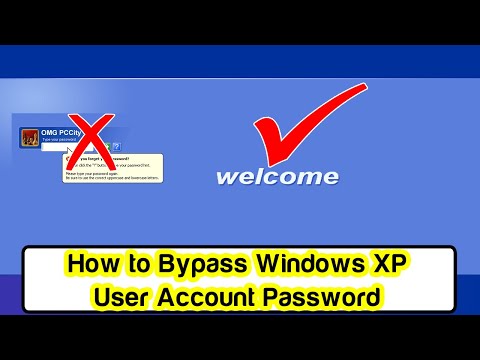
How to Bypass Windows XP Password
ChannelOMG PCCityDescription from the creator
Today you will learn how to reset and bypass Windows XP forgotten administrator password in seconds. Do not worry if you have lost or forget the Windows XP user account password. There are several ways to reset protected account password but they are complexive and lengthy. So we pick an easy and fast way to resolve this issue under a minute.
In this tutorial, you do not need to download anything nor create a bootable USB to break the password. You just need a keyboard so this trick will bypass the password. Microsoft has placed an hidden administrator account by default. This account can be used as backup or recovery because the OS will store it automatically upon installation of Windows XP. Many of us are now aware about this account because we do not face similar problem.
Simply boot the computer normally. It does not matter which version of Windows XP is installed in your computer or laptop e.g. Windows XP Professional, Windows XP Home, Windows XP Media Center Edition or any other. This trick will solve your worries in few seconds, just follow the video:
1- Boot the computer in normal mode
2- When you see account name, picture and password box
3- Press CTRL + ALT + DELETE buttons for 2 times
4- A new Log on to windows box will appear with few options
5- Delete text from username and password fields
6- Enter "Administrator" in username box
7- Leave the password blank
8- Now press OK button or hit Enter from keyboard
That's all
#OMGPCCit
In this tutorial, you do not need to download anything nor create a bootable USB to break the password. You just need a keyboard so this trick will bypass the password. Microsoft has placed an hidden administrator account by default. This account can be used as backup or recovery because the OS will store it automatically upon installation of Windows XP. Many of us are now aware about this account because we do not face similar problem.
Simply boot the computer normally. It does not matter which version of Windows XP is installed in your computer or laptop e.g. Windows XP Professional, Windows XP Home, Windows XP Media Center Edition or any other. This trick will solve your worries in few seconds, just follow the video:
1- Boot the computer in normal mode
2- When you see account name, picture and password box
3- Press CTRL + ALT + DELETE buttons for 2 times
4- A new Log on to windows box will appear with few options
5- Delete text from username and password fields
6- Enter "Administrator" in username box
7- Leave the password blank
8- Now press OK button or hit Enter from keyboard
That's all
#OMGPCCit
About this tutorial
OMG PCCity published this 1:20 video tutorial on December 13, 2019. It has been watched 2,414 times on YouTube.
- Channel
- OMG PCCity
- Category
- Science & Technology
- Duration
- 1:20
- Published
- December 13, 2019
- Views
- 2,414
- Likes
- 15
Tags
Share
This tutorial in other languages
- FRComment faire pour contourner mot de passe Windows XP
- ESCómo omitir Windows XP contraseña
- PTComo Bypass Windows XP senha
- ITCome ignorare Windows XP password
- DEWie in dem Bypass-Windows XP Passwort
- NLHoe kan Bypass Windows XP Password
- RUКак обойти Windows XP пароль
- PLJak ominąć hasło systemu Windows XP
- JAどのようにバイパスのWindows XPのパスワードへ
- ARكيفية تجاوز ويندوز XP كلمة المرور
- HIकैसे करने के लिए बाईपास Windows XP पासवर्ड
- IDCara Bypass Windows XP Sandi