Playback starts YouTube’s embedded player (privacy-enhanced mode).
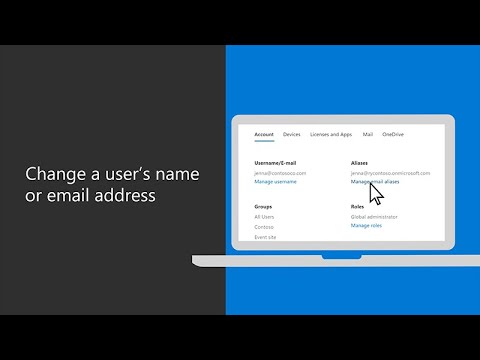
How to change a user’s name or email address in Microsoft 365 Business Premium
ChannelMicrosoft 365Description from the creator
To change a display name, go to the Microsoft 365 admin center and select “users” then “active users” and select the user. Then, go to “manage contact information” and change the display name to the user’s desired name and select “save changes.” If you want to add a new email address to reflect the user’s updated name, select the user and go to “manage email aliases.” Then, you can add a new email alias, and the user will be able to receive emails with the new alias.
To learn more, visit Microsoft 365 Training Center: msft.it/6006TYBtq
*Please note that Microsoft 365 Business is now called Microsoft 365 Business Premium. The new product name went into effect on April 21, 2020.
► Subscribe to Microsoft 365 on YouTube here: aka.ms/SubscribeToM365
► Follow us on social:
LinkedIn: linkedin.com/showcase/microsoft-365/
Twitter: twitter.com/Microsoft365
Instagram: instagram.com/microsoft365/
Facebook: facebook.com/Microsoft365/
► For more about Microsoft 365, visit msft.it/6000TcBle
#Microsoft #Microsoft365
About this tutorial
Microsoft 365 published this 2:04 video tutorial on May 26, 2020. It has been watched 167,831 times on YouTube.
- Channel
- Microsoft 365
- Category
- Science & Technology
- Duration
- 2:04
- Published
- May 26, 2020
- Views
- 167,831
- Likes
- 378
Tags
Share
Further reading
-
Change a user name and email address - Microsoft 365 admin
docs.microsoft.com
You may need to change someone's email address and display name if, for example, they get married and their last name changes. Watch a short video about changing a user's email address. If you found this video helpful,…
-
Change a user's email address - Office Support
support.microsoft.com
Change the display name to Jennifer, and select Save changes. The new name will now be displayed in Outlook and other Microsoft 365 apps. Now let's say we want to add a different email address for Jennifer. We select he…
-
Change a users Primary Email Address in Office 365
quadrotech-it.com
When you click OK, you will see both the new and old address in this Email Addresses box. The one with SMTP written in capital letters is the one that will be used when mail is sent. Mail can be received on both email a…
This tutorial in other languages
- FRComment changer le nom ou l'adresse e-mail d'un utilisateur dans Microsoft 365 Premium Business
- ES¿Cómo cambiar el nombre o la dirección de correo electrónico de un usuario en Microsoft 365 Premium Business
- PTComo alterar o nome ou endereço de email de um usuário no Microsoft 365 Business premium
- ITCome cambiare il nome o l'indirizzo email di un utente in Microsoft 365 Business Premium
- DEWie der Name eines Benutzers oder E-Mail-Adresse in Microsoft 365 Business Premium ändern
- NLHoe maak je naam of e-mailadres van een gebruiker in Microsoft 365 Business Premium veranderen
- RUКак изменить имя или адрес электронной почты пользователя в Microsoft 365 Business Premium
- PLJak zmienić nazwę lub e-mail użytkownika adres w Microsoft 365 kont premium
- JAマイクロソフト365ビジネスプレミアムで、ユーザーの名前や電子メールアドレスを変更する方法
- ARكيفية تغيير اسم أو عنوان البريد الإلكتروني المستخدم في Microsoft 365 رجال الأعمال المميزة
- HIकैसे माइक्रोसॉफ्ट 365 बिजनेस प्रीमियम में एक उपयोगकर्ता का नाम या ईमेल पता बदलने के लिए
- IDBagaimana mengubah nama atau alamat email pengguna di Microsoft 365 Bisnis Premium