Playback starts YouTube’s embedded player (privacy-enhanced mode).
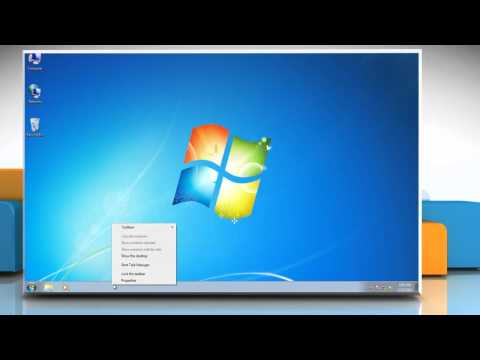
How to change position in Windows® Taskbar
ChannelHow-To GuideDescription from the creator
If you are looking for the steps to change the position of the Taskbar on a Windows®-based PC. Please follow the steps shown in the video
In case you were not aware of the fact, take note that by default the taskbar is located at the very bottom of your computer monitor. You should also know that Windows® provides you with the ability to re-position the taskbar at any of your computer monitor's four sides.
Content in this video is provided on an "as is" basis with no express or implied warranties whatsoever. Any reference of any third party logos, brand names, trademarks, services marks, trade names, trade dress and copyrights shall not imply any affiliation to such third parties, unless expressly specified.
In case you were not aware of the fact, take note that by default the taskbar is located at the very bottom of your computer monitor. You should also know that Windows® provides you with the ability to re-position the taskbar at any of your computer monitor's four sides.
Content in this video is provided on an "as is" basis with no express or implied warranties whatsoever. Any reference of any third party logos, brand names, trademarks, services marks, trade names, trade dress and copyrights shall not imply any affiliation to such third parties, unless expressly specified.
About this tutorial
How-To Guide published this 0:43 video tutorial on November 1, 2012. It has been watched 51,532 times on YouTube.
- Channel
- How-To Guide
- Category
- Science & Technology
- Duration
- 0:43
- Published
- November 1, 2012
- Views
- 51,532
- Likes
- 248
Tags
Share
This tutorial in other languages
- FRComment changer de position dans Windows Taskbar
- ESCómo cambiar de posición en la barra de tareas de Windows
- PTComo mudar de posição em Windows® Taskbar
- ITCome cambiare posizione nella barra delle applicazioni di Windows
- DEWie sich ändern Position in Windows®-Taskleiste
- NLHoe naar positie in Windows® taakbalk te wijzigen
- RUКак изменить положение в Windows® Taskbar
- PLJak zmienić położenie paska zadań w Windows
- JAWindows®のタスクバーで位置を変更する方法
- ARكيفية تغيير الموقف في ويندوز شريط المهام
- HIविंडोज टास्कबार में स्थिति बदलने के लिए कैसे
- IDBagaimana mengubah posisi di Windows Taskbar