Playback starts YouTube’s embedded player (privacy-enhanced mode).
How to Change Windows XP Start Menu Text
ChannelIVIUPPETwebsiteDescription from the creator
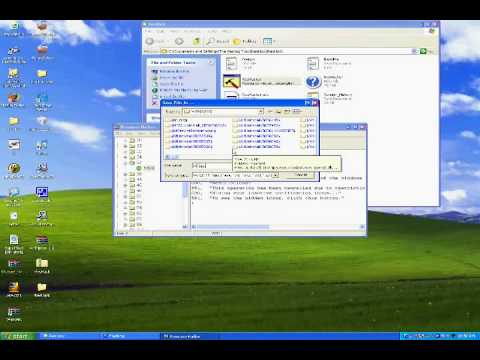
H0LY.J3SUS (Webmaster) shows us a little trick on how to edit the start menu text on windows XP.
**I TAKE NO RESPONSIBILITY IF YOU SCREW YOUR COMPUTER UP. THIS IS VERY EASY, AND REQUIRES LITTLE SKILL, BUT IF YOU SOMEHOW SCREW UP DO NOT COMPLAIN TO ME.
Resource Hacker: angusj.com/resourcehacker/
Text Summary of Video Tutorial
- Open Resource Hacker
- Go to: File-Open-C:/WINDOWS/Explorer.exe and open it
- Click the plus next to the 37 folder, and click on the green icon with the text 1033
- Edit the start text to whatever you want.
- Click Compile Script then file save as (name you want.exe)
- Close Resource Hacker and go to Start-Run
- Type regedit to bring up the registry editor
- Browse to HKEY_LOCAL_MACHINE/SOFTWARE/Microsoft/Windows NT/CurrentVersion/Winlogon
- Open the file called shell and replace the text that says explorer.exe to the exe you created in Resource Hacker
- Close Registry and Restart.
**I TAKE NO RESPONSIBILITY IF YOU SCREW YOUR COMPUTER UP. THIS IS VERY EASY, AND REQUIRES LITTLE SKILL, BUT IF YOU SOMEHOW SCREW UP DO NOT COMPLAIN TO ME.
Resource Hacker: angusj.com/resourcehacker/
Text Summary of Video Tutorial
- Open Resource Hacker
- Go to: File-Open-C:/WINDOWS/Explorer.exe and open it
- Click the plus next to the 37 folder, and click on the green icon with the text 1033
- Edit the start text to whatever you want.
- Click Compile Script then file save as (name you want.exe)
- Close Resource Hacker and go to Start-Run
- Type regedit to bring up the registry editor
- Browse to HKEY_LOCAL_MACHINE/SOFTWARE/Microsoft/Windows NT/CurrentVersion/Winlogon
- Open the file called shell and replace the text that says explorer.exe to the exe you created in Resource Hacker
- Close Registry and Restart.
About this tutorial
IVIUPPETwebsite published this 3:33 video tutorial on November 10, 2009. It has been watched 75,102 times on YouTube.
- Channel
- IVIUPPETwebsite
- Category
- Science & Technology
- Duration
- 3:33
- Published
- November 10, 2009
- Views
- 75,102
- Likes
- 51
Tags
Share
This tutorial in other languages
- FRComment faire pour modifier le menu Démarrer de Windows XP texte
- ESCómo cambiar Inicio de Windows XP Texto Menú
- PTComo mudar o Windows XP Iniciar Texto do Menu
- ITCome cambiare Windows XP Start Menu Text
- DEWie Ändern von Windows XP-Startmenü Text
- NLHoe te veranderen Windows XP Start Menu Tekst
- RUКак сменить Windows XP Start Menu Text
- PLJak zmienić Windows XP menu Start Tekst
- JAどのように変更するのWindows XPのスタートメニューテキストへ
- ARكيفية تغيير ويندوز XP بدء نص القائمة
- HIकैसे बदलें Windows XP प्रारंभ मेनू पाठ करने के लिए
- IDCara Mengubah Windows XP Start Menu Text