Playback starts YouTube’s embedded player (privacy-enhanced mode).
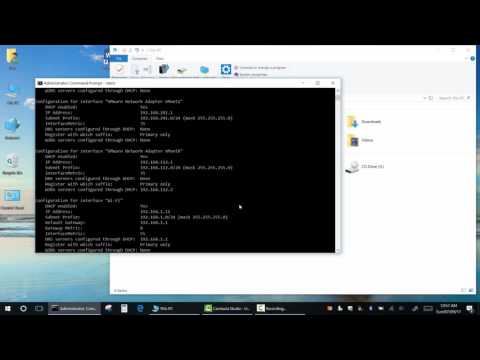
How to change your DNS, Gateway and IP address Using Command Prompt
Channel2013Electronics&ComputersDescription from the creator
Learn how to manually set or change your IP address, DNS server, default gateway, and subnet mask using Command Prompt in Windows.
Works on:
– Windows 10 / 11 / 8 / 7
– Any network adapter (Ethernet or Wi-Fi)
You'll learn how to:
– Change IP address via netsh command
– Set custom DNS servers (Google DNS, Cloudflare, etc.)
– Update gateway and subnet mask using CMD
– Reset network settings if needed
Support my project:
via Amazon: amzn.to/3Kw6OFt
via PATREON: patreon.com/2013ElectronicsComputers
Monetize your Clicks and Downloads: publisher.linkvertise.com/ac/18339
youtu.be/MLxm3Sm8ZFg
#ChangeIPCMD #SetDNSWindows #CMDNetworking #StaticIPWindows #WindowsNetworkConfig #netshcommands
Works on:
– Windows 10 / 11 / 8 / 7
– Any network adapter (Ethernet or Wi-Fi)
You'll learn how to:
– Change IP address via netsh command
– Set custom DNS servers (Google DNS, Cloudflare, etc.)
– Update gateway and subnet mask using CMD
– Reset network settings if needed
Support my project:
via Amazon: amzn.to/3Kw6OFt
via PATREON: patreon.com/2013ElectronicsComputers
Monetize your Clicks and Downloads: publisher.linkvertise.com/ac/18339
youtu.be/MLxm3Sm8ZFg
#ChangeIPCMD #SetDNSWindows #CMDNetworking #StaticIPWindows #WindowsNetworkConfig #netshcommands
About this tutorial
2013Electronics&Computers published this 3:13 video tutorial on November 1, 2017. It has been watched 111,686 times on YouTube.
- Channel
- 2013Electronics&Computers
- Category
- Science & Technology
- Duration
- 3:13
- Published
- November 1, 2017
- Views
- 111,686
- Likes
- 648
Tags
Share
This tutorial in other languages
- FRComment changer votre DNS, la passerelle et l'adresse IP à l'aide invite de commande
- ESCómo cambiar la dirección DNS, Gateway y IP mediante el símbolo del sistema
- PTComo alterar o seu endereço de DNS, Gateway e IP Usando Command Prompt
- ITCome cambiare il vostro indirizzo DNS, Gateway e IP utilizzando prompt dei comandi
- DEWie ändern Sie Ihre DNS, Gateway und IP-Adresse über die Eingabeaufforderung
- NLHoe kunt u uw DNS, Gateway en het IP-adres te wijzigen met behulp van Command Prompt
- RUКак изменить свой адрес DNS, шлюз и IP с помощью командной строки
- PLJak zmienić swój adres DNS, bramy i IP Korzystanie Command Prompt
- JAプロンプトコマンドを使用して、あなたのDNS、ゲートウェイとIPアドレスを変更する方法
- ARكيفية تغيير عنوان DNS، بوابة وIP الخاص بك عن طريق موجه الأوامر
- HIकमांड प्रॉम्प्ट का उपयोग करते हुए अपने DNS, गेटवे और आईपी पते बदलने के लिए
- IDBagaimana mengubah DNS, Gateway dan IP address Anda Menggunakan Command Prompt