Playback starts YouTube’s embedded player (privacy-enhanced mode).
How to change IP Address of Default Gateway, DHCP Server & Subnet Mask in LAN Network (ADSL Modem)
ChannelTroubleshooting errorsDescription from the creator
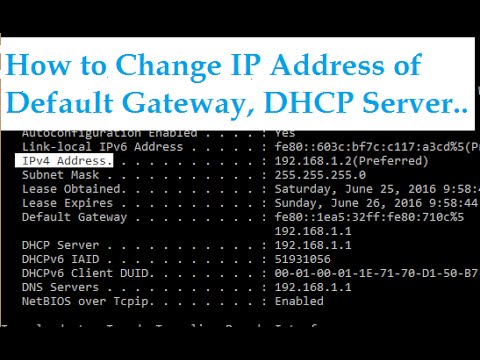
How to change your LAN IPv4 Address including Default Gateway, Subnet Mask, DHCP Server and DNS Server. You can check the IP Address in Command Prompt using the command 'ipconfig'.
Steps to do: Go to router page
Change the Main IP Address of the LAN
Also change the subnet Mask, DHCP Server Starting IP Address.
How to Change Default Gateway IP Address
How to set default gateway IP
How to change LAN IP Address
How to change Subnet Mask IP Address
How to change DHCP Server IP Address
How to change LAN Adapter IPv4 Address
How to change Router page IP Address
Steps to do: Go to router page
Change the Main IP Address of the LAN
Also change the subnet Mask, DHCP Server Starting IP Address.
How to Change Default Gateway IP Address
How to set default gateway IP
How to change LAN IP Address
How to change Subnet Mask IP Address
How to change DHCP Server IP Address
How to change LAN Adapter IPv4 Address
How to change Router page IP Address
About this tutorial
Troubleshooting errors published this 2:17 video tutorial on November 7, 2016. It has been watched 55,509 times on YouTube.
- Channel
- Troubleshooting errors
- Category
- Science & Technology
- Duration
- 2:17
- Published
- November 7, 2016
- Views
- 55,509
- Likes
- 110
Tags
Share
This tutorial in other languages
- FRComment changer l'adresse IP de la passerelle par défaut, serveur DHCP et Masque de sous-réseau LAN (ADSL Modem)
- ESCómo cambiar la dirección IP de la puerta de enlace predeterminada, servidor DHCP y Máscara de subred de la red LAN (módem ADSL)
- PTComo alterar o endereço IP do Gateway Padrão, servidor DHCP e sub-rede máscara em rede LAN (ADSL Modem)
- ITCome cambiare indirizzo IP del gateway predefinito, server DHCP e Subnet Mask di rete LAN (Modem ADSL)
- DEWie in LAN-Netzwerk (ADSL Modem) Maske IP-Adresse des Standard-Gateway, DHCP Server und Subnet ändern
- NLHet IP-adres van de standaard gateway DHCP Server & Subnetmasker in LAN-netwerk te veranderen (ADSL Modem)
- RUКак изменить IP-адрес шлюза по умолчанию, DHCP-сервер и маску подсети, в сети LAN (ADSL модем)
- PLJak zmienić adres IP bramy domyślnej, serwera DHCP i maska podsieci w sieci LAN (modem ADSL)
- JAデフォルトゲートウェイ、DHCPサーバー&LANネットワークマスクサブネットのIPアドレスを変更する方法(ADSLモデム)
- ARكيفية تغيير عنوان IP من العبارة الافتراضية، DHCP الخادم والشبكة الفرعية قناع في شبكة LAN (ADSL مودم)
- HIडिफ़ॉल्ट गेटवे, DHCP सर्वर और सबनेट लैन नेटवर्क में मास्क का आईपी पता बदलने के लिए (ADSL मोडेम)
- IDBagaimana mengubah IP Address dari Default Gateway, DHCP Server & Subnet Mask di LAN Network (ADSL Modem)