Playback starts YouTube’s embedded player (privacy-enhanced mode).
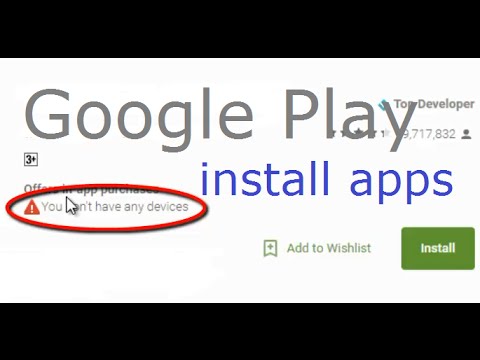
How to fix You don't have any devices error on google play store
ChannelTroubleshooting errorsDescription from the creator
I am signing into google play store for the first time using my newly created email id. When i try to install apps from the computer, i am getting the message 'Loading device compatibility' and then getting the error 'You don't have any devices'.
Reason: You haven't accessed the Google Play Store app on your device with this email account. This error can appear when you're trying to install an Android app on: your computer (including Chromebooks), an Android mobile device that isn't linked to your Google Account and a non-compatible device.
Solution: you need to link your Android device to your Google Account. To begin, sign in to the Google Play Store app on your Android device and install any app. After you've installed an app, your device will be linked to your Google Account. Within a few minutes, you should be able to install apps to your device using your computer.
Reason: You haven't accessed the Google Play Store app on your device with this email account. This error can appear when you're trying to install an Android app on: your computer (including Chromebooks), an Android mobile device that isn't linked to your Google Account and a non-compatible device.
Solution: you need to link your Android device to your Google Account. To begin, sign in to the Google Play Store app on your Android device and install any app. After you've installed an app, your device will be linked to your Google Account. Within a few minutes, you should be able to install apps to your device using your computer.
About this tutorial
Troubleshooting errors published this 0:27 video tutorial on October 29, 2015. It has been watched 612,224 times on YouTube.
- Channel
- Troubleshooting errors
- Category
- Science & Technology
- Duration
- 0:27
- Published
- October 29, 2015
- Views
- 612,224
- Likes
- 2,060
Tags
Share
This tutorial in other languages
- FRComment corriger Vous n'avez pas erreur de périphériques sur le Google Play Store
- ESCómo corregir Usted no tiene ningún error de dispositivos en la tienda de Google Play
- PTComo corrigir Você não tem qualquer erro dispositivos de armazenamento de jogo google
- ITCome risolvere Non è necessario alcun errore dispositivi sul Play Store di Google
- DEWie beheben Sie keine Geräte Fehler auf Google Play Store haben
- NLHoe op te lossen Je hebt geen apparaten fout op Google Play Store
- RUКак исправить Вы не имеете устройства ошибки на Google Play Маркет
- PLJak naprawić? Nie ma żadnego błędu urządzeń w sklepie Google Play
- JAあなたがGoogle Playストア上のすべてのデバイスエラーを持っていない解決方法
- ARكيفية إصلاح ليس لديك أي خطأ الأجهزة على جوجل مخزن اللعب
- HIकैसे ठीक करने के लिए आपको Google Play स्टोर पर किसी भी डिवाइस त्रुटि नहीं है
- IDBagaimana untuk memperbaiki Anda tidak memiliki kesalahan perangkat pada google play store