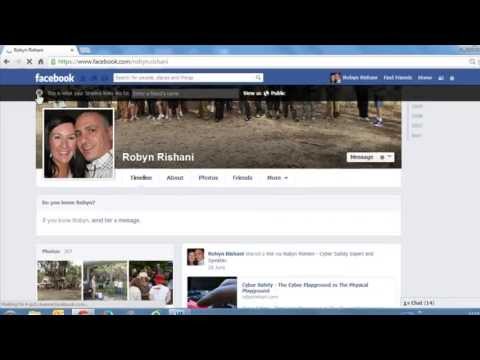
Playback starts YouTube’s embedded player (privacy-enhanced mode).
How to Clean Up Your Facebook Reputation
ChannelRobyn RishaniDescription from the creator
NOTE: This video has been created for Parents who have little knowledge of Facebook.
THIS VIDEO IS NOT A VIDEO ON HOW TO DELETE YOUR ACCOUNT. IT'S HOW TO DELETE THE ONE OR TWO THINGS YOU POSTED THAT YOU REGRET.
Your digital footprint is a record of everything you do on the internet and mobile phones. When you send an email, chat to a friend or post a photo, there is a permanent record of this somewhere in cyber space. So it's so important that you think before you post something that may come back to bite you in the but later on!
In this video I show you how to clean up your Facebook footprint by using the Activity Log. The Activity Log is a record of everything you have ever posted, liked, commented on, been tagged in or mentioned on Facebook. Go through the log and change or delete what needs to change!
NOTE: You can't delete everything all at once UNLESS YOU DELETE YOUR ACCOUNT - ALL OF IT. Also remember that even if you delete something it may have already been shared elsewhere, hence still in cyber space. If you want to delete everything and you can't be bothered going through each entry one by one, then you'l have to delete your account (unless you know how to hack)
ALSO NOTE: think twice about what you post in the future, then you won't need to visit this type of video again.
THIS VIDEO IS NOT A VIDEO ON HOW TO DELETE YOUR ACCOUNT. IT'S HOW TO DELETE THE ONE OR TWO THINGS YOU POSTED THAT YOU REGRET.
Your digital footprint is a record of everything you do on the internet and mobile phones. When you send an email, chat to a friend or post a photo, there is a permanent record of this somewhere in cyber space. So it's so important that you think before you post something that may come back to bite you in the but later on!
In this video I show you how to clean up your Facebook footprint by using the Activity Log. The Activity Log is a record of everything you have ever posted, liked, commented on, been tagged in or mentioned on Facebook. Go through the log and change or delete what needs to change!
NOTE: You can't delete everything all at once UNLESS YOU DELETE YOUR ACCOUNT - ALL OF IT. Also remember that even if you delete something it may have already been shared elsewhere, hence still in cyber space. If you want to delete everything and you can't be bothered going through each entry one by one, then you'l have to delete your account (unless you know how to hack)
ALSO NOTE: think twice about what you post in the future, then you won't need to visit this type of video again.
About this tutorial
Robyn Rishani published this 10:42 video tutorial on November 10, 2013. It has been watched 57,845 times on YouTube.
- Channel
- Robyn Rishani
- Category
- Science & Technology
- Duration
- 10:42
- Published
- November 10, 2013
- Views
- 57,845
- Likes
- 70
Tags
Share
This tutorial in other languages
- FRComment nettoyer votre Facebook Réputation
- ESCómo limpiar su reputación Facebook
- PTComo limpar a sua reputação Facebook
- ITCome per ripulire il vostro Facebook Reputazione
- DEWie zum Aufräumen der Facebook Ruf
- NLHoe schoon Up Your Facebook Reputation
- RUКак очистить свой Facebook Репутация
- PLJak oczyścić Facebook reputacji
- JAあなたのFacebookの評判をクリーンアップする方法
- ARكيفية تنظيف والفيسبوك التقييم
- HIआपके Facebook प्रतिष्ठा को साफ करने के लिए कैसे
- IDCara Bersihkan Up Reputasi Facebook Anda