Playback starts YouTube’s embedded player (privacy-enhanced mode).
How to connect my Anubis / Virtual Sound card / Network (English)
ChannelMergingTechnologiesDescription from the creator
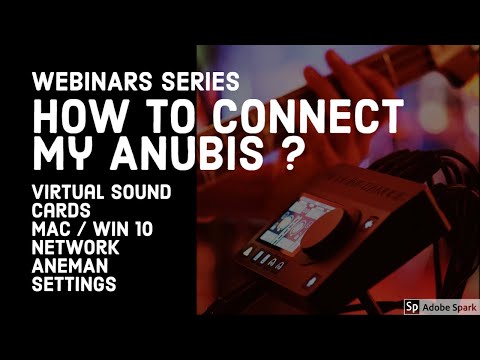
The very versatile Anubis audio converter, no latency mixer and monitoring device is connected via the network. We’ll show the easy way to do this in both Windows and Mac world. Basic configuration and more advanced will be covered. All your questions are welcomed – duration of approx. 45 minutes
merging.com/products/interfaces/merging+anubis
merging.com/products/interfaces/merging+anubis
About this tutorial
MergingTechnologies published this 48:12 video tutorial. It has been watched 2,870 times on YouTube.
- Channel
- MergingTechnologies
- Category
- Science & Technology
- Duration
- 48:12
- Views
- 2,870
- Likes
- 37
Tags
Share
This tutorial in other languages
- FRComment connecter mon Anubis / virtuel Carte son / réseau (en anglais)
- ESCómo conectar mi tarjeta de sonido Anubis / virtual / Red (Inglés)
- PTComo ligar minha placa de som Anubis / Virtual / Network (Inglês)
- ITCome collegare il mio Anubis / scheda audio virtuale / Network (in inglese)
- DEWie mein Anubis / Virtual Sound-Karte / Network (englisch) verbinden
- NLHoe kan ik mijn Anubis / Virtual Sound card aansluiten / Network (Engels)
- RUКак подключить Анубиса / Виртуальная Звуковая карта / Network (на английском языке)
- PLJak podłączyć Anubis / Virtual Sound Card / Network (English)
- JA私のアヌビス/仮想サウンドカード/ネットワーク(英語)を接続する方法
- ARكيفية الاتصال بي أنوبيس / بطاقة الصوت الظاهري / شبكة (الإنجليزية)
- HIकैसे मेरी Anubis / आभासी ध्वनि कार्ड कनेक्ट करने के लिए / नेटवर्क (English)
- IDBagaimana menghubungkan saya Anubis / Virtual Sound card / Network (Bahasa Inggris)