Playback starts YouTube’s embedded player (privacy-enhanced mode).
How to Convert 8mm Video to DVD (DIY)
ChannelHeyMimi DIYDescription from the creator
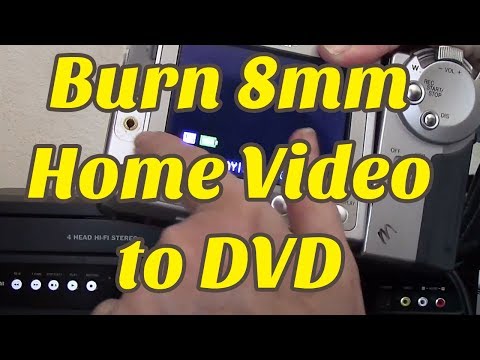
Burn your 8mm Video Tapes to DVD without a computer. Here's how I transferred my home videos direct to DVD using the line-in option on a DVD Recorder from Walmart. The Magnavox ZV427MG9 DVD Recorder/VCR is now sold under the name FUNAI. My old Sharp ViewCam VL-E765 only has one output method: a single port for a 2 plug AV cable (one yellow, one white). In this video, I show you how to hook up your old camcorder to the DVD recorder, and how to burn the video to DVD on the Magnavox Recorder.
Here is a link to the Magnavox Recorder I show in the video:
magnavox.com/product/feature.php?id=118
Magnavox and Funai make the same item. They may be the same company, I think. Walmart now carries the Funai version for about $150, sometimes less.
If you want a way to get video onto your computer without the Magnavox ZV427MG9; I have a follow up video in the works, that shows you what gadget I used to hook my old 8mm camcorder directly to my computer, to edit and THEN burn to DVD on my PC
I hope this helps you back up your family memories to a more durable format!
Mimi
HeyMimi.com
Here is a link to the Magnavox Recorder I show in the video:
magnavox.com/product/feature.php?id=118
Magnavox and Funai make the same item. They may be the same company, I think. Walmart now carries the Funai version for about $150, sometimes less.
If you want a way to get video onto your computer without the Magnavox ZV427MG9; I have a follow up video in the works, that shows you what gadget I used to hook my old 8mm camcorder directly to my computer, to edit and THEN burn to DVD on my PC
I hope this helps you back up your family memories to a more durable format!
Mimi
HeyMimi.com
About this tutorial
HeyMimi DIY published this 10:29 video tutorial on November 8, 2014. It has been watched 423,476 times on YouTube.
- Channel
- HeyMimi DIY
- Category
- Science & Technology
- Duration
- 10:29
- Published
- November 8, 2014
- Views
- 423,476
- Likes
- 1,042
Tags
Share
This tutorial in other languages
- FRComment convertir 8 mm Video to DVD (DIY)
- ESCómo convertir 8mm de vídeo a DVD (DIY)
- PTComo converter oito milímetros de vídeo para DVD (DIY)
- ITCome convertire 8 millimetri Video to DVD (fai da te)
- DEWie Konvertieren von 8mm Video auf DVD (DIY)
- NLHoe te converteren 8mm video naar DVD (DIY)
- RUКак конвертировать 8мм видео в DVD (DIY)
- PLJak konwertować 8mm film na DVD (DIY)
- JA(DIY)DVDに8ミリメートルのビデオを変換する方法
- ARكيفية تحويل 8MM فيديو دي في دي (DIY)
- HIवीडियो 8 मिमी कन्वर्ट करने के लिए कैसे डीवीडी के लिए (DIY)
- IDCara Mengkonversi 8mm Video ke DVD (DIY)