Playback starts YouTube’s embedded player (privacy-enhanced mode).
How to Convert Images to JPEG format
ChannelHowcastDescription from the creator
Full Playlist: youtube.com/playlist?list=PLLALQuK1NDrgBJWGd8Pb…
-
-
Watch more How to Use Computer Software videos: howcast.com/videos/418248-How-to-Convert-Images…
Its color-range, among other attributes, makes the JPEG format widely used for photographs. Turn your images and other documents into JPEG files by opting for one of these alternatives.
Step 1: Search the web
Search for a website that offers free web-based file conversion services that don't require downloading software.
Tip
Note that changing the file extension may change what you can do with the file in other programs.
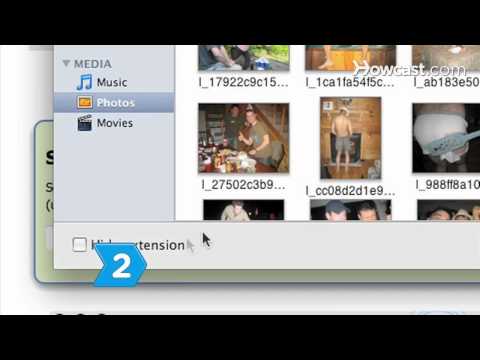
Step 2: Upload your document
Browse your computer to select the image or document you want to convert.
Step 3: Select JPG format
Choose "jpg," the file extension for the JPEG format, under the list of format options.
Step 4: Enter your e-mail
Enter your e-mail address to receive the converted file and press Convert.
Step 5: Attempt the easy route
If you're converting certain BMP or other image files, use a graphics painting or photo-editing program to convert to JPEG forat. Open the BMP file you want to convert in the painting or photo-editing program.
Tip
If you can't find any free conversion sites, download free software.
Step 6: Save the file as JPEG
Re-save the opened file in JPEG format by navigating to the File menu, then Save As, select JPEG for the file type, and press Save.
Did You Know?
The JPEG name comes from Joint Photographic Experts Group, the organization that created the format.
-
-
Watch more How to Use Computer Software videos: howcast.com/videos/418248-How-to-Convert-Images…
Its color-range, among other attributes, makes the JPEG format widely used for photographs. Turn your images and other documents into JPEG files by opting for one of these alternatives.
Step 1: Search the web
Search for a website that offers free web-based file conversion services that don't require downloading software.
Tip
Note that changing the file extension may change what you can do with the file in other programs.
Step 2: Upload your document
Browse your computer to select the image or document you want to convert.
Step 3: Select JPG format
Choose "jpg," the file extension for the JPEG format, under the list of format options.
Step 4: Enter your e-mail
Enter your e-mail address to receive the converted file and press Convert.
Step 5: Attempt the easy route
If you're converting certain BMP or other image files, use a graphics painting or photo-editing program to convert to JPEG forat. Open the BMP file you want to convert in the painting or photo-editing program.
Tip
If you can't find any free conversion sites, download free software.
Step 6: Save the file as JPEG
Re-save the opened file in JPEG format by navigating to the File menu, then Save As, select JPEG for the file type, and press Save.
Did You Know?
The JPEG name comes from Joint Photographic Experts Group, the organization that created the format.
About this tutorial
Howcast published this 1:34 video tutorial on November 1, 2010. It has been watched 785,500 times on YouTube.
- Channel
- Howcast
- Category
- Science & Technology
- Duration
- 1:34
- Published
- November 1, 2010
- Views
- 785,500
- Likes
- 1,125
Tags
Share
This tutorial in other languages
- FRComment convertir des images au format JPEG
- ESCómo convertir las imágenes en formato JPEG
- PTComo converter imagens em formato JPEG
- ITCome convertire le immagini in formato JPEG
- DEWie Konvertieren von Bildern in JPEG-Format
- NLHoe kan ik afbeeldingen te converteren naar JPEG-formaat
- RUКак конвертировать изображения в формате JPEG
- PLJak konwertować zdjęcia do formatu JPEG
- JAJPEG形式に画像を変換する方法
- ARكيفية تحويل الصور إلى صيغة JPEG
- HIJPEG प्रारूप करने के लिए छवियों कन्वर्ट करने के लिए कैसे
- IDCara Mengkonversi Gambar ke format JPEG