Playback starts YouTube’s embedded player (privacy-enhanced mode).
How to Copy DVD to DVD - Back Up DVD Movies
ChannelAndy SlyeDescription from the creator
FREE DOWNLOAD ➡️ geni.us/AuYZaGk
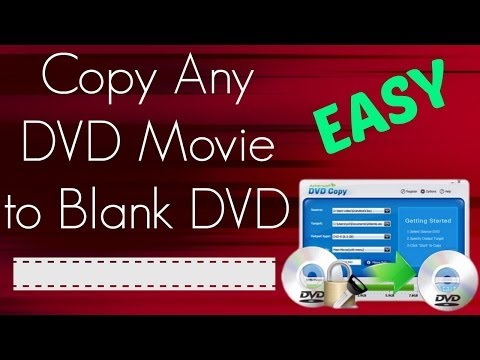
In today's video I will be showing you how to copy a DVD to a DVD using Aimersoft DVD Copy. So this is a program that can pretty much copy any DVD movie to a blank DVD disc so it can make an exact duplicate copy of your DVD movies. This program is for Windows computers so if you're on a Windows computer right now go ahead and click the free download link on your screen or the link in the description. That will start an instant download of this program, and you can try it out for free. So click the link and it will start the download. Once the download is complete it will end up in your downloads folder on your computer. Go to your Downloads folder then double-click on the icon to run and install it. You can go ahead and buy the full version to you copy unlimited DVDs or you can try it out for free. It has a free trial so if you don't want to buy it now you can just hit the free trial button. It's really easy to use. First thing you want to do is insert the movie into your DVD drive on your computer and then select it on the source. Select your DVD drive, and once you select it on the source you should see the DVD movie name right there. I have Superbad inserted in mine. So I got, I'm going to copy the Superbad DVD movie, and then the target folder is where it's going to copy onto your computer temporarily. And then once it's copied to your computer you can burn it to a disc. Okay so and then the output type you want to choose DVD 5. That's really important because you want to be able to burn it to a normal DVD-R disc, a blank DVD+R disc so choose DVD 5 in the output type. In the copy mode it has a couple different options here. You can select to copy the whole movie or just the main movie with the menu or main movie without the menu. Okay I just want to copy the main movie without the menu. You can choose whatever whatever you'd like. I'm just going to choose main movie without menu, and then once you're ready double check your settings. And then all you have to do is click the start button. It will start the copy process. Now depending on your computer speed it will take anywhere from 30 minutes to an hour. Mine is going to take about 45 minutes to copy a regular DVD movie. Okay so once the copy is complete it will automatically open up the Windows folder, and here is the Superbad folder. And if you double-click into the movie folder you'll see this Video_TS folder and then right-click and send to DVD drive. That's one way to burn it to a DVD. It's going to ask you to insert a blank disc. Another way to do it, another way to burn it to a disc is just select the VIDEO_TS folder and then if you're on Windows 7 you see the burn button right there on the top menu bar. Just hit that, and it will ask you to insert your blank DVD disc. So now all you have to do is just insert your blank DVD disc. It can be a DVD-R or DVD-RW depending on what your computer can write to, and once the burning process is complete you will have an exact duplicate copy of your movie. So that's how to copy a DVD to a DVD. The easiest way to copy a DVD movie to a blank DVD disc.
Subscribe! goo.gl/RqU0nl
Twitter Twitter.com/MyTechMethods
Facebook Facebook.com/MyTechMethods
Google+ goo.gl/WHzrbV
Instagram instagram.com/slye
Website MyTechMethods.com
Royalty-free music:
"Blown Away" by Kevin MacLeod (incompetech.com)
Share this video! youtu.be/TbKpqcpbXVU
Thanks for watching my video:
How to Copy DVD to DVD - Back Up DVD Movies
About this tutorial
Andy Slye published this 3:39 video tutorial on October 25, 2014. It has been watched 303,719 times on YouTube.
- Channel
- Andy Slye
- Category
- Science & Technology
- Duration
- 3:39
- Published
- October 25, 2014
- Views
- 303,719
- Likes
- 1,071
Tags
Share
Further reading
-
Copy Commercial DVD - How to Copy Commercial DVD Movies to DVD
aimersoft.com
When copying commercial DVD movies, you may come across two problems: 1. Different DVD format. Many commercial DVD movies are in DVD-9. So if you want to copy the DVD onto a DVD-5, make sure the DVD copy software enable…
-
5 Best DVD Copy Software for DVD Backup | Leawo Tutorial Center
leawo.org
This DVD copy software remove DVD disc protection and then back up DVD movies freely. It could copy DVD disc and folder to computer and/or blank DVD disc, and directly copy ISO to disc as well. With 3 copy modes availab…
-
How to Copy DVD Movie to A Blank DVD Disc (Free Method Include)
videosolo.com
VideoSolo DVD Copy is specially desgined for the DVD movie lovers who want to back up their DVDs to prevent then from damage or lost. It can copy both homemade and commercial DVD disc to blank DVD, ISO image or DVD fold…
This tutorial in other languages
- FRComment copier DVD sur DVD - Back Up Films DVD
- ESCómo copiar de DVD a DVD - Copia de seguridad de DVD Películas
- PTComo copiar DVD para DVD - Back Up Filmes de DVD
- ITCome copiare DVD a DVD - Backup DVD Movies
- DEWie man Kopieren von DVD auf DVD - Back Up DVD Filme
- NLHoe te kopiëren DVD naar DVD - Back Up DVD Movies
- RUКак копировать DVD на DVD - Резервное копирование DVD фильмов
- PLJak skopiować DVD na DVD - Filmy DVD Back Up
- JAどのようにコピーDVDへのDVDに - バックアップDVDムービー
- ARكيفية نسخ DVD إلى DVD - أفلام النسخ الاحتياطي DVD
- HIकैसे कॉपी डीवीडी के लिए डीवीडी के लिए - बैक अप डीवीडी फिल्म
- IDCara Copy DVD ke DVD - Back Up DVD Film