Playback starts YouTube’s embedded player (privacy-enhanced mode).
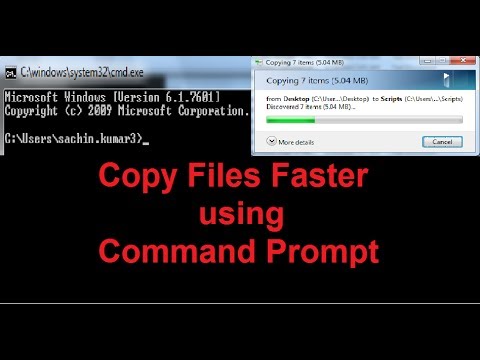
How to Copy Files and Folders Faster using Command Prompt
ChannelHow-To GuideDescription from the creator
You can use the Command Prompt to copy files and folders speedily on a Windows® PC.
Command: xcopy 'Source' 'Destination' /o /x /e /h /k
------------------------------------------------------------------------------------------
Useful videos :
youtube.com/watch?v=8QutAGmSpKg (turn off Compatibility View )
youtube.com/watch?v=4vzPn5dxTOg (Unable to Receive Emails on Gmail®)
youtube.com/watch?v=oj7bTQhOD_4 (allow sites to access your camera and microphone )
Content in this video is provided on an "as is" basis with no express or implied warranties whatsoever. Any reference of any third party logos, brand names, trademarks, services marks, trade names, trade dress and copyrights shall not imply any affiliation to such third parties, unless expressly specified.
Command: xcopy 'Source' 'Destination' /o /x /e /h /k
------------------------------------------------------------------------------------------
Useful videos :
youtube.com/watch?v=8QutAGmSpKg (turn off Compatibility View )
youtube.com/watch?v=4vzPn5dxTOg (Unable to Receive Emails on Gmail®)
youtube.com/watch?v=oj7bTQhOD_4 (allow sites to access your camera and microphone )
Content in this video is provided on an "as is" basis with no express or implied warranties whatsoever. Any reference of any third party logos, brand names, trademarks, services marks, trade names, trade dress and copyrights shall not imply any affiliation to such third parties, unless expressly specified.
About this tutorial
How-To Guide published this 1:10 video tutorial on November 2, 2012. It has been watched 252,693 times on YouTube.
- Channel
- How-To Guide
- Category
- Science & Technology
- Duration
- 1:10
- Published
- November 2, 2012
- Views
- 252,693
- Likes
- 520
Tags
Share
This tutorial in other languages
- FRComment copier les fichiers et dossiers plus rapidement en utilisant Invite de commande
- ESCómo copiar archivos y carpetas usando el símbolo del sistema más rápido
- PTComo os arquivos e pastas são copiados mais rapidamente utilizando a Command Prompt
- ITCome copiare file e cartelle più veloce utilizzando il prompt dei comandi
- DEWie zum Kopieren von Dateien und Ordnern Faster mit Eingabeaufforderung
- NLHoe te kopiëren Bestanden en mappen sneller met Command Prompt
- RUКак копировать файлы и папки быстрее с помощью командной строки
- PLJak kopiować pliki i foldery szybciej za pomocą Command Prompt
- JAどのようにコピーしたファイルとフォルダへの迅速なプロンプトコマンドを使用して
- ARكيفية نسخ الملفات والمجلدات بشكل أسرع باستخدام موجه الأوامر
- HIकैसे कॉपी फ़ाइलें और फ़ोल्डर के लिए तेजी से कमांड प्रॉम्प्ट का उपयोग कर
- IDCara Copy File dan Folder Lebih Cepat dengan menggunakan Command Prompt