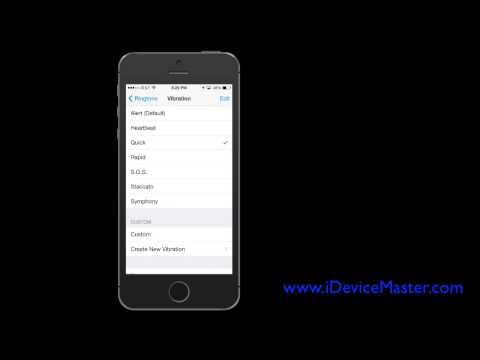
Playback starts YouTube’s embedded player (privacy-enhanced mode).
How to Create a Custom Vibration on Your iPhone in iOS 7
ChanneliDevice MasterDescription from the creator
idevicemaster.com. This video shows you how you can apply a custom vibration pattern to any sound, ringtone, text tone, or message notification on your iPhone. Go to settings, then Sounds, select one of the options under 'Sounds and Vibration Patterns'. Select 'Vibration' and then 'Create New Vibration'. This screen allows you to tap out a rhythm on the screen and a custom vibration will be created accordingly.
About this tutorial
iDevice Master published this 1:52 video tutorial on November 11, 2014. It has been watched 24,690 times on YouTube.
- Channel
- iDevice Master
- Category
- Science & Technology
- Duration
- 1:52
- Published
- November 11, 2014
- Views
- 24,690
- Likes
- 71
Tags
Share
This tutorial in other languages
- FRComment faire pour créer une vibration personnalisée sur votre iPhone dans iOS 7
- ESCómo crear una vibración personalizado en su iPhone en iOS 7
- PTComo criar uma vibração personalizado em seu iPhone no iOS 7
- ITCome creare una vibrazione personalizzata sul vostro iPhone in iOS 7
- DEWie eine benutzerdefinierte Vibration auf Ihrem iPhone in iOS erstellen 7
- NLHoe maak je een Custom Vibration aanmaken op je iPhone in iOS 7
- RUКак создать пользовательскую Вибрацию на вашем iPhone в прошивке 7
- PLJak utworzyć niestandardowy Wibracje na iPhone w iOS 7
- JAiOSの中であなたのiPhone上でカスタム振動を作成する方法7
- ARكيفية إنشاء الاهتزاز مخصص على اي فون الخاص بك في دائرة الرقابة الداخلية 7
- HIकैसे आईओएस में आपका iPhone पर एक कस्टम कंपन बनाने के लिए 7
- IDCara Buat Custom Vibration pada iPhone Anda di iOS 7