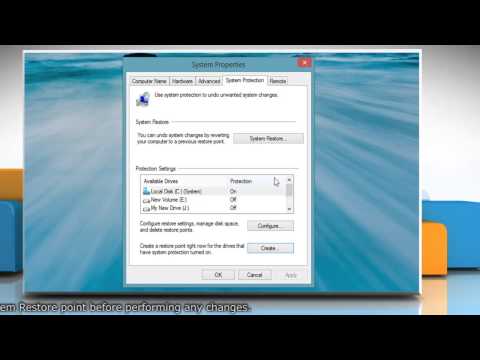
Playback starts YouTube’s embedded player (privacy-enhanced mode).
How to Create a Shortcut to Shut Down Windows® 8.1
ChannelHow-To GuideDescription from the creator
Want to create a shortcut to shut down Windows® 8.1 based PC? Follow the easy steps shown in this video. It is simple to create a Windows 8 desktop shortcut for fast shut down, turn-off or log out the computer.
In the shortcut location field, type: %SystemRoot%\System32\Shutdown.exe /s
Content in this video is provided on an "as is" basis with no express or implied warranties whatsoever. Any reference of any third party logos, brand names, trademarks, services marks, trade names, trade dress and copyrights shall not imply any affiliation to such third parties, unless expressly specified.
In the shortcut location field, type: %SystemRoot%\System32\Shutdown.exe /s
Content in this video is provided on an "as is" basis with no express or implied warranties whatsoever. Any reference of any third party logos, brand names, trademarks, services marks, trade names, trade dress and copyrights shall not imply any affiliation to such third parties, unless expressly specified.
About this tutorial
How-To Guide published this 1:59 video tutorial on November 11, 2013. It has been watched 23,873 times on YouTube.
- Channel
- How-To Guide
- Category
- Science & Technology
- Duration
- 1:59
- Published
- November 11, 2013
- Views
- 23,873
- Likes
- 76
Tags
Share
This tutorial in other languages
- FRComment faire pour créer un raccourci vers Arrêter Windows® 8.1
- ESCómo crear un acceso directo a Apagar Windows 8.1
- PTComo criar um atalho para desligar Windows® 8.1
- ITCome creare un collegamento a Arrestare Windows® 8.1
- DEWie eine Verknüpfung erstellen Sie Windows® 8.1 Beenden
- NLHoe maak je een snelkoppeling naar Afsluiten Windows® maken 8.1
- RUКак создать ярлык для Shut Down Windows® 8.1
- PLJak utworzyć skrót do zamykania Windows® 8.1
- JAシャットダウンのWindows®8.1へのショートカットを作成する方法
- ARكيفية إنشاء اختصار إلى إيقاف ويندوز 8.1
- HIनीचे विंडोज 8.1 बंद करने के लिए एक शॉर्टकट बनाएं कैसे
- IDCara Membuat Shortcut untuk Shut Down Windows 8.1