Playback starts YouTube’s embedded player (privacy-enhanced mode).
How To Create a WiFi Hotspot Using Command Prompt In Windows
ChannelTechSmartDescription from the creator
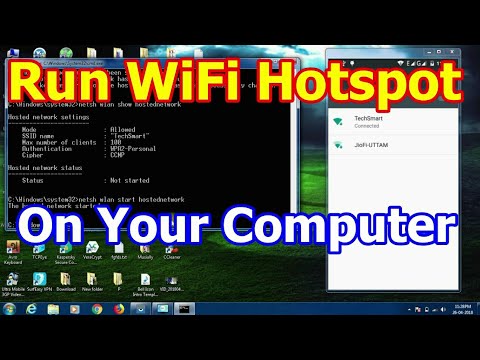
This tutorial shows How To Turn Your Computer/Laptop Into a WiFi Hotspot and Connect To Your Phone.
Commands:
netsh wlan set hostednetwork mode=allow ssid=TechSmart key=12345678
netsh wlan show hostednetwork
netsh wlan start hostednetwork
netsh wlan stop hostednetwork
Commands:
netsh wlan set hostednetwork mode=allow ssid=TechSmart key=12345678
netsh wlan show hostednetwork
netsh wlan start hostednetwork
netsh wlan stop hostednetwork
About this tutorial
TechSmart published this 5:31 video tutorial on November 2, 2018. It has been watched 1,007 times on YouTube.
- Channel
- TechSmart
- Category
- Science & Technology
- Duration
- 5:31
- Published
- November 2, 2018
- Views
- 1,007
- Likes
- 6
Tags
Share
This tutorial in other languages
- FRComment faire pour créer un Hotspot WiFi utilisant invite de commande dans Windows
- ESCómo crear un punto de acceso WiFi Uso de Símbolo del sistema en Windows
- PTComo criar um WiFi Hotspot Utilização da Command Prompt No Windows
- ITCome creare un hotspot WiFi utilizzando prompt dei comandi in Windows
- DEWie man ein WiFi-Hotspot verwenden Eingabeaufforderung in Windows erstellen
- NLHoe maak je een WiFi Hotspot Command Prompt in Windows
- RUКак создать WiFi Hotspot с помощью командной строки в ОС Windows
- PLJak utworzyć WiFi hotspot Korzystanie z wiersza polecenia w systemie Windows
- JAWindowsではプロンプトコマンドを使用してのWiFiホットスポットを作成する方法
- ARكيفية إنشاء واي فاي نقطة ساخنة باستخدام موجه الأوامر في Windows
- HIकैसे बनाने के लिए एक वाई-फाई हॉटस्पॉट कमांड प्रॉम्प्ट Windows में उपयोग करना
- IDCara Membuat WiFi Hotspot Menggunakan Command Prompt Pada Windows