Playback starts YouTube’s embedded player (privacy-enhanced mode).
How to Create Nintendo Wii Miis
ChannelHowcastDescription from the creator
Watch more Gaming Tips and Tricks videos: howcast.com/videos/310591-How-to-Create-Nintend…
Ever wish you could create a tiny version of yourself to live out your wildest gaming dreams? Here's your chance!
Step 1: Select Mii Channel
Turn on the Nintendo Wii. Select the "Mii Channel" by pointing the remote to the on-screen icon and pressing the "A" button.
Step 2: Pick the gender
Select "Start," then the "New Mii" icon. Pick the gender of the Mii and go to "Start from scratch."
Step 3: Name your Mii
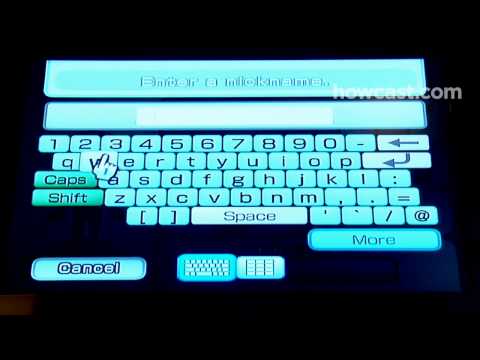
Select the icon at the top left of the screen, and give your Mii a nickname. Hit "OK."
Step 4: Adjust body proportions
Go to the second icon from the left, at the top of the screen. Adjust the Mii's height and weight using the sliders.
Step 5: Pick face shape, hair color
Select the third icon from the left to pick the Mii's face shape and skin tone. Then, go to the hair icon to pick a hair color and style.
Step 6: Fine-tune the face
Fine-tune the facial features by going to the icons for the eyebrows, eyes, nose, mouth, and glasses and facial hair. Pick the features you want, then size and position them on the face using the buttons on the right of the screen.
Tip
Experiment with unusual ways to use the features. For example, eyebrows can be used for ears and even horns with the right sizing and placement.
Step 7: Quit and save
Select "Quit" then "Save and Quit" when you're finished. Decide if you want your Mii to "mingle," or join the parade on your friends' Wiis. This will allow them to play as the character you created.
Tip
Create celebrity Miis to spice up your parade.
Step 8: Enjoy
Create characters for everyone who plays the Wii console, and enjoy the new Miis!
Did You Know?
Miis are based on traditional wooden dolls from Japan called kokeshi.
Ever wish you could create a tiny version of yourself to live out your wildest gaming dreams? Here's your chance!
Step 1: Select Mii Channel
Turn on the Nintendo Wii. Select the "Mii Channel" by pointing the remote to the on-screen icon and pressing the "A" button.
Step 2: Pick the gender
Select "Start," then the "New Mii" icon. Pick the gender of the Mii and go to "Start from scratch."
Step 3: Name your Mii
Select the icon at the top left of the screen, and give your Mii a nickname. Hit "OK."
Step 4: Adjust body proportions
Go to the second icon from the left, at the top of the screen. Adjust the Mii's height and weight using the sliders.
Step 5: Pick face shape, hair color
Select the third icon from the left to pick the Mii's face shape and skin tone. Then, go to the hair icon to pick a hair color and style.
Step 6: Fine-tune the face
Fine-tune the facial features by going to the icons for the eyebrows, eyes, nose, mouth, and glasses and facial hair. Pick the features you want, then size and position them on the face using the buttons on the right of the screen.
Tip
Experiment with unusual ways to use the features. For example, eyebrows can be used for ears and even horns with the right sizing and placement.
Step 7: Quit and save
Select "Quit" then "Save and Quit" when you're finished. Decide if you want your Mii to "mingle," or join the parade on your friends' Wiis. This will allow them to play as the character you created.
Tip
Create celebrity Miis to spice up your parade.
Step 8: Enjoy
Create characters for everyone who plays the Wii console, and enjoy the new Miis!
Did You Know?
Miis are based on traditional wooden dolls from Japan called kokeshi.
About this tutorial
Howcast published this 1:51 video tutorial on November 10, 2010. It has been watched 26,209 times on YouTube.
- Channel
- Howcast
- Category
- Science & Technology
- Duration
- 1:51
- Published
- November 10, 2010
- Views
- 26,209
- Likes
- 86
Tags
Share
This tutorial in other languages
- FRComment créer Nintendo Wii Miis
- ESCómo crear Miis Nintendo Wii
- PTComo criar Nintendo Wii Miis
- ITCome creare Nintendo Wii Mii
- DESo erstellen Nintendo Wii Miis
- NLHoe maak je Nintendo Wii Mii-personages
- RUКак создать Nintendo Wii Miis
- PLJak utworzyć Nintendo Wii Mii
- JA任天堂Wii MIISを作成する方法
- ARكيفية إنشاء نينتندو وي MIIS
- HIकैसे Nintendo Wii Miis बनाने के लिए
- IDCara Membuat Nintendo Wii Miis