Playback starts YouTube’s embedded player (privacy-enhanced mode).
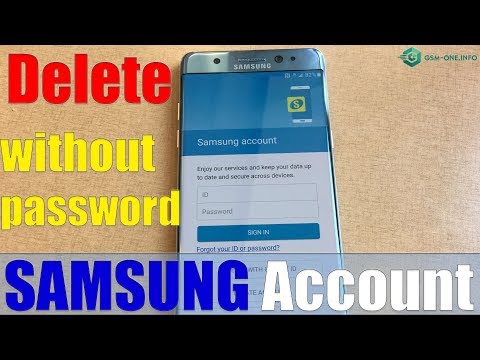
How to Delete SAMSUNG Account without PASSWORD Android all versions
ChannelGSM FixDescription from the creator
How to Delete SAMSUNG Account without PASSWORD Android all versions
- gsm-one.info/index.php?how-to-delete-samsung-ac…
---------------------------The device has a home key-------------------------------------
Step 1 - Turn off the device by pressing the Power button (if not already off).
Step 2 – Now, press the Volume up, Power and Menu button all together until the device vibrates and Samsung logo appears.
tep 3 - The device will now successfully boot into recovery mode. Once done, Select “Wipe data / Factory reset” from the options. Use volume up and down key for navigation and Power key to select the option.
Note: Do remember at this stage, your mobile touch screen will not work.
Step 4 -Now select “Delete all user data” – tap “yes” to continue with the reset Samsung process.
Step 5 - Finally when the process is complete, tap on ‘Reboot system now” to welcome a factory restored and fresh Samsung Galaxy device.
Now restart your device which will complete your process of factory reset and thus you would have overcome a lot of issues.
----------------------------------- The device has a Bixby key ------------------------
Step 1 - Turn off the device by pressing the Power button (if not already off).
Step 2 – Now, press the Volume up, Power and Bixby button all together until the device vibrates and Samsung logo appears.
tep 3 - The device will now successfully boot into recovery mode. Once done, Select “Wipe data / Factory reset” from the options. Use volume up and down key for navigation and Power key to select the option.
Note: Do remember at this stage, your mobile touch screen will not work.
Step 4 -Now select “Delete all user data” – tap “yes” to continue with the reset Samsung process.
Step 5 - Finally when the process is complete, tap on ‘Reboot system now” to welcome a factory restored and fresh Samsung Galaxy device.
Now restart your device which will complete your process of factory reset and thus you would have overcome a lot of issues.
---------------------The device only power key and volum key-------------------
Step 1 - Turn off the device by pressing the Power button (if not already off).
Step 2 – Now, press the Volume up, Power button all together until the device vibrates and Samsung logo appears.
tep 3 - The device will now successfully boot into recovery mode. Once done, Select “Wipe data / Factory reset” from the options. Use volume up and down key for navigation and Power key to select the option.
Note: Do remember at this stage, your mobile touch screen will not work.
Step 4 -Now select “Delete all user data” – tap “yes” to continue with the reset Samsung process.
Step 5 - Finally when the process is complete, tap on ‘Reboot system now” to welcome a factory restored and fresh Samsung Galaxy device.
Now restart your device which will complete your process of factory reset and thus you would have overcome a lot of issues.
- Download "frpallsamsung.apk": gsm-one.info/androidfrp/
(Hot & Free) New Solution Bypass FRP Lock all SAMSUNG GALAXY All Android Version
- gsm-one.info/index.php?hot-free-new-solution-by…
How to Bypass FRP Lock Google Account SAMSUNG GALAXY "TALKBACK NOT WORK"
- gsm-one.info/index.php?update-bypass-frp-lock-g…
- How to bypass frp lock all SAMSUNG GALAXY 2018
- Download FRPALLSAMSUNG.APK: gsm-one.info/androidfrp/
- Download HushSMS.apk: gsm-one.info/androidfrp/
- gsm-one.info/index.php?free-frp-bypass-all-sams…
- Samsung bypass verification on Google Account : 123link.pw/gUAPwdb
- Samsung Hard Reset: 123link.pw/0I8j
- If you frp success please donate 1$:
paypal.me/donatebacbachannel
----------------------------------
FOLLOW US 👍
▶️ Https://gsm-one.info/index.php
▶️ Whatsapp : +8490 826 0042
▶️ FACEBOOK: facebook.com/BacBaChannel/
▶️ SUBSCRIBE: goo.gl/EfqA7U
▶️ GOOGLE+: goo.gl/RYW8j5
▶️ Twitter: twitter.com/bacba_channel
- gsm-one.info/index.php?how-to-delete-samsung-ac…
---------------------------The device has a home key-------------------------------------
Step 1 - Turn off the device by pressing the Power button (if not already off).
Step 2 – Now, press the Volume up, Power and Menu button all together until the device vibrates and Samsung logo appears.
tep 3 - The device will now successfully boot into recovery mode. Once done, Select “Wipe data / Factory reset” from the options. Use volume up and down key for navigation and Power key to select the option.
Note: Do remember at this stage, your mobile touch screen will not work.
Step 4 -Now select “Delete all user data” – tap “yes” to continue with the reset Samsung process.
Step 5 - Finally when the process is complete, tap on ‘Reboot system now” to welcome a factory restored and fresh Samsung Galaxy device.
Now restart your device which will complete your process of factory reset and thus you would have overcome a lot of issues.
----------------------------------- The device has a Bixby key ------------------------
Step 1 - Turn off the device by pressing the Power button (if not already off).
Step 2 – Now, press the Volume up, Power and Bixby button all together until the device vibrates and Samsung logo appears.
tep 3 - The device will now successfully boot into recovery mode. Once done, Select “Wipe data / Factory reset” from the options. Use volume up and down key for navigation and Power key to select the option.
Note: Do remember at this stage, your mobile touch screen will not work.
Step 4 -Now select “Delete all user data” – tap “yes” to continue with the reset Samsung process.
Step 5 - Finally when the process is complete, tap on ‘Reboot system now” to welcome a factory restored and fresh Samsung Galaxy device.
Now restart your device which will complete your process of factory reset and thus you would have overcome a lot of issues.
---------------------The device only power key and volum key-------------------
Step 1 - Turn off the device by pressing the Power button (if not already off).
Step 2 – Now, press the Volume up, Power button all together until the device vibrates and Samsung logo appears.
tep 3 - The device will now successfully boot into recovery mode. Once done, Select “Wipe data / Factory reset” from the options. Use volume up and down key for navigation and Power key to select the option.
Note: Do remember at this stage, your mobile touch screen will not work.
Step 4 -Now select “Delete all user data” – tap “yes” to continue with the reset Samsung process.
Step 5 - Finally when the process is complete, tap on ‘Reboot system now” to welcome a factory restored and fresh Samsung Galaxy device.
Now restart your device which will complete your process of factory reset and thus you would have overcome a lot of issues.
- Download "frpallsamsung.apk": gsm-one.info/androidfrp/
(Hot & Free) New Solution Bypass FRP Lock all SAMSUNG GALAXY All Android Version
- gsm-one.info/index.php?hot-free-new-solution-by…
How to Bypass FRP Lock Google Account SAMSUNG GALAXY "TALKBACK NOT WORK"
- gsm-one.info/index.php?update-bypass-frp-lock-g…
- How to bypass frp lock all SAMSUNG GALAXY 2018
- Download FRPALLSAMSUNG.APK: gsm-one.info/androidfrp/
- Download HushSMS.apk: gsm-one.info/androidfrp/
- gsm-one.info/index.php?free-frp-bypass-all-sams…
- Samsung bypass verification on Google Account : 123link.pw/gUAPwdb
- Samsung Hard Reset: 123link.pw/0I8j
- If you frp success please donate 1$:
paypal.me/donatebacbachannel
----------------------------------
FOLLOW US 👍
▶️ Https://gsm-one.info/index.php
▶️ Whatsapp : +8490 826 0042
▶️ FACEBOOK: facebook.com/BacBaChannel/
▶️ SUBSCRIBE: goo.gl/EfqA7U
▶️ GOOGLE+: goo.gl/RYW8j5
▶️ Twitter: twitter.com/bacba_channel
About this tutorial
GSM Fix published this 5:08 video tutorial on October 28, 2019. It has been watched 859,666 times on YouTube.
- Channel
- GSM Fix
- Category
- Science & Technology
- Duration
- 5:08
- Published
- October 28, 2019
- Views
- 859,666
- Likes
- 4,578
Tags
Share
This tutorial in other languages
- FRComment supprimer SAMSUNG compte sans mot de passe toutes les versions Android
- ESCómo eliminar las cuentas de Samsung sin CONTRASEÑA todas las versiones de Android
- PTComo excluir SAMSUNG Conta sem SENHA Android todas as versões
- ITCome eliminare SAMSUNG account senza PASSWORD Android tutte le versioni
- DEWie Samsung-Konto ohne Passwort Android alle Versionen löschen
- NLHoe te verwijderen Samsung-account zonder PASSWORD Android alle versies
- RUКак удалить учетную запись SAMSUNG без ПАРОЛЯ Android все версии
- PLJak usunąć konto bez hasła SAMSUNG wszystkich wersjach Androida
- JAPASSWORD AndroidのすべてのバージョンなしSAMSUNGアカウントを削除する方法
- ARكيفية حذف حساب SAMSUNG دون PASSWORD الروبوت جميع الإصدارات
- HIहटाएँ कैसे SAMSUNG खाते का पासवर्ड एंड्रॉयड सभी संस्करणों के बिना
- IDCara Hapus SAMSUNG Akun tanpa PASSWORD Android semua versi