Playback starts YouTube’s embedded player (privacy-enhanced mode).
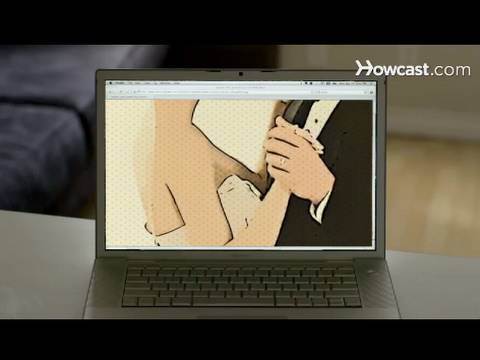
How to Design a Wedding Website
ChannelHowcastDescription from the creator
Full Playlist: youtube.com/playlist?list=PLLALQuK1NDrjUmsHPhWA…
-
-
Watch more Wedding Survival Guide videos: howcast.com/videos/315377-How-to-Design-a-Weddi…
Share the story of your marriage and the details of your ceremony with a wedding website.
Step 1: Join a wedding planning site
Go to a wedding planning website that offers a web page builder. Register with the site to become a member.
Tip
Upgrade to a premium site that offers flash designs, unlimited photographs and video, and a personalized URL.
Step 2: Choose a URL
Choose a unique URL, or web address, for the site. Use the names of the bride and groom.
Step 3: Design the site
Design your site based on the templates given. Change the colors, fonts, and background so the site matches the style of your wedding.
Step 4: Add pages
Add pages to the site about the proposal, engagement, and ceremony. List members of the wedding party and their relationships to the couple, directions to the venue, and information on how to RSVP online.
Step 5: Upload pictures and video
Upload pictures and videos of the bride and groom to the site. Include professional engagement photographs.
Step 6: Blog
Set up a blog and write about the wedding from the day of the proposal to the hectic final weeks of planning just before the ceremony.
Tip
Password-protect the site if you wish to keep it private, and only give the password to your guests.
Step 7: Set up a registry
Register for gifts through the wedding site. Most wedding planning sites let you integrate your registry into your personal wedding website.
Did You Know?
According to 2008 Census data, the number of Americans over age 15 who never married rose from 28 percent in 2000 to 31 percent.
-
-
Watch more Wedding Survival Guide videos: howcast.com/videos/315377-How-to-Design-a-Weddi…
Share the story of your marriage and the details of your ceremony with a wedding website.
Step 1: Join a wedding planning site
Go to a wedding planning website that offers a web page builder. Register with the site to become a member.
Tip
Upgrade to a premium site that offers flash designs, unlimited photographs and video, and a personalized URL.
Step 2: Choose a URL
Choose a unique URL, or web address, for the site. Use the names of the bride and groom.
Step 3: Design the site
Design your site based on the templates given. Change the colors, fonts, and background so the site matches the style of your wedding.
Step 4: Add pages
Add pages to the site about the proposal, engagement, and ceremony. List members of the wedding party and their relationships to the couple, directions to the venue, and information on how to RSVP online.
Step 5: Upload pictures and video
Upload pictures and videos of the bride and groom to the site. Include professional engagement photographs.
Step 6: Blog
Set up a blog and write about the wedding from the day of the proposal to the hectic final weeks of planning just before the ceremony.
Tip
Password-protect the site if you wish to keep it private, and only give the password to your guests.
Step 7: Set up a registry
Register for gifts through the wedding site. Most wedding planning sites let you integrate your registry into your personal wedding website.
Did You Know?
According to 2008 Census data, the number of Americans over age 15 who never married rose from 28 percent in 2000 to 31 percent.
About this tutorial
Howcast published this 1:49 video tutorial on October 26, 2010. It has been watched 2,758 times on YouTube.
- Channel
- Howcast
- Category
- Science & Technology
- Duration
- 1:49
- Published
- October 26, 2010
- Views
- 2,758
- Likes
- 14
Tags
Share
This tutorial in other languages
- FRComment concevoir un site de mariage
- ESCómo diseñar una página web de boda
- PTComo projetar um Web site do casamento
- ITCome progettare un sito web di nozze
- DEWie eine Hochzeit Website-Design
- NLHoe het ontwerpen van een website van het huwelijk
- RUКак создать Свадебный сайт
- PLJak zaprojektować stronę internetową Wedding
- JA結婚式のウェブサイトを設計する方法
- ARكيفية تصميم موقع الزفاف
- HIएक शादी की वेबसाइट डिजाइन करने के लिए कैसे
- IDBagaimana Desain Website Pernikahan