Playback starts YouTube’s embedded player (privacy-enhanced mode).
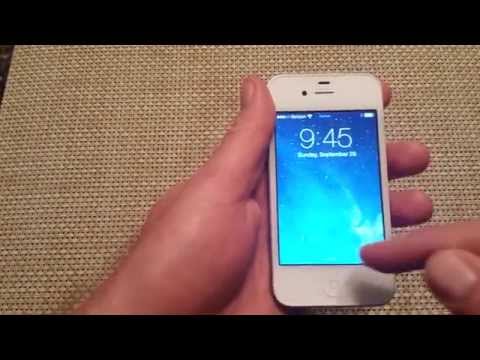
How to DISABLE VOICEOVER Turn Voice Over OFF also how to use it navigate Iphone ios7 ios8
ChannelAdam BednarzDescription from the creator
Quick video on how to turn off a feature called Voiceover. Voiceover is a great feature for the visually impaired users but a lot of people do not know how to scroll or navigate when it is accidentally turned on. Or some people will play a prank on you and turn it on for you. Some basics of scrolling are that you want to scroll up and down or side to side by using three fingers instead of one. Also when you want to make a selection you have to tap on the icon and then double tap to select it. In this video I will show you how I navigate thru the iphone and turn off the feature. I put a passcode lock on it so I can show you from start to finish. If you have no passcode lock then just skip that part and watch the remainder of the video. Hope this helps. Thanks
Should work on all IOS devices that have the feature available like IOS6 IOS7 Apple Iphone 5s, Iphone 5, iphone 5c, iphone 4s, iphone 4, ipod touch, Ipad 2, ipad 3, ipad 4, new ipad, ios5
If you do not know how to scroll with Voiceover it can be hard to turn it off or disable it. Also sometimes it may not want to turn off and I have seen that turning it off via iTunes may work better or you can try Reset All Settings.
If you're looking to buy a newer iPhone, you can click on the below affiliate link for great deals on eBay: ebay.to/2KOsqZw and Amazon: amzn.to/2s80YhE
bednaabcd
Copyright © 2015 Adam Bednarz. All Rights Reserved.
Should work on all IOS devices that have the feature available like IOS6 IOS7 Apple Iphone 5s, Iphone 5, iphone 5c, iphone 4s, iphone 4, ipod touch, Ipad 2, ipad 3, ipad 4, new ipad, ios5
If you do not know how to scroll with Voiceover it can be hard to turn it off or disable it. Also sometimes it may not want to turn off and I have seen that turning it off via iTunes may work better or you can try Reset All Settings.
If you're looking to buy a newer iPhone, you can click on the below affiliate link for great deals on eBay: ebay.to/2KOsqZw and Amazon: amzn.to/2s80YhE
bednaabcd
Copyright © 2015 Adam Bednarz. All Rights Reserved.
About this tutorial
Adam Bednarz published this 1:56 video tutorial on November 11, 2013. It has been watched 1,305,278 times on YouTube.
- Channel
- Adam Bednarz
- Category
- Science & Technology
- Duration
- 1:56
- Published
- November 11, 2013
- Views
- 1,305,278
- Likes
- 6,862
Share
This tutorial in other languages
- FRComment faire pour désactiver VOICEOVER Tournez la voix sur OFF aussi comment l'utiliser naviguer Iphone ios8 iOS 7
- ESCómo deshabilitar VOZ DE Activar Voz sobre OFF también cómo usarlo navegar Iphone iOS7 ios8
- PTComo desativar o VoiceOver Vire Voice Over OFF também como usá-lo navegar Iphone iOS7 iOS8
- ITCome disattivare VOICEOVER Girare Voice Over OFF anche come usarlo navigare Iphone iOS7 iOS 8
- DESo deaktivieren Sie vo Voice Over ausschalten auch, wie es zu benutzen navigieren Iphone ios7 ios8
- NLHoe schakel VoiceOver Schakel Voice Over OFF ook hoe het te gebruiken navigeren Iphone iOS7 ios8
- RUКак отключить функция VoiceOver Turn Voice Over OFF также, как использовать его навигации Iphone ios7 ios8
- PLJak wyłączyć VoiceOver Włącz Voice Over OFF także jak go używać nawigacja Iphone ios7 systemów iOS 8
- JADISABLEナレーションには、iPhone ios7 ios8ナビゲートを使用する方法もボイスオーバーOFFを回す方法
- ARكيفية تعطيل صوتية تشغيل الصوت عبر OFF أيضا كيفية استخدامها التنقل فون ios7 ios8
- HIअक्षम वॉयसओवर के लिए बारी कैसे बंद से अधिक आवाज भी यह नेविगेट Iphone iOS7 iOS8 का उपयोग कैसे करें
- IDCara mematikan VoiceOver Hidupkan Voice Over OFF juga bagaimana menggunakannya menavigasi Iphone iOS7 iOS8