Playback starts YouTube’s embedded player (privacy-enhanced mode).
How to Do Accent Marks in Microsoft Word
ChannelHowcastDescription from the creator
-
-
Watch more How to Use Computer Software videos: howcast.com/videos/284964-How-to-Do-Accent-Mark…
Looking for shortcuts so you don't have to hit the Help tab every time you need an accent mark? Look no further.
Step 1: Know your words
Know when an accent mark is required for a word you are using in your document. If you are unsure, consult a dictionary.
Tip
Microsoft Word will automatically accent some words that require accent marks in English, but don’t rely on it to correct them all.
Step 2: Highlight the letter
Highlight the letter requiring the accent mark. Click the Insert tab, and then click on Symbol.
Step 3: Scroll
Scroll through the dialogue box that appears until you have located the letter-accent mark combination you want. Highlight it, and click Insert to add the character to your document. Then click Close to close the dialogue box.
Step 4: Learn shortcuts on a PC
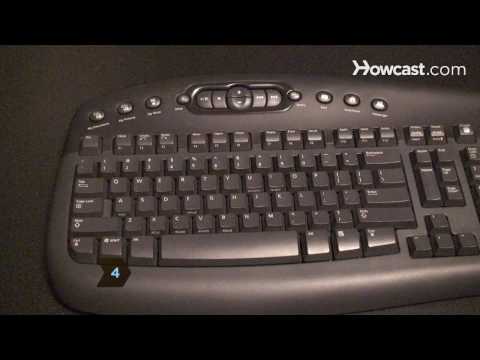
For accent marks you use often, learn keyboard shortcuts. On a PC, hold down the Control key, plus the letter A, C, E, I, O, U, N, or the tilde key, depending on the accent you want to add.
Step 5: Learn shortcuts on a Mac
On a Mac, hold down the Alt key plus the letter A, C, E, I, O, U, N, or the tilde key, depending on the accent you want to add.
Did You Know?
Did you know? In Spanish, a main function of accent marks is to indicate exceptions to pronunciation rules.
About this tutorial
Howcast published this 1:28 video tutorial on October 25, 2010. It has been watched 155,866 times on YouTube.
- Channel
- Howcast
- Category
- Science & Technology
- Duration
- 1:28
- Published
- October 25, 2010
- Views
- 155,866
- Likes
- 189
Tags
Share
Further reading
-
Three Ways to Insert Accent Marks in Microsoft Word
erinwrightwriting.com
Please note that accent marks are part of font files, so the font you’re using in Word determines which accent marks are available to you. All the standard fonts that come with Word include an exhaustive number of accen…
-
Keyboard shortcuts to add language accent marks in Word - Word
support.microsoft.com
Keyboard shortcuts to add language accent marks in Word. Word for Microsoft 365 Word 2019 Word 2016 Word 2013 Word 2010 More... Less . For keyboard shortcuts in which you press two or more keys simultaneously, the keys…
-
How to Type Accent Marks Over Letters in Microsoft Word
howtogeek.com
After all, English uses many words borrowed from other languages—like déjà vu, jalapeño, doppelgänger, and résumé, for example. And while we generally just type those words without accents in English, sometimes it’s nic…
This tutorial in other languages
- FRComment faire d'accents dans Microsoft Word
- ES¿Cómo hacer marcas de acento en Microsoft Word
- PTComo fazer Accent marcas no Microsoft Word
- ITCome fare Accent Marks in Microsoft Word
- DEWie Akzentzeichen in Microsoft Word zu tun
- NLHoe om te doen Accent Marks in Microsoft Word
- RUКак сделать ударение в Microsoft Word
- PLJak zrobić Accent Znaków w programie Microsoft Word
- JAMicrosoft Wordでアクセントマークを行う方法
- ARكيف نفعل علامات التشكيل في Microsoft Word
- HIमाइक्रोसॉफ्ट वर्ड में उच्चारण चिह्न करो कैसे
- IDBagaimana Apakah Accent Marks di Microsoft Word