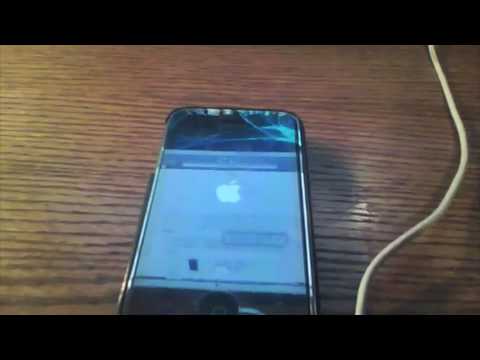
Playback starts YouTube’s embedded player (privacy-enhanced mode).
How To Downgrade iPhone/iPod Touch 4.0 Beta 1 to 3.1.2
ChannelWadeTheKidDescription from the creator
*****PLEASE READ ALL THIS INFO SO YOU DONT MESS UP****
How to downgrade from iPhone/iPod Touch 4.0 Beat 1 back down to 3.1.2. Links for the downloads:
Firmwares:
felixbruns.de/iPod/firmware/
blackra1n:
blackra1n.com/
If you have any questions/problems, feel free to post or send me a message...
*EDIT- Thanks to iPodTouch1024, If You Are having Problems Getting Service After The Downgrade, use SNOWBREEZE To Upgrade To 3.1.3 and Service Should be Restored.
*EDIT- IF BLACKRAIN MESSES UP:
the reason that this happens is because the new itunes wont let you run blackra1n. to fix this u have to put blackra1n into a different folder. if you have a pc here is how u get to the folder. C:\Program Files\Common Files\Apple\Apple Application Support
just put blackra1n into the folder and try to open it then it should work it worked for me.
via BerkoThe2nd
------
Sub and Rate if you want, future videos to come...
Follow me on Twitter if you'd like...
twitter.com/WadeTheKid
How to downgrade from iPhone/iPod Touch 4.0 Beat 1 back down to 3.1.2. Links for the downloads:
Firmwares:
felixbruns.de/iPod/firmware/
blackra1n:
blackra1n.com/
If you have any questions/problems, feel free to post or send me a message...
*EDIT- Thanks to iPodTouch1024, If You Are having Problems Getting Service After The Downgrade, use SNOWBREEZE To Upgrade To 3.1.3 and Service Should be Restored.
*EDIT- IF BLACKRAIN MESSES UP:
the reason that this happens is because the new itunes wont let you run blackra1n. to fix this u have to put blackra1n into a different folder. if you have a pc here is how u get to the folder. C:\Program Files\Common Files\Apple\Apple Application Support
just put blackra1n into the folder and try to open it then it should work it worked for me.
via BerkoThe2nd
------
Sub and Rate if you want, future videos to come...
Follow me on Twitter if you'd like...
twitter.com/WadeTheKid
About this tutorial
WadeTheKid published this 4:37 video tutorial on November 13, 2010. It has been watched 200,175 times on YouTube.
- Channel
- WadeTheKid
- Category
- Science & Technology
- Duration
- 4:37
- Published
- November 13, 2010
- Views
- 200,175
- Likes
- 163
Share
This tutorial in other languages
- FRComment Downgrade iPhone / iPod Touch 4.0 Beta 1 à 3.1.2
- ESCómo rebajar iPhone iPod Touch / 4.0 Beta 1 a 3.1.2
- PTComo Downgrade iPhone iPod Touch / 4.0 Beta 1 a 3.1.2
- ITCome Downgrade iPhone / iPod Touch 4.0 Beta 1 per 3.1.2
- DEWie herabzustufen iPhone / iPod Touch 4.0 Beta 1 bis 3.1.2
- NLHow To Downgrade iPhone / iPod Touch 4.0 Beta 1 tot en met 3.1.2
- RUКак Понизить iPhone / IPod Touch 4.0 Beta 1 до 3.1.2
- PLJak Downgrade iPhone / iPod Touch 4.0 Beta 1 do 3.1.2
- JAどのようにダウングレードするiPhone / iPod Touchの4.0ベータ1 3.1.2へ
- ARكيفية الإنحدار اي فون / آي بود تاتش 4.0 بيتا 1 إلى 3.1.2
- HIकैसे करने के लिए डाउनग्रेड iPhone / iPod टच 4.0 बीटा 1 3.1.2
- IDCara Downgrade iPhone / iPod Touch 4.0 Beta 1 ke 3.1.2