Playback starts YouTube’s embedded player (privacy-enhanced mode).
How To Download Unsupported Apps On iOS! 2020!
ChannelPinch SoftDescription from the creator
How To Unsupported Apps On iOS!
SUBSCRIBE TO PINCH SOFT: bit.ly/SUBTOPINCHSOFT
VISIT MY CHANNEL: bit.ly/PINCHSOFTYOUTUBE
MY LAST VID: youtube.com/watch?v=gIHKQHqgQMM&t=16s
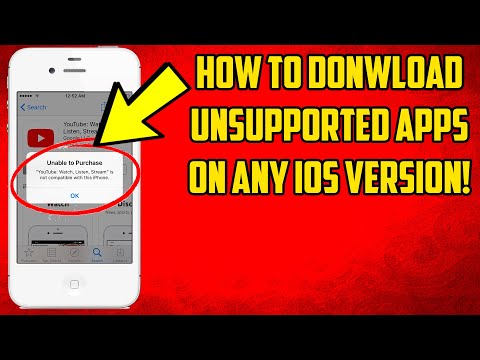
So, if you are here, you obviously want to know how to download unsupported apps on your iPhone or iPad without a computer. Don't worry, I can help you, my video will show you a cydia tweak for how to download the last compatible version of any app! Unsupported iOS apps aren't much fun, actually they aren't fun at all, and they limit the use of your iPhone or iPad. That's not cool. This tweak will allow you to bypass these limits, and install unsupported iOS apps on any version of iOS. I used YouTube as an example in my video, it said that it was an incompatible unsupported app, but, I installed the tweak, and then it worked perfectly.
This tweak will work on any device from iPhone OS 3, all the way up to the current versions of iOS, but, it will mostly work on iOS 5, iOS 6, iOS 7, iOS 8, iOS 9, iOS 10, and iOS 11, as well as iOS 12, where the versions of apps are going to be less and less supported. Unsupported iOS apps are going to be a thing of the past with this tweak, called Checkmate, Store. It will work with your device, and restore functionality. It's free, and it makes any app that has a previous version attached to it, able to be downloaded if you have this tweak, so, any app you want, is available on any version you want, as long as it used to work with that version.
This trick will also work for iPads, this includes the iPad 2. the iPad 2 is amazing, but, iOS 9 is old and apps are starting to not support it. I recommend using Checkmate, Store to use current apps with the iPad 2s software. iPad 2 is best with any apps that work with it. If you want your iPad 2 to be supported again in 2020, make sure that you install Checkmate, Store on your iPad 2. The iPad 2 is nearly 10 years old, and if you want your iPad 2 to hold up in 2020, you should probably put Checkmate, Store on your iPad 2.
#NoComputer #Easy #CheckmateStore
Business Inquiries: [email protected]
SUBSCRIBE TO PINCH SOFT: bit.ly/SUBTOPINCHSOFT
VISIT MY CHANNEL: bit.ly/PINCHSOFTYOUTUBE
MY LAST VID: youtube.com/watch?v=gIHKQHqgQMM&t=16s
So, if you are here, you obviously want to know how to download unsupported apps on your iPhone or iPad without a computer. Don't worry, I can help you, my video will show you a cydia tweak for how to download the last compatible version of any app! Unsupported iOS apps aren't much fun, actually they aren't fun at all, and they limit the use of your iPhone or iPad. That's not cool. This tweak will allow you to bypass these limits, and install unsupported iOS apps on any version of iOS. I used YouTube as an example in my video, it said that it was an incompatible unsupported app, but, I installed the tweak, and then it worked perfectly.
This tweak will work on any device from iPhone OS 3, all the way up to the current versions of iOS, but, it will mostly work on iOS 5, iOS 6, iOS 7, iOS 8, iOS 9, iOS 10, and iOS 11, as well as iOS 12, where the versions of apps are going to be less and less supported. Unsupported iOS apps are going to be a thing of the past with this tweak, called Checkmate, Store. It will work with your device, and restore functionality. It's free, and it makes any app that has a previous version attached to it, able to be downloaded if you have this tweak, so, any app you want, is available on any version you want, as long as it used to work with that version.
This trick will also work for iPads, this includes the iPad 2. the iPad 2 is amazing, but, iOS 9 is old and apps are starting to not support it. I recommend using Checkmate, Store to use current apps with the iPad 2s software. iPad 2 is best with any apps that work with it. If you want your iPad 2 to be supported again in 2020, make sure that you install Checkmate, Store on your iPad 2. The iPad 2 is nearly 10 years old, and if you want your iPad 2 to hold up in 2020, you should probably put Checkmate, Store on your iPad 2.
#NoComputer #Easy #CheckmateStore
Business Inquiries: [email protected]
About this tutorial
Pinch Soft published this 2:45 video tutorial on March 3, 2020. It has been watched 176,529 times on YouTube.
- Channel
- Pinch Soft
- Category
- Science & Technology
- Duration
- 2:45
- Published
- March 3, 2020
- Views
- 176,529
- Likes
- 2,228
Tags
Share
This tutorial in other languages
- FRComment télécharger les applications sur iOS non pris en charge! 2020!
- ESCómo descargar aplicaciones no compatibles En iOS! 2020!
- PTComo fazer o download não suportado Apps No iOS! 2020!
- ITCome scaricare supportato applicazioni su iOS! 2020!
- DEWie man nicht unterstützte Apps auf iOS herunterladen! 2020!
- NLHoe te downloaden ondersteunde apps op iOS! 2020!
- RUКак скачать неподдерживаемые приложения на IOS! 2020!
- PLJak pobierać aplikacje na iOS nieobsługiwany! 2020!
- JAサポートされていないアプリでのiOSをダウンロードする方法! 2020!
- ARكيفية تحميل غير معتمدة التطبيقات في نظام التشغيل iOS! 2020!
- HIडाउनलोड करने के लिए कैसे असमर्थित ऐप्स पर आईओएस! 2020!
- IDCara Download didukung Apps On iOS! 2020!