Playback starts YouTube’s embedded player (privacy-enhanced mode).
How to Install Unsupported Apps on iOS 7.1.2 or iOS 6 Any iPhone
ChanneliDevice CentralDescription from the creator
UPDATE: Apple has changed iTunes quite a bit! Newer versions don't have the Apps tab! DOWNGRADE to iTunes 12.0!
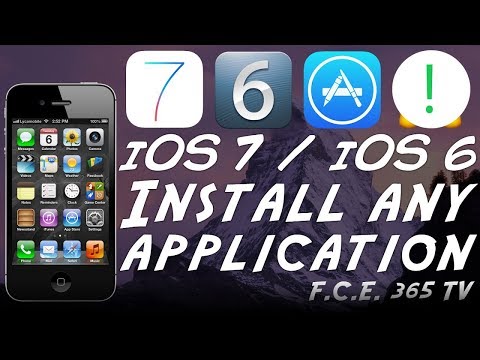
There is nothing more frustrating than the fact the iOS 7.1.2 really has only a handful of apps remaining that offer support, here I show you how to install these apps from the App Store that tell you they need at least iOS 8.0 to run. You will be able to get Facebook, Messenger, Twitter, YouTube, Instagram and any other app running on iOS 7.1.2, iOS 6.x, iOS 5 or even older.
This is particularly useful if you have an iPhone 4, or a newer one like iPhone 5 but you still run iOS 7.1.2 Jailbroken and you don't wanna update. Also, it is even more useful if you have an older device (iPhone 3GS or lower) because now you can install apps.
Apps are working fast and not glitchy at all because the device will install a version that was supported on it, in the video, I demonstrated the entire thing on iPhone 4 because it's the only device I have running iOS 7.x but you can easily do it on any device. iPad, iPod or iPhone.
This does NOT require Jailbreak and is perfectly legal.
This will fix the "This application requires iOS 8.0 or later" thing.
==Other Awesome Resources==
Dual Boot any iPhone: youtube.com/watch?v=jtu15IGvw3o
Disable iOS Software Updates: youtu.be/8-2OmdrMLTo
Learn to build iOS Apps: youtu.be/OPoS7y6PiOM
iOS 10.1.1 Jailbreak - Is it safe?: goo.gl/uKPG1k
==Social Media Links==
Twitter: twitter.com/FCE365
Facebook: facebook.com/fce365official/
WWW: fce365.info
There is nothing more frustrating than the fact the iOS 7.1.2 really has only a handful of apps remaining that offer support, here I show you how to install these apps from the App Store that tell you they need at least iOS 8.0 to run. You will be able to get Facebook, Messenger, Twitter, YouTube, Instagram and any other app running on iOS 7.1.2, iOS 6.x, iOS 5 or even older.
This is particularly useful if you have an iPhone 4, or a newer one like iPhone 5 but you still run iOS 7.1.2 Jailbroken and you don't wanna update. Also, it is even more useful if you have an older device (iPhone 3GS or lower) because now you can install apps.
Apps are working fast and not glitchy at all because the device will install a version that was supported on it, in the video, I demonstrated the entire thing on iPhone 4 because it's the only device I have running iOS 7.x but you can easily do it on any device. iPad, iPod or iPhone.
This does NOT require Jailbreak and is perfectly legal.
This will fix the "This application requires iOS 8.0 or later" thing.
==Other Awesome Resources==
Dual Boot any iPhone: youtube.com/watch?v=jtu15IGvw3o
Disable iOS Software Updates: youtu.be/8-2OmdrMLTo
Learn to build iOS Apps: youtu.be/OPoS7y6PiOM
iOS 10.1.1 Jailbreak - Is it safe?: goo.gl/uKPG1k
==Social Media Links==
Twitter: twitter.com/FCE365
Facebook: facebook.com/fce365official/
WWW: fce365.info
About this tutorial
iDevice Central published this 4:20 video tutorial on November 11, 2017. It has been watched 596,020 times on YouTube.
- Channel
- iDevice Central
- Category
- Science & Technology
- Duration
- 4:20
- Published
- November 11, 2017
- Views
- 596,020
- Likes
- 4,143
Tags
Share
This tutorial in other languages
- FRComment faire pour installer sur iOS Apps non pris en charge 7.1.2 ou iOS 6 Toute iPhone
- ESCómo instalar aplicaciones no compatibles con iOS 7.1.2 o iOS 6 Cualquier iPhone
- PTComo instalar não suportado Apps no iOS 7.1.2 ou iOS 6 Qualquer iPhone
- ITCome installare applicazioni non supportato su iOS 7.1.2 o iOS 6 Qualsiasi iPhone
- DESo installieren Sie nicht unterstützten Apps auf iOS 7.1.2 oder iOS 6 Alle iPhone
- NLHoe te installeren ondersteunde apps op iOS 7.1.2 of iOS 6 Elke iPhone
- RUКак установить приложения на неподдерживаемую прошивке 7.1.2 или IOS 6 Любого iPhone
- PLJak zainstalowane nieobsługiwane aplikacje iOS 7.1.2 lub iOS 6 Wszelkie iPhone
- JAiOSの7.1.2またはiOS 6の任意のiPhone上でサポートされていないアプリをインストールする方法
- ARكيفية تثبيت غير مدعوم تطبيقات على دائرة الرقابة الداخلية 7.1.2 أو دائرة الرقابة الداخلية 6 أي فون
- HIआईओएस 7.1.2 या iOS 6 किसी भी iPhone पर असमर्थित ऐप्लिकेशन कैसे इंस्टॉल करें
- IDCara Install tidak didukung Apps di iOS 7.1.2 atau iOS 6 Setiap iPhone