Playback starts YouTube’s embedded player (privacy-enhanced mode).
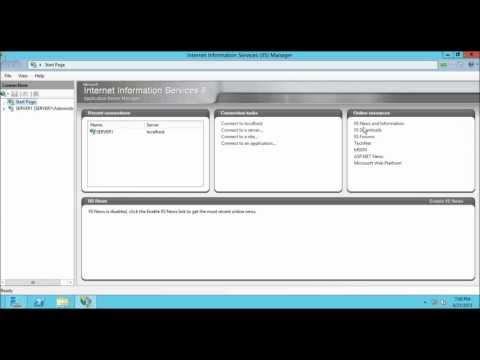
How to enable FTP Anonymous Authentication in IIS 8 on Windows Server 2012
ChannelSachin SamyDescription from the creator
The anonymous authentication element specifies the settings for anonymous access on the FTP Server.
Also See:
How to install and configure FTP
youtube.com/watch?v=AGgArVFLxpM
How to configure Ftp Virtual Host Name
youtube.com/watch?v=4twFFSHi9xs
Also See:
How to install and configure FTP
youtube.com/watch?v=AGgArVFLxpM
How to configure Ftp Virtual Host Name
youtube.com/watch?v=4twFFSHi9xs
About this tutorial
Sachin Samy published this 7:58 video tutorial on November 8, 2013. It has been watched 28,043 times on YouTube.
- Channel
- Sachin Samy
- Category
- Science & Technology
- Duration
- 7:58
- Published
- November 8, 2013
- Views
- 28,043
- Likes
- 89
Tags
Share
This tutorial in other languages
- FRComment activer l'authentification FTP anonyme dans IIS 8 sur Windows Server 2012
- ESCómo habilitar la autenticación anónima FTP en IIS 8 en Windows Server 2012
- PTComo habilitar a autenticação anônima FTP no IIS 8 no Windows Server 2012
- ITCome abilitare l'autenticazione anonima FTP in IIS 8 in Windows Server 2012
- DEWie FTP Anonyme Authentifizierung in IIS 8 unter Windows Server 2012 aktivieren
- NLHoe te FTP Anonieme verificatie in te schakelen in IIS 8 op Windows Server 2012
- RUКак включить FTP анонимную проверку подлинности в IIS 8 на Windows Server 2012
- PLJak włączyć uwierzytelnianie anonimowe FTP w IIS 8 w systemie Windows Server 2012
- JAWindows Serverの2012年IIS 8でFTP匿名認証を有効にする方法
- ARكيفية تمكين مصادقة مجهول FTP في IIS 8 على Windows Server 2012
- HIविंडोज सर्वर 2012 को आईआईएस 8 में एफ़टीपी बेनामी प्रमाणीकरण को सक्षम कैसे करें
- IDCara mengaktifkan FTP Anonymous Authentication di IIS 8 pada Windows Server 2012