Playback starts YouTube’s embedded player (privacy-enhanced mode).
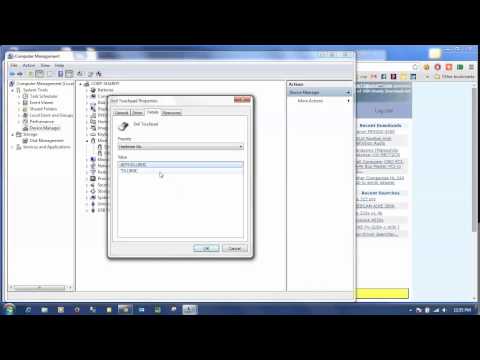
How To: Find and Install Drivers using Device Hardware Id or HWID (Windows 10, 8, 7, XP & more)
ChannelDriverGuideDescription from the creator
This video shows you how to find and install device drivers on Windows using the Hardware ID or Device ID. This is especially useful if you have lost your installation disk or cd.
DriverGuide.com (driverguide.com) - Download Drivers for FREE from the Web's largest Driver Database.
Search and Download only the drivers you need.
No Software to Buy - No Scan Necessary.
Since 1996, experts recommend DriverGuide to fix PC problems fast. It's Fast, Safe, Easy & Free!
DriverGuide.com (driverguide.com) - Download Drivers for FREE from the Web's largest Driver Database.
Search and Download only the drivers you need.
No Software to Buy - No Scan Necessary.
Since 1996, experts recommend DriverGuide to fix PC problems fast. It's Fast, Safe, Easy & Free!
About this tutorial
DriverGuide published this 3:44 video tutorial on October 29, 2015. It has been watched 43,677 times on YouTube.
- Channel
- DriverGuide
- Category
- Science & Technology
- Duration
- 3:44
- Published
- October 29, 2015
- Views
- 43,677
- Likes
- 68
Tags
Share
This tutorial in other languages
- FRComment: Trouver et installer les pilotes de périphériques à l'aide du matériel Id ou HWID (Windows 10, 8, 7, XP et plus)
- ESCómo: Buscar e instalar los conductores que utilizan dispositivos de hardware Id o HWID (Windows 10, 8, 7, XP y más)
- PTComo: Localizar e instalar drivers usando Dispositivo de Hardware Id ou HWID (Windows 10, 8, 7, XP e muito mais)
- ITCome: individuare e installare driver per mezzo del dispositivo hardware Id o HWID (Windows 10, 8, 7, XP e altro)
- DEHow To: Finden und Installieren von Gerätetreibern Hardware-ID oder HWID (Windows 10, 8, 7, XP & mehr) unter Verwendung von
- NLHow To: Vind en drivers installeren met behulp van Apparaatbeheer hardware-ID of HWID (Windows 10, 8, 7, XP en nog veel meer)
- RUКак: найти и установить драйверы с помощью аппаратного устройства Id или HWID (Windows 10, 8, 7, XP & больше)
- PLJak to zrobić: Znajdź i zainstalować sterowniki używając Hardware Device Id lub HWID (Windows 10, 8, 7, XP i więcej)
- JAHOW TO:デバイスのハードウェアIDまたはHWID(Windowsの10、8、7、XP&より)を使用して検索し、ドライバのインストール
- ARكيفية البحث وتثبيت برامج تشغيل الأجهزة باستخدام الأجهزة الهوية أو HWID (ويندوز 10، 8، 7، XP وأكثر)
- HIकैसे: ढूँढें और डिवाइस हार्डवेयर आईडी या HWID (विंडोज 10, 8, 7, XP और अधिक) का उपयोग ड्राइवर स्थापित करें
- IDCara: Cari dan Install Driver menggunakan Id Perangkat Keras atau HWID (Windows 10, 8, 7, XP & lebih)